
- Forums
- Satellite TV receivers & systems support forums
- Satellite PC Card Receivers, Internet by Satellite
You are using an out of date browser. It may not display this or other websites correctly.
You should upgrade or use an alternative browser.
You should upgrade or use an alternative browser.
alt dvb 2.5 new
- Thread starter anto@
- Start date


satesco
Specialist Contributor
- My Satellite Setup
- seven antennas,one toroidal with 16 lnbs,
6 satellite receivers,2 Meters,9 PC cards(tbs6983,6903,6590,6504,6522,6209,2603,6909X,6903X,6902se,skystar hd2),2 tuners usb-tbs5927 & tbs5925,Skystar HD.
Satellite reception between 100.5E-50.0W
- My Location
- Romania


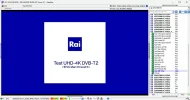
Hello my friend, we want an explanation of how to receive the Abertis package on the new version AltDVB 2.5
For support encoded T2-Mi, using fixed CW (see \Configs\DecapKeys.txt)
Attachments

Thank you my friend, it is working normally now.Edit DecapKeys according to the pattern, add TS-TS transponders, restart AltDVB and scan
Attachments
![20250604_121553_ALT-DVB @ BDA [ TBS 6504 Tuner 0 ] - Satellite.webp](/data/attachments/148/x148639-a852bc5de35b27458008128ec5d2c8c8.jpg,qhash=fThF7A4DHA.pagespeed.ic.qjSkCcu-PX.webp)
satesco
Specialist Contributor
- My Satellite Setup
- seven antennas,one toroidal with 16 lnbs,
6 satellite receivers,2 Meters,9 PC cards(tbs6983,6903,6590,6504,6522,6209,2603,6909X,6903X,6902se,skystar hd2),2 tuners usb-tbs5927 & tbs5925,Skystar HD.
Satellite reception between 100.5E-50.0W
- My Location
- Romania
Here are the Unicast and Multicast settings with AltDVB for IP streams
Multicast settings (recommended):
AltDVB: Streaming 224.5.6.7 : 1234
-s TSReader_UDPMulticast {IP} {PORT}
Unicast settings:
AltDVB: Streaming 127.0.0.1 : 1234
-s TSReader_UDPUnicast {PORT} 127.0.0.1
Sometimes the video stream (display thumbnail) appears in the TSReader window, in which case it can be started and played directly.
I also made a how-to video for IP streams using:
[media]
[media]
Multicast settings (recommended):
AltDVB: Streaming 224.5.6.7 : 1234
-s TSReader_UDPMulticast {IP} {PORT}
Unicast settings:
AltDVB: Streaming 127.0.0.1 : 1234
-s TSReader_UDPUnicast {PORT} 127.0.0.1
Sometimes the video stream (display thumbnail) appears in the TSReader window, in which case it can be started and played directly.
I also made a how-to video for IP streams using:
[media]


SatSearcher
Regular Member
- My Satellite Setup
- 105cm dish with 0.1 smart LNB. TBS 6903 Card & Octagon SF4008. 55E-65W.
- My Location
- West Yorkshire
Tried AltDVB for the first time, always used SmartDVB up to now, and it seems like a good program, works great on the Bosnian T2-MI channels on 16E, but I can't get it to scan in the Abertis channels. I have everything configured correctly as far as I can tell, even followed Youtube tutorials to the letter, but just continue to get scan error! Any ideas anyone?

Butacas
Member
- My Satellite Setup
- 90 cm motorised dish. LNB 0,3 db
- My Location
- Spain, Galicia, Ourense
For T2-MI encoded channels, PLP (for me) is disabled in TS-TS decapsulation. But if there's no way to scan encoded T2-MI channels (Astra 4.8º E), nothing will happen until a future version. And that's if it's implemented, otherwise nothing will happen.
The Spanish TS-TS work well at 100%. Except for what you mentioned in another forum about TS-TS transponders and the same frequency as the NIT, I guess it will be fixed for a next release, otherwise it's fine.
SatSearcher
Regular Member
- My Satellite Setup
- 105cm dish with 0.1 smart LNB. TBS 6903 Card & Octagon SF4008. 55E-65W.
- My Location
- West Yorkshire
So still not sure what I'm doing wrong here, everything is correct but still get scan error!


SatSearcher
Regular Member
- My Satellite Setup
- 105cm dish with 0.1 smart LNB. TBS 6903 Card & Octagon SF4008. 55E-65W.
- My Location
- West Yorkshire
Yes, I have Abertis working on my Octagon SF4008 via streamrelay, used the same keys so I know that's not the problem
How can I decrypt BISS on Turksat 42 Satellite?
; Fixed keys used to decrypt stream before TS-TS decapsulation
;
; Line format:
; Column1 = SatPos (as the name of transponders .ini file, *=any)
; Column2 = Frequency (MHz, *=any)
; Column3 = Polarity (H/V/*)
; Column4 = PID (decimal)
; Column5 = KEY (hex, 16 characters)
; Columns separator = SPACE or TAB
; Fixed keys used to decrypt stream before TS-TS decapsulation
;
; Line format:
; Column1 = SatPos (as the name of transponders .ini file, *=any)
; Column2 = Frequency (MHz, *=any)
; Column3 = Polarity (H/V/*)
; Column4 = PID (decimal)
; Column5 = KEY (hex, 16 characters)
; Columns separator = SPACE or TAB
What should I write in the space below where it says 8191?
; Fixed keys used to decrypt stream before TS-TS decapsulation
;
; Line format:
; Column1 = SatPos (as the name of transponders .ini file, *=any)
; Column2 = Frequency (MHz, *=any)
; Column3 = Polarity (H/V/*)
; Column4 = PID (decimal)
; Column5 = KEY (hex, 16 characters)
; Columns separator = SPACE or TAB
; Fixed keys used to decrypt stream before TS-TS decapsulation
;
; Line format:
; Column1 = SatPos (as the name of transponders .ini file, *=any)
; Column2 = Frequency (MHz, *=any)
; Column3 = Polarity (H/V/*)
; Column4 = PID (decimal)
; Column5 = KEY (hex, 16 characters)
; Columns separator = SPACE or TAB
What should I write in the space below where it says 8191?
Attachments

Last edited by a moderator:

EnoSat
Specialist Contributor
- My Satellite Setup
- TBS-5927/5925/5220 , Dreambox , Edision , Mutant , Octagon , Uclan
- My Location
- Slovakia
So you see the key in Decap TS-TS status?Yes, I have Abertis working on my Octagon SF4008 via streamrelay, used the same keys so I know that's not the problem
Last edited by a moderator:
EnoSat
Specialist Contributor
- My Satellite Setup
- TBS-5927/5925/5220 , Dreambox , Edision , Mutant , Octagon , Uclan
- My Location
- Slovakia
Use some plugin with BISS support (vplug,yanksee,biss,...)How can I decrypt BISS on Turksat 42 Satellite?
What should I write in the space below where it says 8191?
Nothing, the asterisks mean it will be used for every position
Code:
Column1 = SatPos (as the name of transponders .ini file, *=any)
PS1: don't confuse Video/Audio with TS
PS2: don't forget what function the ; character has in configuration files
Last edited: