Can't access my 800 by FTP

howc said:
Also consider that as the guy has your username and password he can see everything on your PC maybe?
No, He/She cant see anything on the PC.

There are things you may want to do with your dreambox which require root privileges, like creating/modifing bouquets in DreamboxEdit.

The whole point of the password switcher script is so that you can make any changes you need, then switch back to the old passwd file so that if the original installer needs to log in, they can still use their old login details.
 
Ah ok. Well I never said I understood it either.
 
Ok compufunk here is what i did

at mountpoint i typt the folders name (or is it something else)
at Type: cifs
at Options its set to rw
username is *****
Pass is *****
Buffersize is (unchanged)
server (ip) is it from dreambox or Pc?
Share is /Share (or do i type the name from the shared folder?)

Well my head is spinning at the moment so ill be back tommorow tx for your patience and support compufunk ill try again tommorow then ok.
Guess i did something wrong still cant acces yet.

Grtz Wifi.
 
wifi said:
server (ip) is it from dreambox or Pc?
PC ip.
wifi said:
Share is /Share (or do i type the name from the shared folder?)
Insert the name of the shared folder.
 
I put the original and my own settings in here.
 
From your screen grab of DCC, It looks like your PCs IP address is 192.168.2.2

In the dreambox screen grabs, you are using 192.168.0.1. as the PC IP. Change it to 192.168.2.2

Other than that, I cant see anything else wrong. If its still not working you'll just need to double check everything, IP, username, pass,...............
 
Ok i got the ip changed moved the files from the password_switcher to the folder dreamboxm. (i guess that's where the files should be) but
still got this message: Telnet Connected
FTP Connected

Bootmanager: not found.
Telnet Disconnected
Telnet login incorrect!

i did reboot the dreambox.
 
You have to install the plugin and run it before it will do anything!

Have you gotten the mount working?
If so, put password_switcher.zip in the shared folder on your PC.

Then on the dreambox, go to the menu to manually install a plugin. Browse to the mounted shared folder, select and install the plugin.

When its installed. Go to your plugins menu and run it.
 
Ok i got it installed i forgot about that sorry this is what i got but since i dont know the old password i cant change anything or am i really dumb now lol atleast i am getting closer now ill bet.
 

Attachments

  • Passchanger.webp
    Passchanger.webp
    13.2 KB · Views: 186
  • passchanger2.webp
    passchanger2.webp
    7 KB · Views: 154
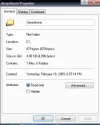
K here the shots from the share folder settings.
But manually means i have to use a ftp program? of some kind.
 

Attachments

  • 4.webp
    4.webp
    21 KB · Views: 110
  • 3.webp
    3.webp
    30.5 KB · Views: 106
  • 2.webp
    2.webp
    19.7 KB · Views: 119
  • 1.webp
    1.webp
    14.3 KB · Views: 129
compufunk said:
Can you please first confirm that the share is properly mounted.
Can you browse to the shared folder from your dreambox?

wifi said:
But manually means i have to use a ftp program? of some kind.
No it doesn't, that is the whole point in setting up a mounted share from your PC. When you go to the manual install menu you will be in the /tmp folder on your dreambox. From there you need to browse to the mounted share and install the plugin.

Dont forget to unzip the file you downloaded, the file in dreamboxm folder should be password_switcher.tar.gz.
 
The tar file is in the folder: dreamboxm

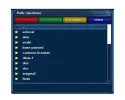
Nothing found in Path/share and Path/usr/share
 

Attachments

  • shared.webp
    shared.webp
    16.8 KB · Views: 128
  • shared2.webp
    shared2.webp
    16.9 KB · Views: 110
  • shared3.webp
    shared3.webp
    20.3 KB · Views: 101
Browse to /autofs/dreamboxm and check if you can the file is there.
 
I guess this is the one :)

I installed the file.
 

Attachments

  • autofs.webp
    autofs.webp
    11.4 KB · Views: 129
Sorry disregard the first post i am in the plugins directory had to look it up via var directory (just checked the rarfile for that)

So i am in here now.

What should i do now?
 

Attachments

  • switch.webp
    switch.webp
    13 KB · Views: 101
I wrote that script for Gemini Enigma1 images, how Enigma2 handles plugins may be slightly different. I dont have an Enigma2 box to test.

Did you see any errors while installing the script?

Try using tux commander to browse to /var/tuxbox/plugins.

From there, select password_switch.sh.

Look for the run/execute option at the bottom of the tux commander and press the corresponding key to run the script.

After that, check if you can login using 'root' 'dreambox' as username and password.

PS: How are you managing to get the screen grabs if you don't have login details?
 
I put my dreambox ip in the browser and get the dreamboxwebcontrol....

No errors in installing.
 
Woooohoooo got it i am connected now i should change my pass now right so others cant hack in.

Man you are good many many tx.
 
Back
Top