DM800 Channel List

Tonight guys rather than wrecking my brain with the channels.uk file and how to get the required parameters for the channels i thought I would check out the alternatives.

Someone on the forum said that Crossepg worked well so I thought i woud give it a go. And I am pleased to report that it does a really good job. First thing i did on my Nabilo image was to disable the built-in OpenTv Epg loader, as they both use the same channels to grab the epg so I didnt want them both running.

So to install it FTP the enigma2-plugin-extensions-crossepg_0.3.2-svn-33-gp4.4rev.5_mipsel to your tmp folder. Then goto Manual Install Ipk packages (Green then Yellow on Nabilo) run the install and when its finished restart enigma2. Next replace file /usr/bin/enigma2.sh with the one I have uploaded. Now when you goto the Nabilosat Green Panel you will have CrossEPG listed in the plugins. But before you use it you need to configure it. You do this from Main Menu/Setup/CrossEPG. From this set it up for your own requirements. When done hit the green OK button to save your settings. You can also run an instant scan from the extras (blue button)

Now you will have a full Week EPG for Sky UK. It will also grab Sky Italy if you set it to do this. I suppose you could just disable the Sky Uk part of the Nabilosat OpenTv Epg loader and allow it to grab the others as it seems to work fine for all the others just not the UK channels.

First time I have seen a fully populated 7 day Epg


*******************UPDATE********************

Tried it againg today to show the Mrs, as this was her gripe with the dreambox and its no longer working so ignore the above till futrther notice. Wonder why it worked this first time and now refuses?
 

Attachments

  • screenshot1.webp
    screenshot1.webp
    40.7 KB · Views: 256
  • screenshot2.webp
    screenshot2.webp
    44.7 KB · Views: 174
  • screenshot3.webp
    screenshot3.webp
    34.4 KB · Views: 215
  • screenshot4.webp
    screenshot4.webp
    28.7 KB · Views: 172
Well I have been playing about with it again today and I think that I have managed to get it working again. What I did was to wipe all recorded stuff from my hard drive, tried it again and away it went. Grabbed almost everything for Sky UK. Dunno why wiping the drive had an effect, there wasn't much on it but its definately working now.

Even though I have it set to reboot enigma 2 after a scan it is not doing this automatically, the epg will not populate till this is done but if you set the epg to run during the night and then use the Nabilo Cron setup to resart enigma or reboot say 15mins after the epg is set for you should have a full fresh epg every day.
 
so this other plugin that you say had epg for other providers as well as uk. You say it has most of the uk channels, does that mean like 99%? Another thing is will it be available by pressing the tv button and then going to epg or do i have to check epg through the plugin?

Thanks
 
Sharkadder said:
so this other plugin that you say had epg for other providers as well as uk. You say it has most of the uk channels, does that mean like 99%? Another thing is will it be available by pressing the tv button and then going to epg or do i have to check epg through the plugin?

Thanks
The Nabilosat Epg has support for more providers than CrossEPG. CrossEPG does Sky UK and Italy and an Australian provider, any of which can be disabled.

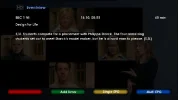
I have just went through from Ato Z on my Providers list for BskyB and yes it would be around 99%. I access the epg by pressing the the info button which gives the info for the current program and from there you can check that channel for the next 7 days by pressing yellow or the multi Epg by pressing Blue. If you press a long push on the info button initially you can choose either single service epg or graphical Multi Epg which also shows a timeline in red for program duration.
 

Attachments

  • graphicmultiepg.webp
    graphicmultiepg.webp
    31.7 KB · Views: 141
  • multiepg.webp
    multiepg.webp
    39.3 KB · Views: 142
  • singlechannel.webp
    singlechannel.webp
    37.3 KB · Views: 132
  • longpushinfo.webp
    longpushinfo.webp
    27.7 KB · Views: 126
  • shortpushinfo.webp
    shortpushinfo.webp
    20.5 KB · Views: 117
  • CrossEPG.webp
    CrossEPG.webp
    40.7 KB · Views: 134
  • Nab EPG.webp
    Nab EPG.webp
    41.4 KB · Views: 140
my graphical epg seems to be stuck on astra1, it has about 30 channels in the list and i cannot seem to get out of it. Not sure what has happened there but i don't know how to change it back to uk even though i am on astra2 using BH 0.11.

Anyways, i think that cross epg works, i am not totally sure but sometimes it says configuration failed. Maybe it will only work if the hard drive is blank before hand which is actually a very very stupid thing to need to be done.
 
By design I dont think that you have to wipe the drve for most other images. I was setting a friends 800 up on friday night and had a play with a few of the newer images available at present. It worked fine with the latest NewEnigma 2 image and EDG Nemisis. Possibly others may not have to wipe the drive to get it working wih Blackhole either. It worked for me for 1 day before it started playing up, but since wiping the drive its been flawless. It definately works on my box, just done a forced update an my Uk channels have all updated till 24/10/09
 
Yeah i think it is updating the epg ok but the graphical EPG on mine has always been stuck to astra1 only ever since i scanned them all in. I think i'll just wait until Nabilo bring out a new image if some of these problems have since been corrected by DMM since BH 0.11 was released. I'd imagine new CVS are available now anyways.

Thanks
 
Just used the instructions that tomthebomb1968 wrote,and it works perfect on my DM800,Thanks :-worship
 
These settings are woking for me at the moment for anyone who needs them, running sifteam 1.9.4E on a Dm500s with modfied weekepg 3.2b uk

1;1251;RTE One;101;2581:7fb:2
1;1252;RTE Two;102;2582:7fb:2
1;1253;TG4;103;2583:7fb:2
1;1255;TV3 Ireland;104;2585:7fb:2
1;3615;3e;105;cb87:907:2
 
Hi Guys.

Hey, has anyone got Crossepg running on Gemini 4.5 ?.
I cant for the life of me, get it to run up.
It searches out , creates the database files for Epg, Then reboots and thats it.
I cant seem to access the GUI of Cross Epg ?.

Any clues ?..

Location - New Zealand, receiving Au Foxtell Services.
Hope to modify cross epg to look at our NZ Nds services which also use the OpenTv EPG format..

Cheers
 
I use Newnigma2 image and in Newnigma2, you have to use Infinity mod hd skin to be able to access thre CrossEPG configuration menus.

After configuration, i can choose any skin I like.
 
Here is all you need to get CrossEpg to work with Gemini 4.5. Follow the instructions, I can't remember where I got this from, but it works but the auto time update don't work, you have to update it manually. I have been using it for weeks with no problems. :-thumbup
 

Attachments

Guys you might be interested in my Mega Spreadsheet , one of many things it will do for you is create a channels.uk file for Sly UK. It includes all regional channels and irish stuff too. You can find it in the Dreambox General section. Use MS Excel to open it.
 
Hi does anyone know the channel id for ITV meridian South and more 4+1 ive looked through cccam.channelinfo but cant find anything that works Thanks
 
doggone1, what are you referring to as the 'Channel Id'.
What image are you using.
Are you using an EPG plugin ?
What are you trying to do ?

If you're looking for EPG info try the following taken from the 'Mega Spreadsheet'

1;6130;ITV1 Channel Islands;37;27D8:806:2
1;6130;ITV1 Anglia East;37;271B:801:2
1;6130;ITV1 Anglia South;37;27A6:805:2
1;6130;ITV1 Anglia West;37;2F4E:801:2
1;6130;ITV1 Border;37;2742:801:2
1;6130;ITV1 Border Scotland;37;2788:805:2
1;6130;ITV1 Central East;37;271B:801:2
1;6130;ITV1 Central South;37;271A:801:2
1;6130;ITV1 Central South West;37;2F6C:7F4:2
1;6130;ITV1 Central West;37;2774:7FC:2
1;6130;ITV1 Granada;37;2760:7FC:2
1;6130;ITV1 London;37;274C:7FC:2
1;6130;ITV1 Merridian North;37;2F45:7F4:2
1;6130;ITV1 Merridian South East;37;2F44:7F4:2
1;6130;ITV1 Merridian East;37;279D:805:2
1;6130;ITV1 Merridian South;37;2F44:7F4:2
1;6130;ITV1 Tyne Tees North;37;2792:805:2
1;6130;ITV1 Tyne Tees South;37;2F62:7F4:2
1;6130;ITV1 West Country;37;2738:801:2
1;6130;ITV1 Wales;37;2724:801:2
1;6130;ITV1 West;37;272E:801:2
1;6130;ITV1 Yorkshire East;37;2F58:7F4:2
1;6130;ITV1 Yorkshire West;37;27B0:805:2
 
Back
Top