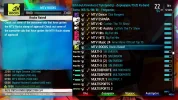
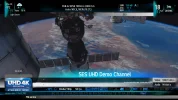
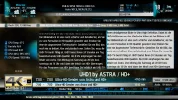
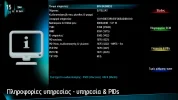
Just Sharing This Glamour Aura FHD skin - first public release candidate (RC3)

Since - once again - I had to reinstall SDG I downloaded your skin from the feed and installed it from there. Wanted just to add that this time all went fine without any further work.
 
And on SDG they must have fixed the recognition of the video codec even on encrypted channels!
Why did you reinstall? Kodi comes to mind...
 
Last edited:
Right, I was too optimistic by installing Kodi believing that maybe this way it would solve a problem I consider with some old video files.
Some of them do not play at all with the common media player of the image, some cannot be paused and replayed from any position I want to but just from the beginning. I had the hope Kodi has some internal routines for that issue. And after I installed Kodi SDG didn't start anymore indicating "Booting..." in the display !!
 
Kodi is not for SF4008, simply won't go and they f.... up a lot of stuff that was working prior to acommodate it, as if it's the most important thing a satellite receiver should have!
The STB should at least spot 2GB of RAM and 8GB of flash to claim that Kodi works...
 
My first steps with XMBC on a E² receiver were on my old Vu+ Solo² and that was pain. No comparison to my 16GB RAM Windows 10 PC. I always assumed that this cannot run smoothly on any E² receiver. Maybe I am wrong but this was just a test. I never could believe that its installtion would lead to a non booting image.
 
GLAMOUR AURA FHD skin v.F.04 (Finalized) for OpenPLI/SDG images

Glamour Aura FHD skin has entered its finalized stage, the new release is completely revamped with a multitude of changes.

- Reworked NextEvents, now only title will scroll when does not fit

- Added PrimeTime indication in channelselection
primetimeopenpli.webp

- Added support for T2MI, PLP ID display

- Reworked on infobar icons and rearrangements
hlg.webp
- Added support for Color Curve (HDR, SDR etc) with icons on the infobar and on the mediaplayer
mediaplayer-hdr10.webp
IMPORTANT NOTE: The icons will appear ONLY on receivers and images that support this feature

- Added more CPUs display on Second Infobar (they will appear if available)
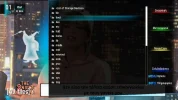
2ndinfobarnew.webp
- Added RusCrypt icon and more CA systems detection
newcaidsdetection.webp
- Added AudioSync screen
audiosync.webp

And countless small fixes and code optimizations
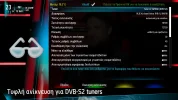
blindscannew.webp

Download IPK here version F.04 update 22/12/2018:
MEGA


or via SatDreamGr feeds
 
Once again excellent work. Thanks for that. :)

One question please:
What is it all about the 4 circles between the WIDE and TEXT indicator ?
Color Curve (HDR, SDR etc) with icons on the infobar and on the mediaplayer
 
Nope, HbbTV the new icon!
 
:-dohSilly me !!
I could have seen that since I am using HbbTV .
Thanks.
 
Glamour Aura FHD skin for OpenPLI/SDG based images version F.14 (update 21/2/2019)
- Major recode for better stability and speed
- New graphics lossless compression (smaller skin size)
- Improved several icons visibility
- Fixed several screens, including Blindscan
- Fixed startwizards
- Added more caids detection (i.e. 4B64-Samsung/TV Key)
- Added support for more plugins (like Dreamexplorer etc).

dree.webp
- New aura spinner

REMINDER: MSN weather plugin and bitrate plugin should be installed for weather info and bitrate

Install IPK from here (OpenPLI/SDG version F.14):
MEGA

or via the SatDreamGr feeds if the skin is installed from there, just run an image update.
 
I have run the image update inside of SatDreamGr 6 and asking myself if one can see which version of your skin is installed.
Is F.14 shown anywhere ?
 
The github versions are named differently because they rely on bitbakes that are different for each image.
F.14 you'd see it if you had installed the IPK.
However you can be sure that if you have the latest SDG update you certainly have the latest skin version as well
 
I see. Thanks for making this clear.
 
Back
Top