newstar1974
Member
- My Satellite Setup
- Channel master 120+inverto black ultra
- My Location
- Sween
Could you please refer to the topic of comparison. Thanks.

Could you please refer to the topic of comparison. Thanks.

Could you please refer to the topic of comparison. Thanks.
 satellites.co.uk
The audio lag is actually an advance on the video. The worst are the BBC SD ones on Astra 2, anywhere between 100 and 500mS, completely random depending on the channel.I appear to have some lip sync delay that changes in lag depending on the channel chosen. A reboot has not fixed it.
On the last version it would usually synchronise just by changing channel.
You might want to read this so. All is not what it seems with an OTA update. That is messy New version 18 firmware bad - GTMEDIA ForumThe audio lag is actually an advance on the video. The worst are the BBC SD ones on Astra 2, anywhere between 100 and 500mS, completely random depending on the channel.
Pressing the green button, 'player switching' does some odd things to the viewing but doesn't fix the audio. I've also reset the apps to no avail.
There is also an update to GTPlayer, though it has not made a difference.
It is quite a 'fly by wire' machine, nothing directly available from the remote/user interface.
No mention of the audio issues.You might want to read this so. All is not what it seems with an OTA update. That is messy New version 18 firmware bad - GTMEDIA Forum
If you have another receiver to hand, connect it up and see if you are actually receiving a signal. Once you have ruled out the dish/lnb ensure your lnb settings are correct in the Combo and the lnb is powered on. Remember once you reset you need to do lnb settings again. If all that fails to solve the problem reflash the latest firmware on the Combo. If you’re still experiencing a problem you’ll get help over on GTMedia forumStrange thing has happened. I went to do a blindscan on thor but results dudnt show up. Same with other sats. I did a reset now not one satellite search is saved so in channel list it remains completely empty. Anyone else had this ?
Hmm yes all ok with another receiver. Signals show scans and finds signals but as I say it doesn’t save results. I’ll have to reinstall the original firmware it seemsIf you have another receiver to hand, connect it up and see if you are actually receiving a signal. Once you have ruled out the dish/lnb ensure your lnb settings are correct in the Combo and the lnb is powered on. Remember once you reset you need to do lnb settings again. If all that fails to solve the problem reflash the latest firmware on the Combo. If you’re still experiencing a problem you’ll get help over on GTMedia forum

I recall two ways of accessing and clearing the channel data, one through the setup (satellite / transponder) tree and one in the 'home' menu
There is a backup option within the main Android menu (again accessible by two means) which might be worth using in case you have just a glitch and the channel data is actually being stored but not visible.
There are also options for the level of reset you can carry out, factory being the one that clears down everything
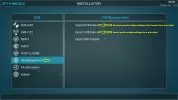
Tried to upgrade via USB but just got an error message right at the start ?I only update this way, with the FW on a USB stick.
This avoids many problems
If you are struggling with a USB firmware flash read this.Tried to upgrade via USB but just got an error message right at the start ?
Unless there was somehow power running through the cable you connected to the the ANT IN connector I doubt that was the source of your problem. Possibly a short somewhere along your cabling system. Burning smells are never good. You could attempt to recover it via the USB firmware flash. Before attempting to do that disconnect everything except power in and HDMI and see if the boot process continues. Have a look over on the GT Media forum to see if others have experienced similar symptoms GTMEDIA GT SERIES (Android DVB & IPTV BOX) - GTMEDIA ForumI got my GT Combo a while back but only just had a play with it yesterday. Was getting to grips with the UI but for some reason some TPs (with strong signals) weren't scanning and channels (4.2.0) were jumpy. In haste I thought i'd switch to the 'ANT IN' port from the 'LNB IN'. Immediately I could smell burning so cut the power. Now it won't show an image and is unresponsive to the remote but the green led powers on at the front and it says 'boot'. I suspect i've fried it but anything I can try to fix it? Is there a way to get it to boot from USB?
You’ve obviously fried the box by plugging in the LNB to the terrestrial antenna input oops !I got my GT Combo a while back but only just had a play with it yesterday. Was getting to grips with the UI but for some reason some TPs (with strong signals) weren't scanning and channels (4.2.0) were jumpy. In haste I thought i'd switch to the 'ANT IN' port from the 'LNB IN'. Immediately I could smell burning so cut the power. Now it won't show an image and is unresponsive to the remote but the green led powers on at the front and it says 'boot'. I suspect i've fried it but anything I can try to fix it? Is there a way to get it to boot from USB?
Unlikely. The GTCombo does have a terrestrial antenna voltage output but it should be protected somewhere on the board against shorting (default is 'off')You’ve obviously fried the box by plugging in the LNB to the terrestrial antenna input oops !
Ah well but the burning smell doesn’t look good. Actually DVB T2 doesn’t work with me anyway not that I bought one for thisUnlikely. The GTCombo does have a terrestrial antenna voltage output but it should be protected somewhere on the board against shorting (default is 'off')
It could be static, or a potential caused by the height of the dish/motor above the receiver.
If your Combo is still showing life put the firmware in the root folder of a FAT32 formatted USB stick, power off the box, put the USB stick in the USB port of the Combo and power up the box again. See if boots and starts flashing the firmware.The cable came from the motor into my TM5402 box then using the loop out port into the Combo. I assume it's bad practice messing around with the coax cables whilst the box is on but i've done it hundreds of times without issue on other boxes. I was going to flash the box from my PC but to my disbelief amongst the myriad of cables I have I can't seem to locate a USB to USB and haven't had a chance to get one yet
![20220824_113117[1].webp](/data/attachments/130/x130381-ea59fe93a3e3c95b942d0279d1937ad6.jpg,qhash=GJyyKd5xrM.pagespeed.ic.8Kh21YUbGm.webp)
