
- My Satellite Setup
- A little less analogue, and a lot more crap.
- My Location
- UK
Does the receipt from your supplier guarantee 4:4:4 reception 24/7 ?my 4.4.4 feed freezes om asiasat 5 100.5 east what to do
please help

Does the receipt from your supplier guarantee 4:4:4 reception 24/7 ?my 4.4.4 feed freezes om asiasat 5 100.5 east what to do
please help

new update out =- nice new UI
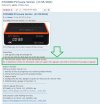

when you click ok, you now get a spectrum-scope kinda graphic for signal - nothing major, interesting about the T version. Must be on their site for download somewhereOnly just downloaded it so not had any time to evaluate properly , which part of the UI do you mean ?
Also - anybody know where this 'Enthusiast' software file with the 'T' can be found
.............................................................................................................................................................................................................................................................................................................................................................................................................................................................................................................
View attachment 150280
when you click ok, you now get a spectrum-scope kinda graphic for signal - nothing major, interesting about the T version. Must be on their site for download somewhere
the UI in general though to me seems a bit more polished,. it might be me, as i havent used it in a while.
maybe here
Nice "wan" JAESOk ta for that.
Iv'e had a look around the GTMedia site but didn't spot anything - i'll post the question on there.

Really? All I get is the Siggy strength and quality as before? Maybe you have the enthusiast version?? Did you USB upgrade or OTA??when you click ok, you now get a spectrum-scope kinda graphic for signal - nothing major, interesting about the T version. Must be on their site for download somewhere
the UI in general though to me seems a bit more polished,. it might be me, as i havent used it in a while.
maybe here
when you click ok, you now get a spectrum-scope kinda graphic for signal - nothing major, interesting about the T version. Must be on their site for download somewhere
the UI in general though to me seems a bit more polished,. it might be me, as i havent used it in a while.
maybe here
 .
.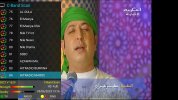
The UI looks exactly the same as the previous version I had in..I take it you can change it in the menu somewhere??Do you mean this display ? - if not i need some more clue's.
......................................................................................................................................................................................................................................................................................................................................................................................................................................................................................................
View attachment 150283
thats what i meant mateDo you mean this display ? - if not i need some more clue's.
......................................................................................................................................................................................................................................................................................................................................................................................................................................................................................................
View attachment 150283
thats what i meant mate
(i did online update- not USB
Still intrigued about this mythical enthusiast version. I thought perhaps the USB one was it, but it's identical to the OTA version. Perhaps your mate Owen can enlighten us?Ahh ok, i don't normally use that EPG option so i can't remember what it used to look like in the previous firmwares
Still intrigued about this mythical enthusiast version. I thought perhaps the USB one was it, but it's identical to the OTA version. Perhaps your mate Owen can enlighten us?
That is the GT Player logo if you are referring to the picture John posted earlier?Online update 1.23 in (earlier was 1.20)
Like the move back from channel list to satellites, but IPTV logo is permanent next to names. Can I remove it ?
theres a way to manage PICONS - never done it thoOnline update 1.23 in (earlier was 1.20)
Like the move back from channel list to satellites, but IPTV logo is permanent next to names. Can I remove it ?

I don't have that issue here, some issues with recordings but I'm working through that.Guys, it may be me doing something wrong since the software update to 23. But when switching to SD pictures it displays two quarter size images top of the screen. HD pics seem OK.