Nearly there

naylad

Member
My Satellite Setup
non yet
My Location
england
I have got 2 DM500s and I am trying to share. Both boxes ahve the Gemini imageand are running CCcan 2.13 with CS.

I have one box up and running with all channels with my *** card in and have a C an F line in either box.

I can connect to both boxes on my network.

The problem i am having is I am not seeing all channels on my Client box. I think the problem is Port forwarding/opening on my router. I do not know how to open the ports21,80,12000,16001 on my router.

My router is a KKorp KLS-6615.

Any help would be greatly appreciated.

cheers

naylad
 
Hi @naylad,

First, I know nothing about card sharing!

However, if both your server and your client are on the same network, (connected to the same router, as you seem to imply), then you certainly don't need any port forwarding!

Port forwarding is a method of opening Holes in your routers hardware firewall. This is not something that you ought to do unless you are totally sure of what you are doing! It leaves you open to attack :eek: unless implemented securely.

You only need port forwarding if your two boxes are connected via the Internet, if connected via a LAN and the same router, then you don't need port forwarding.

Seems the problem must be elsewhere.

Best wishes, John.
 
Thanks for the reply, but I will need to connect the 2 boxes over the Internet to allow me to cardshare with a different hous.

Any advice would be much appreciated.

cheers

naylad
 
Just a few checks:
- you only need to open port 12000 (or whatever port you are using if not the default port) on the server DM500.
- you only need an Fline in the server DM500 and a cline in the client DM500
- can you access the forwarding section in your router's set up pages
 
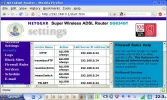
Yes, I can open my router and go to virtual servers section. I have attached a screenshot.

On this page Web is port 80, FTP(control) is port 21, FTP(Data) is port 20, Dreambox is port 1200 and DBOX is 16001.

is that correct?
cheers

naylad
 

Attachments

  • router 1.bmp.webp
    router 1.bmp.webp
    20.2 KB · Views: 27
naylad said:
Dreambox is port 1200

Is that just an error in the post!? Should be port 12000 not 1200.

Attached is how port forwarding looks in my Netgear DG834GT router. LAN IP 192.168.0.24 is my DM7000S.

Best wishes, John.

BTW: None of the port forwarding shown in the screen shot is active. The only open port on my router is for SSH and is not shown on the screen grab. Do not open ports 80, 21 etc on your router. Only open your share port.
 

Attachments

  • port_fwd.webp
    port_fwd.webp
    69.8 KB · Views: 27
Back
Top