neumoDVB

I have followed all the steps, the .sh script as well.

Llew I no longer see your post.
Sorry, misread your first post and replied with nothing of value, so deleted it.

As deeptho has often mentioned, it's usually a kernel issue. Try a different one.
 
It must be a very common problem. Because I have tried neumodvb on Ubuntu 22.04.1 LTS | Ubuntu 22.04.2 LTS | Fedora 36 and now on Fedora 37 with the same result, it doesn't detect the card. If I try to force the card to be detected, it comes out with a crossed line above it.

In all the distributions that I have tried, with everything updated.

I thought it would be something "easier" downloading what is necessary, compiling and that's it. But I see that it is not so.
 
I'm not on F37, still on F34, and with the kernel shown, it registers my 5927 (and all my other tuners.)

Weird or what, I always do sudo make install again before rebooting, just to be sure :D

(I can't show it in frontends as I'm having a problem compiling neumodvb in Fedora at the mo.)


TBS5927 in Fedora F34.png
 
And deeptho could not develop it in another way? I mean, so that there aren't these problems with the kernels.
 
And how do I add it? I download the fw, do I copy and paste it in that place? Is it necessary to refresh something afterwards?
 
And how do I add it? I download the fw, do I copy and paste it in that place? Is it necessary to refresh something afterwards?
Should be OK to do that without needing to do anything like rebooting. Last time I added tuner firmware, the adapter pops up in dev/dvb straight away.
 
How do I do that? How do I add the fw? Without instructions through the terminal it is not easy.
 
If I try to copy and paste directly, it won't let me. Error copying, permission denied.
 

Attachments

  • Captura desde 2023-04-30 15-14-28.png
    Captura desde 2023-04-30 15-14-28.png
    51.3 KB · Views: 29
And deeptho could not develop it in another way? I mean, so that there aren't these problems with the kernels.
The most common problem is users not following the instructions and not providing any useful information
on the problem, preventing others from helping. Another problem is that they not notice reported errors and
do not actually install the software.

For the 5927 card you indeed need the firmware,but you already
have it because it is on your fedora34 installation. So copy it from there
/lib/firmware/dvb-usb-tbsqbox-id5927.fw
 
@deeptho

neumoDVB is failing to compile in my Fedora F34 distro. Stopping with strip requiring two arguments.

cmake_string_error.png

CMakeLists.txt in neumodvb and in the xformat folder both mention the focal release (Ubuntu 20.2 Focal Fossa), which I have in in various disks on my PC - but importantly not on the Ubuntu I'm currently using (22.04 Jammy Jellyfish), where clang++, clang++-12 and clang 12 are in usr/bin, not clang 14. Should there be a higher version of clang in usr/bin?

Perhaps neumodvb is finding the 20.04 focal OS's on my PC disks (spoilt for choice) and causing compile problems if it finds a usr/bin with a clang 14 file?

Does this CMake error log file show anything that might explain the problem?
 

Attachments

@deeptho

neumoDVB is failing to compile in my Fedora F34 distro. Stopping with strip requiring two arguments.

View attachment 149137

CMakeLists.txt in neumodvb and in the xformat folder both mention the focal release (Ubuntu 20.2 Focal Fossa), which I have in in various disks on my PC - but importantly not on the Ubuntu I'm currently using (22.04 Jammy Jellyfish), where clang++, clang++-12 and clang 12 are in usr/bin, not clang 14. Should there be a higher version of clang in usr/bin?

Perhaps neumodvb is finding the 20.04 focal OS's on my PC disks (spoilt for choice) and causing compile problems if it finds a usr/bin with a clang 14 file?

Does this CMake error log file show anything that might explain the problem?
Llew,

why would you try such an old version? Use fedora 36 or 37 instead.
 
Llew,

why would you try such an old version? Use fedora 36 or 37 instead.
I have an F36, but it gives the same error when building. That's why I thought about trying an earlier Fedora.
Also, the kernel is 6.2.11-600, which I seem to remember you aren't up to using 6 version yet?
 
I have an F36, but it gives the same error when building. That's why I thought about trying an earlier Fedora.
Then you are doing something wrong such as not cleaning properly the build environment (like using something earlier messed up on ubuntu) or using an old version of neumoDVB or not having installed fedora properly
or - the usual problem - not following the installation instructions.

It is all explained in the documentation and the STRIP error is simply the result of not following those
instructions. So just follow the instructions.

Also, the kernel is 6.2.11-600, which I seem to remember you aren't up to using 6 version yet?
Only kernel 5.xx is supported by media_build but the older kernels still exist.
Fedora 37 or 36 is recommended.
 
Last edited:
The most common problem is users not following the instructions and not providing any useful information
on the problem, preventing others from helping. Another problem is that they not notice reported errors and
do not actually install the software.

For the 5927 card you indeed need the firmware,but you already
have it because it is on your fedora34 installation. So copy it from there
/lib/firmware/dvb-usb-tbsqbox-id5927.fw
I am running Fedora 37 kernel 6.0.7-301.

I do it all in one go, install the necessary prerequisite software, download neumodvb, compile and install. But the same thing has always happened to me, that's why I didn't install it.

I already know how to copy the fw by terminal, with the cp command.

Any solution for this?
 

Attachments

  • Fedora Kernel.png
    Fedora Kernel.png
    14.9 KB · Views: 17
  • Download neumoDVB OK.png
    Download neumoDVB OK.png
    216.2 KB · Views: 15
  • Compile neumoDVB.png
    Compile neumoDVB.png
    285 KB · Views: 14
  • Install neumoDVB.png
    Install neumoDVB.png
    246.6 KB · Views: 15
  • Run neumoDVB not found.png
    Run neumoDVB not found.png
    218.8 KB · Views: 20
  • neumo_log.zip
    neumo_log.zip
    515 bytes · Views: 0
Only kernel 5.xx is supported by media_build but the older kernels still exist.
Fedora 37 or 36 is recommended.
Hi deeptho,
I can't find any earlier kernels for F36. Mine is 6x-x-x. Can you remind me how we install an earlier kernel? I'm a little hazy since coming back to Fedora.

F36 has now successfully compiled. Missing was lsb-core, forgotten when installing dependencies.
 
Example of how to install a full kernel on Fedora:

sudo dnf install \
./kernel-5.10.19-200.fc33.x86_64.rpm \
./kernel-core-5.10.19-200.fc33.x86_64.rpm \
./kernel-modules-5.10.19-200.fc33.x86_64.rpm \
./kernel-modules-extra-5.10.19-200.fc33.x86_64.rpm \
./kernel-debug-5.10.19-200.fc33.x86_64.rpm \
./kernel-debug-core-5.10.19-200.fc33.x86_64.rpm \
./kernel-debug-debuginfo-5.10.19-200.fc33.x86_64.rpm \
./kernel-debug-devel-5.10.19-200.fc33.x86_64.rpm \
./kernel-debuginfo-5.10.19-200.fc33.x86_64.rpm \
./kernel-debuginfo-common-x86_64-5.10.19-200.fc33.x86_64.rpm \
./kernel-debug-modules-5.10.19-200.fc33.x86_64.rpm \
./kernel-debug-modules-extra-5.10.19-200.fc33.x86_64.rpm \
./kernel-debug-modules-internal-5.10.19-200.fc33.x86_64.rpm \
./kernel-devel-5.10.19-200.fc33.x86_64.rpm \
./kernel-modules-internal-5.10.19-200.fc33.x86_64.rpm

I assume you will have space on the partition, if you have more installed. Put them in a folder (open it in terminal) and put it in /tmp

It is not necessary to install it completely, at least the three main ones. Kernel, kernel core and kernel modules.

Here the Kernels:

https://koji.fedoraproject.org

You can also block it, so that it is not updated:

Install the versionlock plugin:
dnf install python3-dnf-plugin-versionlock

Example of how to block everything together:
dnf versionlock add kernel-{core,devel,modules}-5.10.19-200.fc33

To check what we have blocked:
dnf version lock list

To remove the lock, we execute delete example:
dnf versionlock delete kernel-5.10.19-200.fc33

I do not recommend blocking it, but if you want it temporarily you can use it.

I've been with Fedora for a few days (by neumoDVB), with Ubuntu a bit more, but hey, learning.
 
I am running Fedora 37 kernel 6.0.7-301.

I do it all in one go, install the necessary prerequisite software, download neumodvb, compile and install. But the same thing has always happened to me, that's why I didn't install it.

I already know how to copy the fw by terminal, with the cp command.

Any solution for this?
Butacas,
the problem occurs during the installation part of "make install" due to a bug. I have fixed this now.
So update, recompile and reinstall

However, it is best to just run neumodvb from the source code directory: .../neumodvb/gui/neumodvb.py
Then, if problems occur, at least we do not have to guess which version is actually used: the installed one or the compule and
not yet installed one.

Few people actually run "make install". So the problem remained hidden.

Note that you will need to install the drivers as well.
 
Example of how to install a full kernel on Fedora:

sudo dnf install \
./kernel-5.10.19-200.fc33.x86_64.rpm \
./kernel-core-5.10.19-200.fc33.x86_64.rpm \
./kernel-modules-5.10.19-200.fc33.x86_64.rpm \
./kernel-modules-extra-5.10.19-200.fc33.x86_64.rpm \
./kernel-debug-5.10.19-200.fc33.x86_64.rpm \
./kernel-debug-core-5.10.19-200.fc33.x86_64.rpm \
./kernel-debug-debuginfo-5.10.19-200.fc33.x86_64.rpm \
./kernel-debug-devel-5.10.19-200.fc33.x86_64.rpm \
./kernel-debuginfo-5.10.19-200.fc33.x86_64.rpm \
./kernel-debuginfo-common-x86_64-5.10.19-200.fc33.x86_64.rpm \
./kernel-debug-modules-5.10.19-200.fc33.x86_64.rpm \
./kernel-debug-modules-extra-5.10.19-200.fc33.x86_64.rpm \
./kernel-debug-modules-internal-5.10.19-200.fc33.x86_64.rpm \
./kernel-devel-5.10.19-200.fc33.x86_64.rpm \
./kernel-modules-internal-5.10.19-200.fc33.x86_64.rpm

I assume you will have space on the partition, if you have more installed. Put them in a folder (open it in terminal) and put it in /tmp

It is not necessary to install it completely, at least the three main ones. Kernel, kernel core and kernel modules.

Here the Kernels:

https://koji.fedoraproject.org

You can also block it, so that it is not updated:

Install the versionlock plugin:
dnf install python3-dnf-plugin-versionlock

Example of how to block everything together:
dnf versionlock add kernel-{core,devel,modules}-5.10.19-200.fc33

To check what we have blocked:
dnf version lock list

To remove the lock, we execute delete example:
dnf versionlock delete kernel-5.10.19-200.fc33

I do not recommend blocking it, but if you want it temporarily you can use it.

I've been with Fedora for a few days (by neumoDV:cool:, with Ubuntu a bit more, but hey, learning.
This is fine.

You can check for available versions like this:
dnf list kernel-devel #kernel-devel is most critical

The current fedora versions indeed have no more kernel 5.

It seems that crazycat has now updated the tbs media_build. So with some luck, using the media_build
here GitHub - tbsdtv/media_build
may allow building for kernel version 6.

I have not tried it myself and hope to make a media_build-free version of the drivers in the coming months.
Then this misery may be over.
 
Example of how to install a full kernel on Fedora:

sudo dnf install \
./kernel-5.10.19-200.fc33.x86_64.rpm \
./kernel-core-5.10.19-200.fc33.x86_64.rpm \
./kernel-modules-5.10.19-200.fc33.x86_64.rpm \
./kernel-modules-extra-5.10.19-200.fc33.x86_64.rpm \
./kernel-debug-5.10.19-200.fc33.x86_64.rpm \
./kernel-debug-core-5.10.19-200.fc33.x86_64.rpm \
./kernel-debug-debuginfo-5.10.19-200.fc33.x86_64.rpm \
./kernel-debug-devel-5.10.19-200.fc33.x86_64.rpm \
./kernel-debuginfo-5.10.19-200.fc33.x86_64.rpm \
./kernel-debuginfo-common-x86_64-5.10.19-200.fc33.x86_64.rpm \
./kernel-debug-modules-5.10.19-200.fc33.x86_64.rpm \
./kernel-debug-modules-extra-5.10.19-200.fc33.x86_64.rpm \
./kernel-debug-modules-internal-5.10.19-200.fc33.x86_64.rpm \
./kernel-devel-5.10.19-200.fc33.x86_64.rpm \
./kernel-modules-internal-5.10.19-200.fc33.x86_64.rpm

I assume you will have space on the partition, if you have more installed. Put them in a folder (open it in terminal) and put it in /tmp

It is not necessary to install it completely, at least the three main ones. Kernel, kernel core and kernel modules.

Here the Kernels:

https://koji.fedoraproject.org

You can also block it, so that it is not updated:

Install the versionlock plugin:
dnf install python3-dnf-plugin-versionlock

Example of how to block everything together:
dnf versionlock add kernel-{core,devel,modules}-5.10.19-200.fc33

To check what we have blocked:
dnf version lock list

To remove the lock, we execute delete example:
dnf versionlock delete kernel-5.10.19-200.fc33

I do not recommend blocking it, but if you want it temporarily you can use it.

I've been with Fedora for a few days (by neumoDV:cool:, with Ubuntu a bit more, but hey, learning.
Thanks. A good reminder. Fedora was the first OS I used to try neumoDVB when the program first appeared on the Forum.

The first kernel I tried from fedoraproject, 5.18.19-200 F36, was successful, with media_build finding my adapters -

Adapters.png

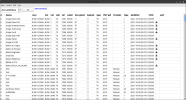
Checking Services before doing a mux scan to see if anything remained after I left Fedora for Ubuntu, I see they are still in there from 2021. I should think at least some of the channels are still viewable.

Old Services.png

Trying the TBS6522 tuners, the T/T2 muxes are found quickly, and viewing the HD channels I don't notice any visible artefacts.

DVBT and T2 Muxes.png

DVB-T2.png

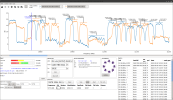
For the TBS6522 S/S2 tuners, I am experiencing a problem with blindscanning. After a spectrum scan of the H and V TP's of 28.2E, blindscanning goes no further thhan the first TP it's checking. Further attempts with other satellites to follow.

6522 BS attempt falters.png
 
Back
Top