neumoDVB

Not at all.

The Fedora 36 is an upgrade from F34 -> F35 Workstation, and I compiled seamlessly neumoDVB with all the necessary dependencies found.

All adapters found too, so entered neumodvb.py without a hitch and looked for satellites in the all satellites box only to be confronted with wrong DVB systems o_O

Where is the satellite list stored? In neumodvb or in neumo db folder?
What kernel do you have installed?
 
Not at all.

The Fedora 36 is an upgrade from F34 -> F35 Workstation, and I compiled seamlessly neumoDVB with all the necessary dependencies found.

All adapters found too, so entered neumodvb.py without a hitch and looked for satellites in the all satellites box only to be confronted with wrong DVB systems o_O

Where is the satellite list stored? In neumodvb or in neumo db folder?
Llew,

The only ways to edit the satellite list is
1) to add the missing items one by one
2) to remove the database (chdb.mdb) and start from scratch. This will remove all services and muxes as well.
3) write python code.

There seems to have been a bug that the satellite list is not immediately populated when starting from an empty database.
I cannot know if this is your problem ("it does not work" is not very useful information), but you can see if the newest version fixes this problem for you.
 
here seems to have been a bug that the satellite list is not immediately populated when starting from an empty database.
I cannot know if this is your problem ("it does not work" is not very useful information), but you can see if the newest version fixes this problem for you.
By the lord Harry, that's done it deeptho :Y

A quick git pull solved the problem. As you suggest, working with a new install i.e without a loaded channel database seems to have been the problem.
 

Attachments

  • channels back.png
    channels back.png
    280 KB · Views: 34
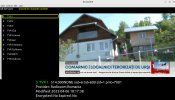
If you don't use the tune-S2 app to get a signal for the German DAB+ mux at 7.0E, neumoDVB can get the German DAB+ mux at 7.0E on 12567 V,17015,2/3. On a terminal, pass the command line for this mux:
dvbstream -f 12567 -s 17015 101 -p V -o -c 7 | fedi2eti 101 239.16.242.17 60017 | dablin_gtk.
For this test, I used the tbs6902se card.
 

Attachments

  • DAB+_7.0E_6902se_12567 V_neumoDVB_Bayern 3_2023-05-18_18-18.png
    DAB+_7.0E_6902se_12567 V_neumoDVB_Bayern 3_2023-05-18_18-18.png
    452.2 KB · Views: 24
@deeptho

DVB-T scanning isn't working for me since a recent release (1.3 or perhaps earlier; I haven't tried DVB-T/T2 mux acquisition recently.)

The queries in Trans mode appear when scanning a mux, and entering a valid or Auto mode as in the last column aborts the program.

This happens whichever OS I am using, e.g Fedora, Ubuntu or RPi. Using TBS6522 or any of my T/T2 USB dongles.

A Console output may help, I don't know.
 

Attachments

  • DVB-T aborts on scan.png
    DVB-T aborts on scan.png
    41.8 KB · Views: 17
  • DVB-T aborts .png
    DVB-T aborts .png
    34.6 KB · Views: 16
Last edited:
@deeptho

DVB-T scanning isn't working for me since a recent release (1.3 or perhaps earlier; I haven't tried DVB-T/T2 mux acquisition recently.)

The queries in Trans mode appear when scanning a mux, and entering a valid or Auto mode as in the last column aborts the program.

This happens whichever OS I am using, e.g Fedora, Ubuntu or RPi. Using TBS6522 or any of my T/T2 USB dongles.

A Console output may help, I don't know.
Llew,
please try the latest verion of today.
In general. you need to provide log files, Without them there is not much I can do.
 
I checked the terrestrial reception with neumoDVB, version 1.3, with the same setting as the previous version. The app works fine.
 

Attachments

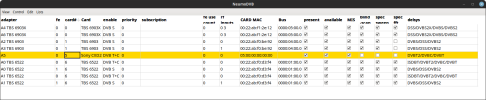
  • neumoDVB-adapter config_.png
    neumoDVB-adapter config_.png
    80.2 KB · Views: 13
  • neumodVB-config_2023-05-22_03-30.png
    neumodVB-config_2023-05-22_03-30.png
    26.5 KB · Views: 10
  • neumoDVB-terrestre_2023-05-22_03-28.png
    neumoDVB-terrestre_2023-05-22_03-28.png
    573.5 KB · Views: 11
Llew,
please try the latest verion of today.
In general. you need to provide log files, Without them there is not much I can do.

Latest version already being used.

Still no go, no muxes found, nothing locked with existing or added mux.

Adapter 5  Sony CXD2.png
No muxes found.png

On the other hand, using the same adapter, UpdateDVB finds those muxes without a problem -

Test of Adapter 5.png Adapter 5 .png

Logfile has a couple of errors half way down if that can help deeptho.
 

Attachments

Latest version already being used.

Still no go, no muxes found, nothing locked with existing or added mux.

View attachment 149804
View attachment 149805

On the other hand, using the same adapter, UpdateDVB finds those muxes without a problem -

View attachment 149806 View attachment 149807

Logfile has a couple of errors half way down if that can help deeptho.
Clearly some data is received on 522Mhz (e.g., BBC One east) and
on 474Mhz (ITV1) according to the log file. The tuner locks. SNR is incorrect because the driver (not mine) reports it incorrectly.

But something in the stream is not recognized and therefore it aborts while discovering the first program.

It is difficult to debug from here. I do not even receive local dvb-t let alone UK DVB-T.

Any chance of a remote login (e.g. teamviewer)?
 
By the way: why do you conclude that it does not scan? Are the services not displayed in the services list?
And if they are: do they play?
 
But something in the stream is not recognized and therefore it aborts while discovering the first program.
It's not aborting now, it just waits forever.

Any chance of a remote login (e.g. teamviewer)?

We can do. I've never used teamviewer, I'll need to download it first.
 
By the way: why do you conclude that it does not scan? Are the services not displayed in the services list?
And if they are: do they play?
They don't appear in the service list.
 
They don't appear in the service list.
Llew,
I suggest indeed teamviewer. pick a time when you don't need the pc for anything else (between 21:00 and 23:00 UK time)
install teamviewer and send me (by PM) the access data and the time to start. I may need to install some debug software first.
 
Llew,
I suggest indeed teamviewer. pick a time when you don't need the pc for anything else (between 21:00 and 23:00 UK time)
install teamviewer and send me (by PM) the access data and the time to start. I may need to install some debug software first.
OK, PM sent.
 
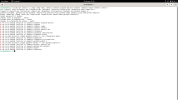
I am on Debian 11.7.0 and I have installed the drivers but neumodvb does not compile it for me. The prerequisite software doesn't install it for me either. Any solution?

For the installation of the drivers I have followed this tutorial, in debian. On Ubuntu and Fedora without success.

Installation of TBS drivers.
 

Attachments

  • CMakeOutput.zip
    CMakeOutput.zip
    2.8 KB · Views: 2
  • Captura de pantalla de 2023-05-23 22-39-25.png
    Captura de pantalla de 2023-05-23 22-39-25.png
    126.3 KB · Views: 15
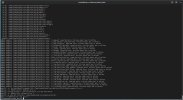
In fedora 36 it starts compiling the drivers very well, until errors appear. What happens?
 

Attachments

  • Captura desde 2023-05-24 04-47-24.png
    Captura desde 2023-05-24 04-47-24.png
    265.6 KB · Views: 16
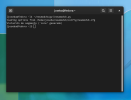
Doesn't start pneumodvb on Fedora 36 either.
 

Attachments

  • neumo.log.zip
    neumo.log.zip
    881 bytes · Views: 5
  • Captura desde 2023-05-24 05-31-07.png
    Captura desde 2023-05-24 05-31-07.png
    115.8 KB · Views: 14
Doesn't start pneumodvb on Fedora 36 either.
Of course. Quite logical as you have not installed any dvb drivers.

Is there any particular reason why you do not just follow the installation instructions?
 
I ever installed neumodvb without the drivers (or so I think) and it worked, I thought I could start it standalone.
To compile and install neumodvb I have it clear, but for the drivers it is easier for me to follow the instructions through a video of which is each step to follow.

I don't know how long I've been with this (I've tried a lot of different distributions) and I still haven't managed to get my card detected and all because of the drivers, which I don't do correctly because I don't understand it well.
 
Back
Top