neumoDVB

Hello friends, I could not figure out how to set this program.
In the previous pages( #848), I posted a kind of how-to video on configuring neumoDVB for satellite reception.
 
I watched the video before, thank you very much, it should see the adapter directly from the settings
 
Oscam freezes even after image is received despite all kinds of adjustments, what should I do to prevent it from freezing?

A screenshot had what suspiciously looked like an Oscam keyfile, so it's removed - Admin.
 

Attachments

  • Screenshot_20230821_185147.png
    Screenshot_20230821_185147.png
    736.6 KB · Views: 46
  • Screenshot_20230821_185307.png
    Screenshot_20230821_185307.png
    36.6 KB · Views: 20
  • Screenshot_20230821_185346.png
    Screenshot_20230821_185346.png
    156 KB · Views: 23
Last edited by a moderator:
This sounds more like an oscam related problem and your log files show that it is probably not an appropriate topic for this forum....
 
Sir, I will scan the channel, but the screen page is too large, I cannot scan the channel. How can I fit the page to the screen so that everything is visible on the screen?
 

Attachments

  • Screenshot_20230821_224207.png
    Screenshot_20230821_224207.png
    60.8 KB · Views: 19
  • Screenshot_20230821_224732.png
    Screenshot_20230821_224732.png
    34.6 KB · Views: 21
This sounds more like an oscam related problem and your log files show that it is probably not an appropriate topic for this forum....
I was wondering when someone here would use your your software for reasons other than you developed it for.
 
Sir, I will scan the channel, but the screen page is too large, I cannot scan the channel. How can I fit the page to the screen so that everything is visible on the screen?
You should change your screen resolution in your operating system . It should be possible unless your computer is very old. You can also reduce the default font size in your operating system
 
There is no freezing in the program. Since I use a free server, it is freezing. I have used the program before, it is much better than the current program. Thank you.
 

Attachments

  • Screenshot_20230825_124600.png
    Screenshot_20230825_124600.png
    554.1 KB · Views: 20
In case you are wondering about the low activity on neumoDVB, then don't worry: during summer I have been working on improving
a number of things, but then I was side tracked by starting to experiment with short/medium wave magnetic loop antennas.
Those experiments were too successfull and it is difficult to stop. It is amazing what you can pick up, once you can get rid of
all the interference from switching power supplies and also how crystal clear some signals are (compared to the old days).

Then family problems took a lot of time and work got really busy.

Currently I am still searching for bugs in the new code. There will be a few new features such as "auto recordings" based
on program titles, setting options when scanning muxes, faster epg scanning. and
a lot of bug fixes.

Internally the code has changed a lot, as a first step to add some missing features needed to allow neumodvb to act as a
practical (but not full) replacement for tvheadend+kodi for "regular viewing". That will mean that it will need to run automated tasks, e.g.,
scanning epg and muxes at night. That needs more efficient scanning and also some measures to prevent a scan taking too long,
or to cope with high volume epg such as freesat or skyuk.

Next will be the actual implementation of automated scan. In the long term this new code will also be used
for generating reports on newly found or changed muxes.
 
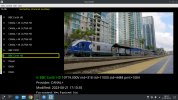
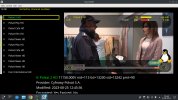
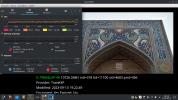
Mpv player needs to be changed. It shows 4K slow motion. It puts a lot of load on the CPU. Can't you use Video instead?
 

Attachments

  • Screenshot_20230913_192359.png
    Screenshot_20230913_192359.png
    808.6 KB · Views: 20
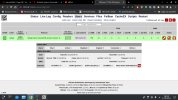
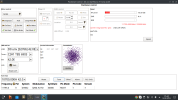
Blindscan does not scan in the Central System. TBS 603
 

Attachments

  • Screenshot_20230915_174239.png
    Screenshot_20230915_174239.png
    131 KB · Views: 15
Central System
 

Attachments

  • Screenshot_20230915_225919.png
    Screenshot_20230915_225919.png
    118.9 KB · Views: 9
  • Screenshot_20230915_225846.png
    Screenshot_20230915_225846.png
    761.2 KB · Views: 11
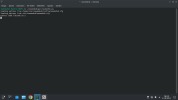
star@star-Vostro-3670:~$ ~/neumodvb/gui/neumodvb.py
loading options from /home/star/neumodvb/config/neumodvb.cfg
loading options from /etc/neumodvb/neumodvb.cfg
Cannot load libcuda.so.1
Traceback (most recent call last):
File "/home/star/neumodvb/gui/neumodvb/neumomenu.py", line 289, in <lambda>
self.Bind(wx.EVT_MENU, lambda evt, x=x, accel=accel_key: self.run_menu_command(x, accel, evt), item)
File "/home/star/neumodvb/gui/neumodvb/neumomenu.py", line 252, in run_menu_command
return m(evt)
File "/home/star/neumodvb/gui/neumodvb.py", line 471, in CmdNew
return panel.grid.OnNew(event)
AttributeError: 'LivePanel' object has no attribute 'grid'

 
I cannot receive this here. There could be many reasons (such as STV cards having some restrictions)
 
star@star-Vostro-3670:~$ ~/neumodvb/gui/neumodvb.py
loading options from /home/star/neumodvb/config/neumodvb.cfg
loading options from /etc/neumodvb/neumodvb.cfg
Cannot load libcuda.so.1
Traceback (most recent call last):
File "/home/star/neumodvb/gui/neumodvb/neumomenu.py", line 289, in <lambda>
self.Bind(wx.EVT_MENU, lambda evt, x=x, accel=accel_key: self.run_menu_command(x, accel, evt), item)
File "/home/star/neumodvb/gui/neumodvb/neumomenu.py", line 252, in run_menu_command
return m(evt)
File "/home/star/neumodvb/gui/neumodvb.py", line 471, in CmdNew
return panel.grid.OnNew(event)
AttributeError: 'LivePanel' object has no attribute 'grid'
Sounds like a bug. May have been fixed already (in the not yet released next version)
 
Thank you very much for your information.
I'm looking forward to the final version
 
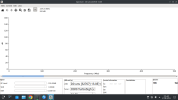
Blindscan is not working properly. What should I do? Can you please help?
 

Attachments

  • Screenshot_20230916_002556.png
    Screenshot_20230916_002556.png
    123.3 KB · Views: 9
  • Screenshot_20230916_002251.png
    Screenshot_20230916_002251.png
    191.7 KB · Views: 11
Mpv player needs to be changed. It shows 4K slow motion. It puts a lot of load on the CPU. Can't you use Video instead?
No. Maybe your graphics card is too slow or ffmpeg needs to be updated or some mpv option needs to be set or you have not configured
your OS correctly.
First record some video on this channel and see if it can be played correctly with mpv. I can play several 4k channels without
any problem.
 
Back
Top