New problems

Terryl

Specialist Contributor
My Satellite Setup
OpenBox X5 on a 1 meter motorized dish.
And now a 10 foot "C" band dish.

Custom built PC
My Location
Deep in the Boonies in the central Sierra Nevada mountains of California.
OK kids, a new one on me, I have an HP Officejet J4680 All-in-One printer, it has started to print a shadow just below the main text, I will try to do a photo and blow up the text in question, this makes the text hard to read.

I have done all troubleshooting guides from HP, nothing fixes this problem, it's like a late Saturday night after the bars have closed, and trying to read the train scheduled and having to close one eye.


I will download the file when I get home, it is too large for this site.
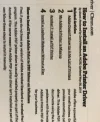
 
Here is what I get...
 

Attachments

  • IMG_0084-2.webp
    IMG_0084-2.webp
    603.3 KB · Views: 26
That looks like the printer needs to have the printer heads realigned. I would guess that the shadow is a grey from the colour heads overlaid with a solid black.

I'm on my phone ATM and can't check myself to see if you have an inkjet or laser printer but somewhere in the menu will be an option to realign the printer heads or laser. I had a similar problem with an HP LaserJet (not an mfp) and had to reset from scratch as the realignment procedure wouldn't go far enough.

On an mfp you usually have to print out a test page and put it on the platen to be scanned.

Have you changed an ink or toner cartridge recently?

If it's a monochrome printer then I have no idea!
 
Ah, it's a colour inkjet with optional photo cartridge. It may be a grey cartridge if one is fitted. Try this

 
Yes...New ink has been installed,(several times), there is no grey cartridge , and the colour cartridge has been removed for testing purposes same thing happens and several alignments have been tried, printer has been fully reset to factory, this only happens on some printouts, if a PDF file is printed all it text is fuzzy, if a windows test page is printed only the windows logo is fuzzy the text is fine, just text from a windows word file is fine.

Looking through the HP help forums I find lots of peeps with this problem, all solutions have been tried, just posting here to see if someone has had this problem and a fix.

The funny thing is if I print in landscape mode the shadows fall in a different direction, they fall to the bottom in landscape mode, and to the left side in portrait mode, printing of a photo is fine.
 
Have you tried throwing it off a cliff? :lol:
 
...if a PDF file is printed all it text is fuzzy, if a windows test page is printed only the windows logo is fuzzy the text is fine, just text from a windows word file is fine...
You may find that it depends on what type of text is in the PDF. If it's screen capture or scan of text then this is effectively a picture and will kick in the colour as well as the black. It would probably be the same if a Word file contained a scanned piece of text.

I suspect that if the PDF contained text as actual converted text-to-PDF then it wouldn't have a shadow but in the end that won't help you. The alignment is out and if it won't respond to the realignment procedure then that's a problem. Are the cartridges refills? Maybe brand new HP cartridges would help? Are the cartridges the type with chips?
 
Post 5

 
Tip: ditch the HP and get something else!

I've been using Canon colour printers for years and never had that problem! OTOH, most of my printing is simple B&W using Samsung-branded laser printers (now owned by HP, but "never mind"!).

BTW, I worked for HP in the "good old days" in the 1980's, and my first printer was a Deskjet 500 - and the pension ain't that bad !
 
Last edited:
I'd just say ditch the inkjet & get a colour laser, mine does me well for my printing when I need to do some, and colour prints of photos & pictures come out looking pretty nice, and best part is, no wet ink to mess things up between uses for a light-user like me... ^_^
 
Back
Top