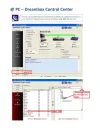
Simple guide to downloading & installing a satankey bundle in bz2 format to a dreambox 500, 600, 7000 & 7020.
This guide is intended for dreambox beginners using the Gemini project images 4.0 onwards.
Regards,
Ollie
Attachments
Installing a Satankey bundle bz2 - Newbie guide.pdf
Small guide to show Dreambox newbies a simple way to install a Satankey bundle in 'bz2' (auto install) format.
* Note - The bz2 file is intended for the Gemini image, see image details/specifications on page one.
Regards,
Ollie
Attachments
Installing a Satankey bundle bz2 - Newbie guide_Page_1.webp
84.2 KB
· Views: 335
Installing a Satankey bundle bz2 - Newbie guide_Page_2.webp
126.6 KB
· Views: 241
Installing a Satankey bundle bz2 - Newbie guide_Page_3.webp
85.5 KB
· Views: 183
Installing a Satankey bundle bz2 - Newbie guide_Page_4.webp
95.6 KB
· Views: 186
Installing a Satankey bundle bz2 - Newbie guide_Page_5.webp
Thanks Robbo, like to keep things simple :-togo.
I See a few linux receiver appearing lately that are compatible with dreambox tools (Technomate, Eagle) seems the way things are going. We will have to convert you over
This site uses cookies to help personalise content, tailor your experience and to keep you logged in if you register.
By continuing to use this site, you are consenting to our use of cookies.