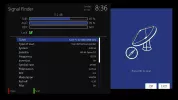
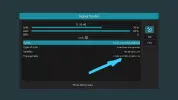
OCTAGON SF8008 E2 4K UHD

TEST Treiber (Driver) OCTAGON SF8008 4K UHD 26.02.2019

Was testen?:
- Blindscan allgemein
- Blindscan mit DiseqC 1.1
- Blindscan mit Motor + DiseqC 1.1
- Blindscan mit USALS Motor
- Allgemeine Performance
- Fernbedienung Test nach neu Flashen

What to test?:
- Blindscan general
- Blindscan with DiseqC 1.1
- Blindscan with Rotor + DiseqC 1.1
- Blindscan with USALS Rotor
- General Performance
- RCU test after new flash

Wie testen?:
- Dateien: hi-dvb.ko, hisi-ir.ko, vtunerc.ko per ftp zu: /lib/modules/4.4.35/extra kopieren.
- Datei: octagon-blindscan per ftp zu: /usr/bin kopieren.
- Datei: plugin.py per ftp zu: /usr/lib/enigma2/python/Plugins/SystemPlugins/Blindscan kopieren.
- Box neustarten und testen!

How to test ?:
- Files: hi-dvb.ko, hisi-ir.ko, vtunerc.ko copy via ftp to: /lib/modules/4.4.35/extra
- File: octagon-blindscan copy via ftp to: /usr/bin
- File: plugin.py copy via ftp to: /usr/lib/enigma2/python/Plugins/SystemPlugins/Blindscan
- Reboot Box and test!
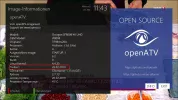
 

Attachments

Images mit neuem Treiber Online.
Am besten frisch flashen, da es viele Änderungen gab.
Wenn jemand nur Online Updates installieren will und gestern test plugin.py per FTP installiert hat, sollte es vorher per FTP löschen:
d.h. vor dem Online Update Datei plugin.py unter /usr/lib/enigma2/python/Plugins/SystemPlugins/Blindscan löschen.
Danach Online Updates installieren.


Images with new driver online.
Better fresh flash, because many changes.
If someone just wants to install updates online and yesterday has installed test plugin.py via FTP, it should be deleted via FTP before:
This means before the online update delete the file plugin.py under /usr/lib/enigma2/python/Plugins/SystemPlugins/Blindscan.

Then install online updates.
 

Attachments

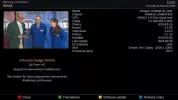
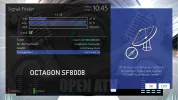
  • about_sf8008_270219.webp
    about_sf8008_270219.webp
    125.8 KB · Views: 67
Images mit neuem Treiber Online.
Am besten frisch flashen, da es viele Änderungen gab.
Wenn jemand nur Online Updates installieren will und gestern test plugin.py per FTP installiert hat, sollte es vorher per FTP löschen:
d.h. vor dem Online Update Datei plugin.py unter /usr/lib/enigma2/python/Plugins/SystemPlugins/Blindscan löschen.
Danach Online Updates installieren.


Images with new driver online.
Better fresh flash, because many changes.
If someone just wants to install updates online and yesterday has installed test plugin.py via FTP, it should be deleted via FTP before:
This means before the online update delete the file plugin.py under /usr/lib/enigma2/python/Plugins/SystemPlugins/Blindscan.

Then install online updates.
Do you have link from where to download this open ATV image please
 
OCTAGON SF8008 4K UHD E2 Treiber (Driver) Update 05.03.2019

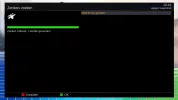
- Add Zapmode: Support Black screen and Hold when zap channel.
- ("Channel selection settings" Menu)
- Adjust ac3 volume:
- Increase the dobly volume . the AC3 volume is too small before.
- Improve Blindscan.

- Kanal Umschaltmodus: Bildschirm beibehalten, Schwarzer Bildschirm, Halten bis geschlossen eingebaut.
- ("Menü - Einstellungen - Bedienung & Oberfläche - Kanalliste")
- AC3 Lautstärke angepasst:
- Dolby Lautstärke erhöht.
- Blindsuche verbessert.


Ab morgen Images.
From tomorrow Images.
Yarinki Imajlardan itibaren.
 
Treiber (Driver) Test OCTAGON SF8008 08-03-2019

Was neu?:
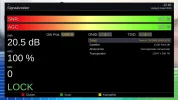
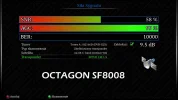
- Niedrige & Hohe SR (Symbolrate) Support eingebaut:
- SR min. 100 - Max. 80000
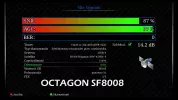
--> (NULL device *): DVB: adapter 0 frontend 0 symbol rate range (100000..80000000)

What`s New?:
- Added Low and High SR (Symbolrate) Support:
- SR min. 100 - Max. 80000
--> (NULL device *): DVB: adapter 0 frontend 0 symbol rate range (100000..80000000)

Wie testen?:
Treiber Datei per FTP installieren:
Datei hi-dvb.ko nach /lib/modules/4.4.35/extra kopieren und Box neustarten.

How to test?:
Driver install via FTP:
File hi-dvb.ko copy to /lib/modules/4.4.35/extra and reboot Box.

Was testen?:
- Niedrige & Hohe Symbolraten
- Allgemeine Tuner Leistung

What to test?:
- Low and High Symbolrate
- General Tuner Performance


Viel Spaß beim testen )
Have fun while testing )
 

Attachments

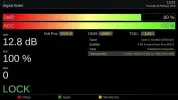
  • Low 1.webp
    Low 1.webp
    27.7 KB · Views: 36
  • Low.webp
    Low.webp
    62.7 KB · Views: 35
  • screenshot_20190308104543.webp
    screenshot_20190308104543.webp
    107.1 KB · Views: 33
  • screenshot_20190308104604.webp
    screenshot_20190308104604.webp
    81 KB · Views: 28
  • screenshot_20190308104611.webp
    screenshot_20190308104611.webp
    81.2 KB · Views: 24
  • screenshot_20190308104730.webp
    screenshot_20190308104730.webp
    107.1 KB · Views: 26
  • screenshot_20190308104745.webp
    screenshot_20190308104745.webp
    81.2 KB · Views: 26
  • screenshot_20190308104819.webp
    screenshot_20190308104819.webp
    81.4 KB · Views: 45
  • Treiber-Driver-Test_SF8008_080319.rar
    Treiber-Driver-Test_SF8008_080319.rar
    226.1 KB · Views: 7
Treiber (Driver) Test OCTAGON SF8008 08-03-2019

Was neu?:
- Niedrige & Hohe SR (Symbolrate) Support eingebaut:
- SR min. 100 - Max. 80000
--> (NULL device *): DVB: adapter 0 frontend 0 symbol rate range (100000..80000000)

What`s New?:
- Added Low and High SR (Symbolrate) Support:
- SR min. 100 - Max. 80000
--> (NULL device *): DVB: adapter 0 frontend 0 symbol rate range (100000..80000000)

Wie testen?:
Treiber Datei per FTP installieren:
Datei hi-dvb.ko nach /lib/modules/4.4.35/extra kopieren und Box neustarten.

How to test?:
Driver install via FTP:
File hi-dvb.ko copy to /lib/modules/4.4.35/extra and reboot Box.

Was testen?:
- Niedrige & Hohe Symbolraten
- Allgemeine Tuner Leistung

What to test?:
- Low and High Symbolrate
- General Tuner Performance


Viel Spaß beim testen )
Have fun while testing )
Do OpenATV Nightly images of the 8/3/2019 have this update as well?
 
OCTAGON SF8008 4K UHD E2 Treiber (Driver) Update 08.03.2019


- Niedrige & Hohe SR (Symbolrate) Support eingebaut:
- SR min. 100 - Max. 80000
--> (NULL device *): DVB: adapter 0 frontend 0 symbol rate range (100000..80000000)

- Added Low and High SR (Symbolrate) Support:
- SR min. 100 - Max. 80000
--> (NULL device *): DVB: adapter 0 frontend 0 symbol rate range (100000..80000000)

oe-alliance/oe-alliance-core

Ab morgen Images.
From tomorrow Images.
 
Test mit Treiber 08-03-2019 SF8008
Test with Driver 08-03-2019 SF8008

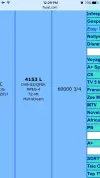
Optus D1 at 160.0°E:

12532 H 47300 SR
16APSK MIS (Multistream)
Stream: 131, 132, 133, 134, 135, 136)

Check this wether working or not
 

Attachments

  • image.webp
    image.webp
    36 KB · Views: 36
OCTAGON SF8008 4K UHD E2 Treiber (Driver) Update 11.03.2019


  • AC3 Volume control fixed.
  • OSD Calibration issue fixed.
--> Update hi-dvb.ko, libreader and vtunerc.ko.


Ab morgen Images.
From tomorrow Images.
 
Back
Top