
You are using an out of date browser. It may not display this or other websites correctly.
You should upgrade or use an alternative browser.
You should upgrade or use an alternative browser.
OCTAGON SF8008 E2 4K UHD
- Thread starter solly
- Start date

- My Satellite Setup
- A little less analogue, and a lot more crap.
- My Location
- UK
The issue would have been with one of the OTA updates, not the 6.4 itself (though I did have some odd effects when I first started using it)
Whilst some sites confirm 6.4 as beng stable, there are others that suggest it is an advanced beta release, so perhapps there is some further work required.
Whilst some sites confirm 6.4 as beng stable, there are others that suggest it is an advanced beta release, so perhapps there is some further work required.
cardiff
Regular Member
- My Satellite Setup
- 2 x Laminas As 1800 + SMR 1224 + JPC-Posi+SF8008 +Uclan Ustym
- My Location
- Brittany, France
only by usb key and it works perfectly,
Restoration is then possible (settings, plugins, etc ...
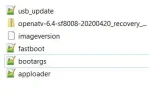
the zip file + the other files are in this same zip file (openatv-6.4-sf8008-20200420_recovery_emmc.zip
and "Recovery From USB"
Restoration is then possible (settings, plugins, etc ...
the zip file + the other files are in this same zip file (openatv-6.4-sf8008-20200420_recovery_emmc.zip
OpenATV Downloads
Modernes Download-Portal: Geräte auswählen, Images herunterladen.
images.mynonpublic.com
and "Recovery From USB"
Attachments
Last edited:

zorbua
Regular Member
- My Satellite Setup
- Dreambox 8000 HD
Dreambox 800se
Dreambox 900UHD
Clark Tech 5000 HD
Numerous other receivers (Retired)
Dish Gibertini 1.5 M
Dishes Gibertini 1.2 x2
Dish Gibertini 1 M
- My Location
- Malta
This is the link I use for the OpenATV6.3 openATV Nightly DownloadsZorbua. Mine exactly. Gets to 100 and keeps going back to 50. I'm on 6.3 and have no USB stick with 6.3 or 6.4. ATV on it. Have looked through the thread and can't see a link.
When you download don't forget to add the usb_update.bin to the zipped file (I used the 6.2 Image usb_update.bin)
- My Satellite Setup
- A little less analogue, and a lot more crap.
- My Location
- UK
The 6.4 image is highlighted as out of date by the SF8008 on an update (and the same lock occurs after the completion)
Will try 6.3 tonight.
Will try 6.3 tonight.

Octagon-Germany
Member
- My Satellite Setup
- http://www.octagon-germany.eu/
- My Location
- http://www.octagon-germany.eu/
OCTAGON SF8008 4K UHD E2 Fastboot & Recovery Update 25.04.2020
- [SF8008] + [SF8008m] Update:
* fixed crash driver when press any rcu key
* fixed crash when load more as 3 Image to same time
* add delete image from slot (Multiboot Deletion)
* add common partition update get latest recovery menu
* optimise install performence
* stop der installation wenn fernbedienung betätigt wird
* fehler bei nutzung min. 3 Images behoben
* löschfunktion images auf slot x eingebaut (Multiboot Deletion)
* Hinzufügen eines allgemeinen Partitionsupdates (eueste Wiederherstellungsmenü)
* Installationsleistung optimiert
Wenn Neue Multiboot + Recovery Image genutzt wird, reicht ein Online Update!
If new Multiboot + Recovery Image is used, an online update is sufficient!
Yeni Multiboot + Kurtarma Imaji kullaniliyorsa, online güncelleme yeterlidir!
OCTAGON GERMANY SUPPORT
- [SF8008] + [SF8008m] Update:
* fixed crash driver when press any rcu key
* fixed crash when load more as 3 Image to same time
* add delete image from slot (Multiboot Deletion)
* add common partition update get latest recovery menu
* optimise install performence
* stop der installation wenn fernbedienung betätigt wird
* fehler bei nutzung min. 3 Images behoben
* löschfunktion images auf slot x eingebaut (Multiboot Deletion)
* Hinzufügen eines allgemeinen Partitionsupdates (eueste Wiederherstellungsmenü)
* Installationsleistung optimiert
Wenn Neue Multiboot + Recovery Image genutzt wird, reicht ein Online Update!
If new Multiboot + Recovery Image is used, an online update is sufficient!
Yeni Multiboot + Kurtarma Imaji kullaniliyorsa, online güncelleme yeterlidir!
OCTAGON GERMANY SUPPORT
- My Satellite Setup
- A little less analogue, and a lot more crap.
- My Location
- UK
I loaded up 6.3 image, but the 8008 continues to show what I think is the 6.4 start up screen (black ‘A’)
Is this normal ?
Is this normal ?
Octagon-Germany
Member
- My Satellite Setup
- http://www.octagon-germany.eu/
- My Location
- http://www.octagon-germany.eu/
OCTAGON SF8008 4K UHD E2 Fastboot, Recovery and mkupdate Update 29.04.2020
- [SF8008] + [SF8008m] Update:
* fixed crash issue when press MENU on submenus.
* fixed issue when using a big usb_update.bin(big rootfs) to update.
* so now you can generate a usb_update include more then one images.
* keep at least one image on the box when you want to delete all images.
* buildimage update to 1.1:
* fix kill with large rootfs (mkupdate)
* modify for PVR streaming
Wenn Neue Multiboot + Recovery Image genutzt wird, reicht ein Online Update!
If new Multiboot + Recovery Image is used, an online update is sufficient!
Yeni Multiboot + Kurtarma Imaji kullaniliyorsa, online güncelleme yeterlidir!
OCTAGON GERMANY SUPPORT
- [SF8008] + [SF8008m] Update:
* fixed crash issue when press MENU on submenus.
* fixed issue when using a big usb_update.bin(big rootfs) to update.
* so now you can generate a usb_update include more then one images.
* keep at least one image on the box when you want to delete all images.
* buildimage update to 1.1:
* fix kill with large rootfs (mkupdate)
* modify for PVR streaming
Wenn Neue Multiboot + Recovery Image genutzt wird, reicht ein Online Update!
If new Multiboot + Recovery Image is used, an online update is sufficient!
Yeni Multiboot + Kurtarma Imaji kullaniliyorsa, online güncelleme yeterlidir!
OCTAGON GERMANY SUPPORT
Octagon-Germany
Member
- My Satellite Setup
- http://www.octagon-germany.eu/
- My Location
- http://www.octagon-germany.eu/
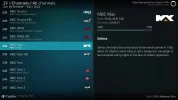
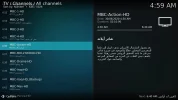
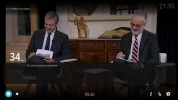
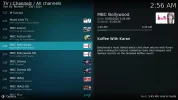
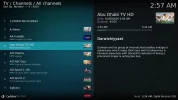
4:2:2 Feeds (Feedhunting) mit OCTAGON SF8008 4K
Vorab Infos
Wikipedia Feedhunting:

 de.wikipedia.org
Feeds immer aktuell nach Rubriken:
Installation per Telnet:
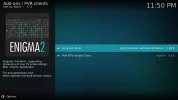
opkg install kodi-addon-pvr-vuplus
install pvr client
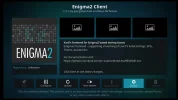
Kodi starten und im E2 Client IP Adresse vom SF8008 eingeben.
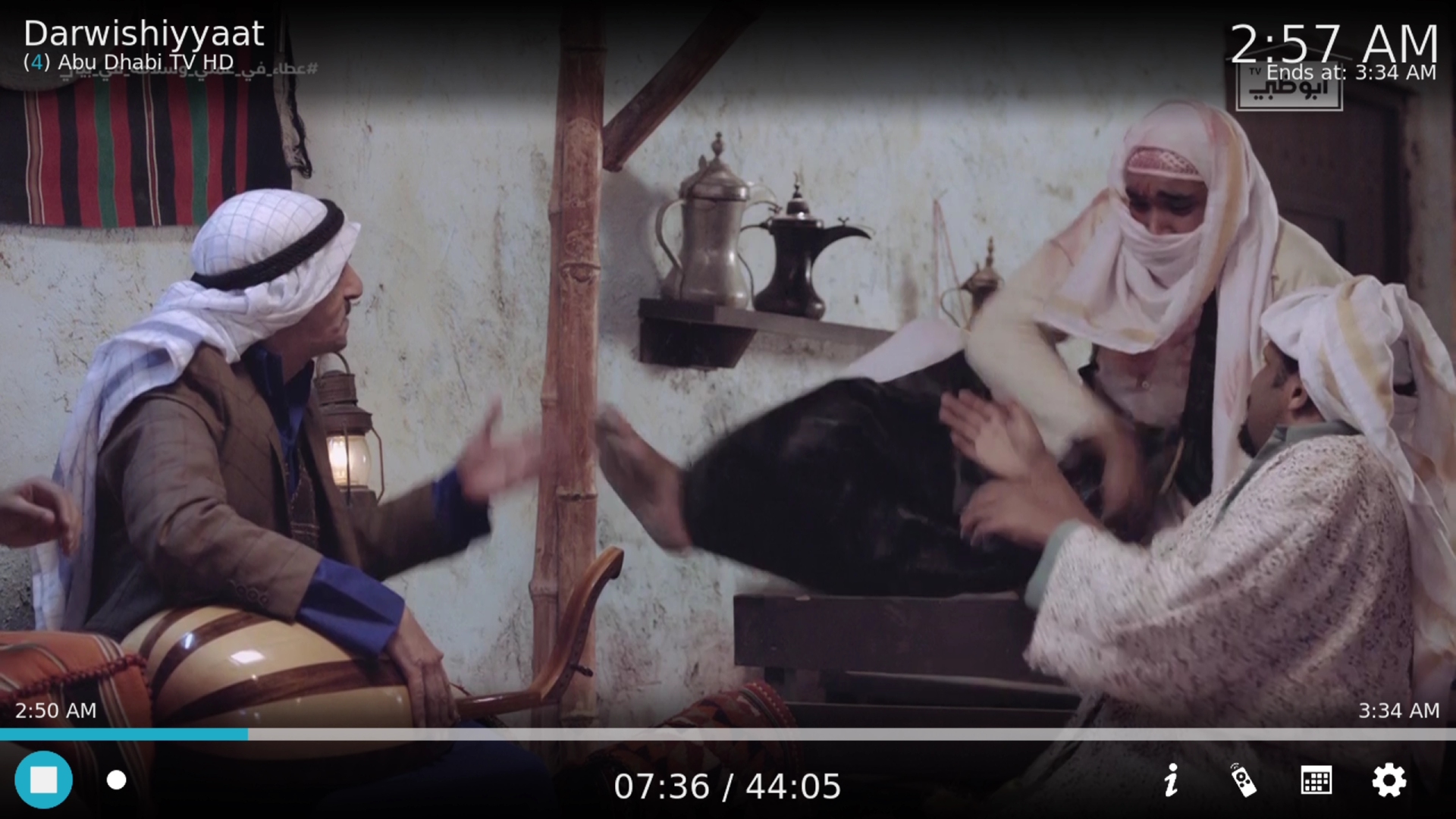
"scanne tp 4:2:2, du hast in der e2 ch liste, starte kodi, öffne pvr client, sie zeigen automatisch die ch liste enthält 4:2:2 feed kanäle"
Viel Spaß!
------------------------------------------------------------
Advance information
Wikipedia Feedhunting:
de.wikipedia.org
Feeds always up to date by category:
Installation via Telnet:
opkg install kodi-addon-pvr-vuplus
install pvr client
Start Kodi and enter the SF8008's IP address in the E2 client.
"scan tp 422, you have in the e2 ch list, start kodi, open pvr Client, they Show automaticly the ch list include 422 feed channels"
Have fun!
Vorab Infos
Wikipedia Feedhunting:
Feedhunting – Wikipedia
Feeds immer aktuell nach Rubriken:
Installation per Telnet:
opkg install kodi-addon-pvr-vuplus
install pvr client
Kodi starten und im E2 Client IP Adresse vom SF8008 eingeben.
"scanne tp 4:2:2, du hast in der e2 ch liste, starte kodi, öffne pvr client, sie zeigen automatisch die ch liste enthält 4:2:2 feed kanäle"
Viel Spaß!
------------------------------------------------------------
Advance information
Wikipedia Feedhunting:
Feedhunting – Wikipedia
Feeds always up to date by category:
Installation via Telnet:
opkg install kodi-addon-pvr-vuplus
install pvr client
Start Kodi and enter the SF8008's IP address in the E2 client.
"scan tp 422, you have in the e2 ch list, start kodi, open pvr Client, they Show automaticly the ch list include 422 feed channels"
Have fun!
Attachments
-
 422_001.webp56.5 KB · Views: 24
 -
 422_002.webp83.7 KB · Views: 25
 -
 422_003.webp44.2 KB · Views: 23
 -
 422_005.webp101.3 KB · Views: 23
 -
 422_006.webp92.4 KB · Views: 21
 -
 422_007.webp53.7 KB · Views: 23
 -
 422_008.webp96 KB · Views: 25
 -
 422_011.webp93.4 KB · Views: 25
 -
 422_012.webp61.4 KB · Views: 26
 -
 422_013.webp85.9 KB · Views: 33
- My Satellite Setup
- A little less analogue, and a lot more crap.
- My Location
- UK
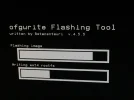
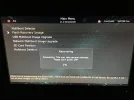
After a couple more tries the box here is unable to to download the 250 or so updates that are held at Octagon HQ (or is it the OpenATV HQ ?), with the message saying I should update the firmware.
I'm given a choice on screen, but no matter which one I do the receiver refuses to restart, with the same 'hanging' issue of three weeks ago.
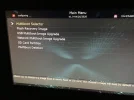
I'm able to reinstall using the fastboot and recovery service rather than flash from USB but this just takes me back to the same version, regardless of whether I chose 6.3 or 6.4.
Should I be reverting to 6.2 or even 6.1 for the receiver to install the missing upgrades ?
I'm given a choice on screen, but no matter which one I do the receiver refuses to restart, with the same 'hanging' issue of three weeks ago.
I'm able to reinstall using the fastboot and recovery service rather than flash from USB but this just takes me back to the same version, regardless of whether I chose 6.3 or 6.4.
Should I be reverting to 6.2 or even 6.1 for the receiver to install the missing upgrades ?
Attachments


Laser
Member
- My Satellite Setup
- Dr HD F15, OS mio + 4K, Octagon SF8008, Octagon SX88+. TM 5402HD M3. .Channel Master 1.20 Ku and C Band. 1.1 Triax Dish
- My Location
- Berkshire
These overnight updates are not tested thoroughly before release. I have 2 receivers both are out of use due to updates of 3 weeks ago . Makes you think twice before buying them for sure.
- My Satellite Setup
- A little less analogue, and a lot more crap.
- My Location
- UK
I have not checked if I can remove some of them before updating perhaps choose the first 50% and then go in stages towards the full number.
Is that possible or do you have to carry out the lot in one go ?
Is that possible or do you have to carry out the lot in one go ?

TJExcalibur
Regular Member
- My Satellite Setup
- Master Focus 90cm .Gigablue UHD Quad 4K on TM 2600 motor. *Tm 5402 HD M3, *Atemio Nemesis. *Not Used.
- My Location
- Southern England
I have Openvix on mine. Did the Recovery EMMC and its all working a  treat.
treat.
scopus
Specialist Contributor
- My Satellite Setup
- Primesat/Famaval 1.8 PF C/ku/Ka, Octagon SX8HD1, SX88, Openbox S3 Mini HD-V8S Freesat V7 HD-V8 Finder, Amiko A4K Combo, Satlook Colour HD Spectrum, Sansui A909 Amp and BOSE Acoustimass speakers for the audio.
- My Location
- Staffs UK
I think the Kernel version has changed hence you cannot update from the USB. If ATV is the same as VIX, enter the 'Software Section' and 'Image Manager' and you can flash from there, either by a download if you are LAN connected or by FTP transferring your new Multiboot image to the 'Imagebackup' folder then you can flash.
sat-tv-fan
Specialist Contributor
- My Satellite Setup
- 1m motorised dish + Octagon 0.1db PLL LNB
(66 E) 42 E - 45.0 W
Azbox HD Premium
Azbox ME
Amiko A3 combo (android)
TBS 5925 and 5927 USB
TBS 6903 (for Eumetsat weather decoding on 10 East)
GT Media V8
Octogan SX88+
Octagon SF8008
Koqit K1 mini
Openbox SX6 HD
Mecool K3 pro (android)
X2 Premium HD
Skybox F3
Technomate 5302 HD
Technomate 5402 M3
iSmart X8
- My Location
- East Sussex, South East UK
So I was getting a blue screen after scanning 33E and watching France 24, thought I would install the 121 updates now the box won't boot up. Stuck on 100 on the sf8008 display How do I reset please ? I presume I have to install Open TV all over again
TJExcalibur
Regular Member
- My Satellite Setup
- Master Focus 90cm .Gigablue UHD Quad 4K on TM 2600 motor. *Tm 5402 HD M3, *Atemio Nemesis. *Not Used.
- My Location
- Southern England
OpenVix do a recovery EMCC in their downloads. I expect OpenTV do one.
Laser
Member
- My Satellite Setup
- Dr HD F15, OS mio + 4K, Octagon SF8008, Octagon SX88+. TM 5402HD M3. .Channel Master 1.20 Ku and C Band. 1.1 Triax Dish
- My Location
- Berkshire
Same thing happened to me. They don't test the updates properly before release.So I was getting a blue screen after scanning 33E and watching France 24, thought I would install the 121 updates now the box won't boot up. Stuck on 100 on the sf8008 display How do I reset please ? I presume I have to install Open TV all over again
I have 2 boxes out of use now.
Let me know how you get on please.
sat-tv-fan
Specialist Contributor
- My Satellite Setup
- 1m motorised dish + Octagon 0.1db PLL LNB
(66 E) 42 E - 45.0 W
Azbox HD Premium
Azbox ME
Amiko A3 combo (android)
TBS 5925 and 5927 USB
TBS 6903 (for Eumetsat weather decoding on 10 East)
GT Media V8
Octogan SX88+
Octagon SF8008
Koqit K1 mini
Openbox SX6 HD
Mecool K3 pro (android)
X2 Premium HD
Skybox F3
Technomate 5302 HD
Technomate 5402 M3
iSmart X8
- My Location
- East Sussex, South East UK
So this worked for me. Not inslalled any image but I give the link for Open ATV 6.4 after the guide here from WOS forum
1) Download latest Enigma2 Image of your choice.
2) USB 2.0or 3.0 minimum 2 GB USB stick formatted with FAT32.
3) Unpack the image and copy BOTH the 'octagon' folder and the 'usb_update.bin' to root of the USB stick.
4) Turn off the box.
5) Plug the USB stick into the USB 3.0 port on the right side.
6) Press and hold the standby button and power on the box until "Updt" is displayed.
6) Select "Recovery From USB" from TV screen menu.
7) Box restarts when update is completed.
1) Download latest Enigma2 Image of your choice.
2) USB 2.0or 3.0 minimum 2 GB USB stick formatted with FAT32.
3) Unpack the image and copy BOTH the 'octagon' folder and the 'usb_update.bin' to root of the USB stick.
4) Turn off the box.
5) Plug the USB stick into the USB 3.0 port on the right side.
6) Press and hold the standby button and power on the box until "Updt" is displayed.
6) Select "Recovery From USB" from TV screen menu.
7) Box restarts when update is completed.
OpenATV Downloads
Modernes Download-Portal: Geräte auswählen, Images herunterladen.
images.mynonpublic.com
Octagon-Germany
Member
- My Satellite Setup
- http://www.octagon-germany.eu/
- My Location
- http://www.octagon-germany.eu/
OCTAGON SF8008 4K UHD E2 Treiber (Driver) Update 01.06.2020
- [SF8008] + [SF8008m] Update:
* add sx88/sx88+/sx888 rcu support.
* Remote Contols as:
* SX88 /+/SE/WL, SX888 IP/WL, SX88+ Optima & Combo.
* sx88/sx88+/sx888 Fernbedienung support eingebaut.
* Fernbedienungen wie:
* SX88 /+/SE/WL, SX888 IP/WL, SX88+ Optima & Combo.
Info:
DE, Auswahl Menü mit mehr Optionen & Fernbedienungen später!
EN, Selection menu with more options & remote controls later!
OCTAGON GERMANY SUPPORT
- [SF8008] + [SF8008m] Update:
* add sx88/sx88+/sx888 rcu support.
* Remote Contols as:
* SX88 /+/SE/WL, SX888 IP/WL, SX88+ Optima & Combo.
* sx88/sx88+/sx888 Fernbedienung support eingebaut.
* Fernbedienungen wie:
* SX88 /+/SE/WL, SX888 IP/WL, SX88+ Optima & Combo.
Info:
DE, Auswahl Menü mit mehr Optionen & Fernbedienungen später!
EN, Selection menu with more options & remote controls later!
OCTAGON GERMANY SUPPORT

- My Satellite Setup
- Channel Master 90cm, 1.2m & 1.8m PF
- My Location
- UK
- [SF8008] + [SF8008m] Update:
* add sx88/sx88+/sx888 rcu support.
* Remote Contols as:
* SX88 /+/SE/WL, SX888 IP/WL, SX88+ Optima & Combo.
Can this be disabled?