TBS Card 6983

All sorted ..
received my password some time this afternoon.
;)
 
Can you help with this Llew ?
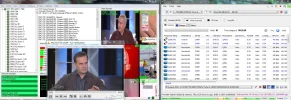
Done a scan having set my own range on 0.8W Ku H ..
Now I assume once the results are in ..it is possible to activate a player ..in my case VLC by clicking on the selected transponder scanned ..
I am having probs doing just this ...and I think it's cos VLC wont open due to EBS pros error message about admin rights .
PITA admin rights on win7 ..
Is there a way to allow VLC & EBSpro ..or indeed any other application to run without the constant nag about admin rights ..
I am the bloody admin for gawds sake ..but try telling win7 this simple fact..
Aaaaaargggh
 

Attachments

  • Vlc.webp
    Vlc.webp
    133.8 KB · Views: 49
Have you tried right clicking your EBSPro icon and 'Run As Administrator'?
 
VS, go to Control Panel > User Accounts > Change User Account Control settings > move the slider all the way to the bottom. You might need to reboot for full effect.
 
Cheers guys ..
I used the right click run as admin method on both VLC and EBS ..
VLC now opens but of course wont give me video on a mux ...
Presumeably it will on a single channel non mux transponder ..though not tried this yet.
I will be so happy when crazycat gets access to the front end of the 6983.
cheers
VS
 
How about 4T2 0r TSReader for the mux?
 
The two softwares (TSReader,EBS)& VLC works with TBS6983 card, just like in 6925.
 

Attachments

  • TBS6983.EBS & VLC.webp
    TBS6983.EBS & VLC.webp
    212.6 KB · Views: 79
Last edited:
Satesco, your picture shows UDP as source and not the 6883
 
Yep ,,that works ..
thanks Satesco
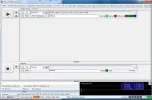
Installed TSreader ....selected as one of the ascociated Apps ...set UDP ..and piped to VLC ..
cheers mate


Not got it working with 4T2 yet tho...
 

Attachments

  • TSreader.webp
    TSreader.webp
    133.9 KB · Views: 55
Nope ...using UDP and port 6969 ...but nothing ported to 4T2 ..
It remains inactive..(status - waiting)
If you get this going Llew ...please clue me in..
I suspect the protocols are unknown to EBSpro
..as they are not in it's list of defaults.
rgds
VS
 
My path, but I think you just have Program Files, not to x86?
 

Attachments

  • 4T2c Analyser.webp
    4T2c Analyser.webp
    97.5 KB · Views: 46
My stupid PC won't show multiscreen in 4T2.
 

Attachments

  • 4T2 from EBS.webp
    4T2 from EBS.webp
    134.3 KB · Views: 58
Well ...at least you have it working ..
I'm now wondering if 4T2 is still active ..
perhaps the key is no longer valid ..afterall ...I have made hardware changes recently.
The new TBS card ..plus a graphics card etc ..
Perhaps needs reactivating ..but I forgot how.
 
I think that is my problem AGAIN ...
when I press the go arrow ...I get NO LICENSE PROTO : UDP IP etc etc
 

Attachments

  • 4T2.webp
    4T2.webp
    47.2 KB · Views: 53
Can't remember, but if you go to About - Settings in 4T2, licence info should be in there somewhere
 
The only thing in there is the machine identifier ...number ..
What is filled in in yours Llew ?
 
found streamreader.ini in 4t2 content analyzer dir and add option:
4T2=1

for old version just replace streamreader.dll with latest my StreamReaderEx-BDA (with ini).

enjoy :)
 
Well ..I'm hoping I did the licence key/serial request thing correctly ..
Hopefully I'll get a new one by email soon..
 
That's all I have in Legacy Licences, but in Licences, I have -

[Licence/0]
SN=
KeyType=0
KeyInfo=
CreatedAt=20131229
Expires=
InputList=Allow
ModuleList=Deny
[Licence/0/Inputs]
0=0
[Licence/0/Modules]

(I've deleted my S/N and KeyInfo No.)
 
Perhaps can help you this instr:
 

Attachments

Back
Top