WeTek Full HD Android box with DVB-S2 Tuner

H264 & H265
Multi-Streaming:- Multiple streams on single carrier (CCM-VCM-ACM)
4:2:2
Biss user capability to change keys
QPSK, 8PSK, 16APSK, 32APSK
Accurate Blind Scan
Select any part of the Ku band for Blind Scan
Display of Video Format (DVB-S DVB-S2)
Display of Forward Error Correction
Display of video stream data progressive ect
Add channels via pids
Ethernet Connection
Update software via USB
Software support for the 1st 2 years when product was released
 
H264 & H265
Multi-Streaming:- Multiple streams on single carrier (CCM-VCM-ACM)
4:2:2
Biss user capability to change keys
QPSK, 8PSK, 16APSK, 32APSK
Accurate Blind Scan
Select any part of the Ku band for Blind Scan
Display of Video Format (DVB-S DVB-S2)
Display of Forward Error Correction
Display of video stream data progressive ect
Add channels via pids
Ethernet Connection
Update software via USB
Software support for the 1st 2 years when product was released

A few of your more obvious suggestions already exist out of the box, once I install openelec and tv headend more options will be available, with android being open source if your clever enough you have a good chance of making something work.
 
Hi
Did you make tuner comparison (with other receivers) on fringe trasponder?

thank you for your reply
best regards
 
Hi
Did you make tuner comparison (with other receivers) on fringe trasponder?

thank you for your reply
best regards

Hi, first impressions are looking good all round for the WeTek, I will try and find time over the weekend and set Tvheadend up for scanning, the scanning out of the box is good and accurate, its matching my favourite box for blind scan (x2) but a little slower,

:), the main test will be with tvheadend.
 
WeTek are following this thread and prepared to listen to our needs :). any more sensible suggestions please shout up :).

a receiver able to show t2-mi multistream trasponder and multistream with pls code
the best tuner sensitivity on the market (Imho the best is openbox sx at the moment)
 
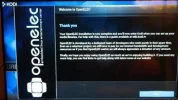
Hi, I've just installed OpenELEC, its straight forward to install, here is the how to.

Code:
http://kodi.wiki/view/WeTek_Play#Linux_Kodi_and_OpenELEC_installation_to_NAND_Flash
DSCN8755.webp DSCN8756.webp DSCN8757.webp DSCN8758.webp
 
Noticed that its 4GB Nand flash, i reckon android alone will consume about 3GB leaving only 1GB space to install any other app, which will be a struggle.
Can they at least increase the storage to 8GB
 
I am struggling to find time to turn this box on at the moment :(, it was 10.30 by the time I sat down tonight, I should imagine we will be able to store apps on a micro SD card.
 
Noticed that its 4GB Nand flash, i reckon android alone will consume about 3GB leaving only 1GB space to install any other app, which will be a struggle.
Can they at least increase the storage to 8GB

There is a port on the side to install a micro SD card (if not supplied with one out of the box), and the Wetek can accept sizes up to 32GB.
 
According to the manufacturer (or at least the moderator on the forum), it can be supplied with a card (8G:cool: if pre-ordered.

http://wetekforums.com/vb5/forum/wetek-play/q-a-help-troubleshooting/7551-8gb-micro-sd-card

Yes but its nothing special, a SD card can be bought from anywhere if you need more storage, most things can be done from your pc/ so you can have as much storage as you like if your connected to your network, this is a great box on the kodi side, I need to find time to do more test on the sat side.
 
Got my own Wetek Play today for my birthday. Looking forward to getting to play with it later. :D
 
Got my own Wetek Play today for my birthday. Looking forward to getting to play with it later. :D
Firstly happy birthday:-) and hope you enjoy your new box.

Secondly can you let us know how you found it? Eg setting up and scanning satellites in?
 
Thanks Chris :)

Yes sure! I can go into more detail when I have a bit more time at the weekend but here's a brief overview -

First off; what a nice piece of kit! It really looks nice. It's small and very light too.

In terms of the pre-installed Android OS; I didn't get on with that at all. Logging into your Wetek account (you create one with the membership card that comes with the box on their website) is a faff with the remote control, and I accidentally skipped the satellite scan during the setup wizard and couldn't find where to run it again anywhere!

I basically went straight to installing openelec onto it using a microSD card but installing to its flash memory.

Once that's loaded up with Kodi you have to get TVHeadend from the plugins menu by updating the repositories (there's a special Wetek add-on repo that has to be enabled) but there's a YouTube guide for this (search installing TVHeadend on Wetek Play).

Then it's just setting up TVHeadend which you can do in a web browser at wetekplayipaddress:9981

I love TVHeadend, but I think there's plenty of documentation for anyone unsure at their website.

Once you've configured that and it's tuned all your channels (it recognises the two DVB-S2 tuners straightaway with no problem), you can enable the TVHeadend PVR client add-on and set live TV to on in Kodi on the Wetek and all your channels should load in the TV section.

I've mainly been using mine configured to point to the TVHeadend install on my media centre PC (as that has a TNTSat card and is where the satellite feeds come into the house) so the Wetek is streaming channels over WiFi rather than satellite. I've been very impressed with this though as it manages to play HD channels absolutely fine via the built in WiFi!

If anyone wants any TVHeadend set-up help though, when I have more time at the weekend I'll write some quick instructions. :)
 
Last edited:
Just to add I tested the tuner with the multistream channels on 5°W - it's not compatible unfortunately! Although with the opportunity to swap the tuners out easily, hopefully they'll release a professional DVB-S2 tuner at some point if enough of us ask for it! :D

I set-up the receiver on 3.1°E for the Greek Digea channels this evening. The receiver copes fine with this, entering BISS keys into TVHeadend in the usual way (which is a bit of a faff) to make the channels clear. It glitches on the ERT channels with their keys, but this is a TVHeadend issue as I get exactly the same problem on my media centre PC running TVHeadend under Ubuntu (as if the signal is bad, but it's fine!).

I also tried the box with a USB DVB-T2 PCTV 290e tuner for Freeview HD. THe box recognises the tuner straight away in OpenElec, but I had problems tuning channels. There was a bit of break-up and the HD channels didn't work at all. It seemed as if the box was encountering signal problems, but the same USB stick using the same aerial feed attached to a computer works fine.
 
Thank you for the update Adam, I just cant find the time to play with my WeTek at the moment, but I am impressed from the little I have seen of it :), please keep us updated :).
 
Just got a WeTek. What a faff setting it up. Now I have done that can anyone point me in the direction of actually what it can do.?? Was given it for a birthday present too. So any help much appreciated with easy instructions. I'm not the best at these things!!
Thank you
 
Just got a WeTek. What a faff setting it up. Now I have done that can anyone point me in the direction of actually what it can do.?? Was given it for a birthday present too. So any help much appreciated with easy instructions. I'm not the best at these things!!
Thank you

Hi Laser, have you installed Openelec ?. a few tutorial's in the link below to have a look through and try.

Code:
https://wetek.com/tutorials_video
 
Back
Top