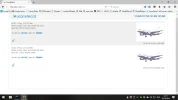
A Archive-8 Guest Oct 30, 2016 #1 over the last day, I have been playing with my white "spare" dongle. So I downloaded AcarsDeco2 and got that to run, and using a tv aerial that came with the stick. I found out it can monitor 4 channels at once . 131.525/131.725/131.825/131.850 am
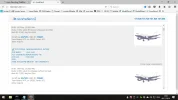
over the last day, I have been playing with my white "spare" dongle. So I downloaded AcarsDeco2 and got that to run, and using a tv aerial that came with the stick. I found out it can monitor 4 channels at once . 131.525/131.725/131.825/131.850 am
Lazarus Retired Moderator My Satellite Setup 80cm Motorised. Several small Dishes. Much else. My Location North York Moors Oct 30, 2016 #2 There's a lot to be said for having a spare dongle.
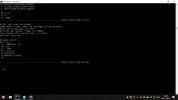
A Archive-8 Guest Nov 6, 2016 #3 Ascars Decoding with AcarsDeco2 Step 1 Download this file acarsdeco2_windows_20150718.zip Step 2 unzip the downloaded file, and copy the folder to your C:drive. Step 3 locate the windows batch file, and right click the mouse, select edit, so you can input up to 4 channels at once, this is mine: @echo off cmd /c acarsdeco2.exe --device-index 0 --gain 49.6 --freq-correction 1 --freq 131525000 --freq 131725000 --freq 131825000 --freq 131850000 --http-port 8083 --vrs-url http://192.168.1.23:90 --net 30008 PAUSE exit you can change any of the values, after the -- Step 4 Save the file. Step 5 double left click the batch folder to run the prog.
Ascars Decoding with AcarsDeco2 Step 1 Download this file acarsdeco2_windows_20150718.zip Step 2 unzip the downloaded file, and copy the folder to your C:drive. Step 3 locate the windows batch file, and right click the mouse, select edit, so you can input up to 4 channels at once, this is mine: @echo off cmd /c acarsdeco2.exe --device-index 0 --gain 49.6 --freq-correction 1 --freq 131525000 --freq 131725000 --freq 131825000 --freq 131850000 --http-port 8083 --vrs-url http://192.168.1.23:90 --net 30008 PAUSE exit you can change any of the values, after the -- Step 4 Save the file. Step 5 double left click the batch folder to run the prog.
Analoguesat Administrator Staff member My Satellite Setup TM 5402HD Sky+ UK. My Location Scottish Borders Nov 6, 2016 #6 Can this be run off the same dongle as the basic setup or do you need a second one Chris?
A Archive-8 Guest Nov 6, 2016 #7 Analoguesat said: Can this be run off the same dongle as the basic setup or do you need a second one Chris? Click to expand... No it needs a second dongle. If you are running more than 1 dongle then you will need to add --device-index 0 or 1 depending on the bus no of the dongle. My cheap dongle got logs, despite being 61ppm off. The txco noo elec dongles work very well with the offset of 1
Analoguesat said: Can this be run off the same dongle as the basic setup or do you need a second one Chris? Click to expand... No it needs a second dongle. If you are running more than 1 dongle then you will need to add --device-index 0 or 1 depending on the bus no of the dongle. My cheap dongle got logs, despite being 61ppm off. The txco noo elec dongles work very well with the offset of 1
A Archive-8 Guest Nov 6, 2016 #8 I am also using a home brew antenna, The coax length is 63.5cms per element. Mine is 3 element. If my memory serves me correctly the antenna is centred on 144 MHz (2 meters) I think.
I am also using a home brew antenna, The coax length is 63.5cms per element. Mine is 3 element. If my memory serves me correctly the antenna is centred on 144 MHz (2 meters) I think.