Connection to Vu+ Duo Box by FTP

cresswr

New Member
My Satellite Setup
2.8m Dish PC running Ubuntu
My Location
Tenerife
This may not be only specific to Vu+Duo but it is causing me problems.
I am trying to FTP to my box from my PC in order to update some files, but am having difficulty. I know the IP address of the box itself, but it will not connect, just times outs. I have used an IP scanner to look at all the IP addresses on my network but it does not show at all. This is the only wired connection, all other are via the WiFI. It shows as connected on the receiver and the channels are all operating. However Samba, Telnet etc say that it is not connected to the internet. I have rebooted the box and router a few times and disconnected and reconnected all leads. I am at a lost as to what else I can try.
For information, my OS is Ubuntu and I have also tried different FTP programmes, but all with the same result.
Any suggestions?
 
You could try looking at the box itself to ensure you have the correct IP :D

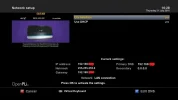
menu -> setup -> system ->network ->adapter setting

network.webp

Make sure you use the correct FTP port, its usually port 21.
 
Make sure its port 21 when trying to login.
 
What image do you have loaded, on your VU+?
You could try the Dreambox Control Centre, which displays all IP's, on your network, to see if that picks it up.
Also, if possible, try a laptop, or other device, running a different operating system, like Windows.
 
I believe I have the correct IP for the box from Menu/Information/Network, yes am using Port 21, it does it by default anyway, I only have Linux OS but will try a different OS if I can. I have a VIX image. I will look into the Dreambox Control Centre and see if hat works.
Thanks for suggestions.
 
Log into your router and see what ip has been assigned to the box by that (assuming the router is the device that issues the ips on your network)
 
OK not getting any better!
I have changed the cable for a new one to ensure that there is no problem there
I could not log onto the router vis a browser, just will not work.
I now have windows running in a Virtual Machine, and have installed the Dreambox Control Centre, it only finds one IP address so was not sure if this is the router or the box, it will show as connected to the router if a router option is selected, but not if a direct connection selected, which it is not. So must be the router, so where is the box?
 
Which version of DCC do you have?
Which image do you have on your VU+?
You should get an IP address with VUDUO, next to it, I get 3 IP addresses, when I carry out the Suchen, then Suche, options, under Dreambox.
 
There might be another device with the same IP as the VU+ which can cause a conflict.
I have all my network devices IP's in the same domain like the gateway, only different assigned last three digits,
For example GW 192.162.1.1 , PC 192.162.1. 100, VU+ 192.162.1.105, etc
I use FileZilla for FTP.
 
The DCC is 2.96, I am running a VIX version Apollo build 008 Kernel 3.1.1, th drivers have not been updated recently they show as 16/04/2014 as last update. I only get one IP address running search in DCC, when I try to reconnect I get the error message "Error 10057 in function Send Socket is not connected". I have searched for any help on this but nothing suggested has worked.
When I use the IP Scanner I can find mine and wife’s PC, Printer, mobiles, the Smart TV and 2 other addresses that have no name. One should be the router and the other is an IP phone as we have no fixed line.
I have tried filezilla, bare ftp and Fire FTP using my main OS Ubuntu, but none will connect. The IP address that is shown in the Menu/Information/Network just will not get picked up or will connect.
I am of a mind that I may have to flash a new image as I'm not sure what else to do!
 
No, I am unable to connect to the IP address and the port shown. Just keeps trying with no connection!
 
Unfortunately, as you can't connect to your receiver, none of the dreambox tools will work, like dreamboxedit, to back up your channel list.
Can you take your receiver to a friend, or family member, connect it to their router, and see if you can access it? You don't need it connected to a satellite dish, to access it using your PC.
Is it currently connected, directly to your router, or are you using homeplugs, or a USB dongle, for the connection?
 
It is connected by a LAN cable to the router.
I do have an old WiFI router that I could use to try to connect to the main router, do you think this is worth a try?
 
Yes, bought a new one today rather than try an old one.
 
To be honest its starting to sound like a fault with the box itself, or maybe even the firmware.

Have you got the network setup correctly on the receiver, setting DHCP to on?

If that doesn't work i would flash a new image to the box to rule out any firmware issues. If its still not connecting i would be looking at network card failure. Have you tried pluging in a usb wifi stick to see if it connects through that?
 
YES!!
I have flashed a new image and have now found the box on he IP scanner and connected FTP to the box!
Many thanks for all the help, the help here has been very useful and a good learning for me,
 
Back
Top