matsat1234
Member
- My Satellite Setup
- Computets proficiency and satellite, Im still learning.
- My Location
- Ireland
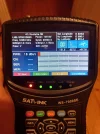
Hi, I bought Satlink WS-7009 SE for the purpose to try to learn and find satellites as hobby.
After while I realized that it's not as easy as I thought to work with that satellite finder.
I have read the manual but it was only helpful to certain extent.
I found some of the satellites after an hour of trying but I think I found them by a pure luck.
I managed to select what satellite I want to find, transponders but the rest it seems quite complicated for me.
I tried to use YouTube videos how to operate the device but even there I can't find any quite good stop by step video.
In case you think first, I should learn about satellites, I know how TV satellites operate, how and where they are located, their positions, dish sizes and elevations, polarization, LNB types and skews, transponders, types of satellites...
So if you have any links, threads here or videos how to find satellites such Astra 3B, Astra 2E with this type of finder please, let me know, I will be very thankful for any relevant information. Thanks.
After while I realized that it's not as easy as I thought to work with that satellite finder.
I have read the manual but it was only helpful to certain extent.
I found some of the satellites after an hour of trying but I think I found them by a pure luck.
I managed to select what satellite I want to find, transponders but the rest it seems quite complicated for me.
I tried to use YouTube videos how to operate the device but even there I can't find any quite good stop by step video.
In case you think first, I should learn about satellites, I know how TV satellites operate, how and where they are located, their positions, dish sizes and elevations, polarization, LNB types and skews, transponders, types of satellites...
So if you have any links, threads here or videos how to find satellites such Astra 3B, Astra 2E with this type of finder please, let me know, I will be very thankful for any relevant information. Thanks.