Just Sharing This New OSD for UpdateDVB

Llew

cerca trova...
Staff member
My Satellite Setup
Triple Dragon, Dreambox 8000, Echostar AD3000ip, TBS6522,6925,6983 PCie cards.
Gibertini 1.25m motorised dish driven by the AD3000, with either Inverto BU Quad or Norsat / XMW Ka LNBs . SMW 1.05m + 3 other dishes. Speccy: Promax HD Ranger+
My Location
The Flatlands of East Anglia
There's a new OSD skin for the Linux-based UpdateDVB application. Here I'm using it to open the DVB-S2X channel on 33E 12621V.

I did have a problem originally locking any transponders with this application using the TBS6522, but after enquiry realise that, unlike say the TBS6983, with the TBS6522 you have to insert the SR and modulation and system parameters into the respective boxes before obtaining any channel lock.

Thanks to Chris Lee (app originator) and co. at Ricks for their help.

New updatedvb_1.webp
 
Last edited:
Later commits of this DVB app gives me a row of tabs at the top showing my tuner cards and their respective adaptors.

More convenient now to choose which tuner/frontend to use. I'll add more info to the TBS6522 tabs to denote the frontend system used, S/S2 or T/T2.

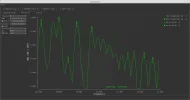
Other screenshots show example scans and tuning info for Astra 28E and Sandy Heath terrestrial.

Early days, this version ofupdateDVB is still being developed.

Astra 28E 11622H.webp
 

Attachments

  • Astra 28E Spectrum Scan example.webp
    Astra 28E Spectrum Scan example.webp
    59.7 KB · Views: 11
  • IQ Plot of 11622H.webp
    IQ Plot of 11622H.webp
    45.9 KB · Views: 10
  • Sandy Heath TX 562MHz T2 example.webp
    Sandy Heath TX 562MHz T2 example.webp
    139.2 KB · Views: 10
  • Sandy Heath TX Spectrum Scan.webp
    Sandy Heath TX Spectrum Scan.webp
    71 KB · Views: 11
Thanks for the kind words about the app. Its always a work in progress, adding new features all the time. It wouldnt be the app it is today without the help of those in the FTA community.

If anyone has any suggestions I'm always eager to listen.

UDL
 
Later commits of this DVB app gives me a row of tabs at the top showing my tuner cards and their respective adaptors.

More convenient now to choose which tuner/frontend to use. I'll add more info to the TBS6522 tabs to denote the frontend system used, S/S2 or T/T2.

Other screenshots show example scans and tuning info for Astra 28E and Sandy Heath terrestrial.

Early days, this version ofupdateDVB is still being developed.

View attachment 112018

Nice info Sandy Heath is my local DTT
 
Thanks for the kind words about the app. Its always a work in progress, adding new features all the time. It wouldnt be the app it is today without the help of those in the FTA community.

If anyone has any suggestions I'm always eager to listen.

UDL
Thanks. Really interested in your development of this app since it appeared. I don't have the Linux skills to contribute anything like some of the app tailoring being posted by the guys there, just happy to go along with following its progress :)
 
Later commits of this DVB app gives me a row of tabs at the top showing my tuner cards and their respective adaptors.

More convenient now to choose which tuner/frontend to use. I'll add more info to the TBS6522 tabs to denote the frontend system used, S/S2 or T/T2.

Other screenshots show example scans and tuning info for Astra 28E and Sandy Heath terrestrial.

Early days, this version ofupdateDVB is still being developed.

View attachment 112018

2 questions if I may,

1) how do you install the update dvb app
2) how do you take a screenshot.

Sorry to be a pain.
 
2 questions if I may,

1) how do you install the update dvb app
2) how do you take a screenshot.

Sorry to be a pain.
Chris, there's no ready-built application available to download, you build it using the Qt programming creator app.

See updatelee's instructions in his repo - updatelee / v4l-updatelee — Bitbucket

After compiling that, go to - updatelee / updateDVB — Bitbucket to build the actual viewer.

I found it a bit intimidating at first, but managed OK after a few false starts.

The TBS cards you show in your setup are the same s I have, so shouldn't be any driver problem.

Just use the Screenshot tool in your Linux OS.
 
Yes, that takes some time to download. Seems to include every driver known to man :eek:
 
Yes, that takes some time to download. Seems to include every driver known to man :eek:

The Pc is only a duel core Celeron 1.6ghz 4GB ram, and it’s still chugging away happily at the moment.

Fingers crossed.
 
You can find the Linux drivers for all tbs cards here
 
Yes, Chris should have them installed.

dmesg | grep frontend in terminal will conveniently show which adapters are attributed to which card, to be associated with the tuner labelling in updateDVB Adapter settings.
 
Last edited:
Indeed,and looks like that,once installed the driver:
 

Attachments

  • dmesg_grep_frontend & ls dev_dvb.webp
    dmesg_grep_frontend & ls dev_dvb.webp
    139.5 KB · Views: 14
The sat card is fine, the new issue is when opening the right file in qt creator, I get the green triangle at the bottom to “build” when I click it I get a failure message.

904C278E-F227-4D1A-B604-C5053A01B0ED.webp 2871F223-A509-40C3-9220-EE2AC9A122A4.webp F096F791-E3E6-4A11-85A9-9A2385C0A81F.webp 62B7F113-FCAD-4C12-8976-BA9A9621C432.webp AC4EEA87-F77D-4B73-B27A-C3F18232B79F.webp 6D9442C7-66F1-43CB-AAAC-1D9B683399C0.webp

It’s probably something I haven’t done, I will have another go tomorrow.

Thanks chaps for your input so far, I have found it helpful as I am a total noob with Linux.

Slowly it’s starting to sway me away from microshite.
 
Last edited by a moderator:
Hmm- those errors are a bit above my pay grade Chris. If all went smoothly building the app up to there, I don't know what's causing them.
Can I suggest you ask the gurus in the updateDVB thread over at Rick's? Meanwhile I'll do a new build myself with the latest commits.
 
Looks like you didn't install the headers. Check the README in the v4l-updatelee folder. At least that's what it looks like.

UDL
 
yeah it was the headders stopping it from completing.

Screenshot from 2017-11-26 13-33-19.webp

now need to configure it :)
 
Last edited by a moderator:
looks like your two devices are not accessible. Is another app using them? maybe permissions?

If you just want to compile it and run it you can compile it once and run it you can do this

locate qmake | grep bin

to find where your qmake bin is. mine is in here

/opt/Qt/5.9.2/gcc_64/bin

go into the dir where you downloaded updateDVB

cd src/UDL/updateDVB
/opt/Qt/5.9.2/gcc_64/bin/qmake
make -j10
sudo make install

this will compile updateDVB and install it to /usr/local/bin and make a shorcut on your desktop for you.

I like to run it from qtcreator though because if there is a hangup it will give you more details about why it crashed, which helps me fix the issue lol :)

UDL
 
looks like your two devices are not accessible. Is another app using them? maybe permissions?

If you just want to compile it and run it you can compile it once and run it you can do this

locate qmake | grep bin

to find where your qmake bin is. mine is in here

/opt/Qt/5.9.2/gcc_64/bin

go into the dir where you downloaded updateDVB

cd src/UDL/updateDVB
/opt/Qt/5.9.2/gcc_64/bin/qmake
make -j10
sudo make install

this will compile updateDVB and install it to /usr/local/bin and make a shorcut on your desktop for you.

I like to run it from qtcreator though because if there is a hangup it will give you more details about why it crashed, which helps me fix the issue lol :)

UDL


I totally forgot about tvheadend is also installed :-doh

I will need to stop that temporarily, it’s recording tv for me.

Thanks for all of your help.
 
@updatelee
I noticed some FECs are shown incorrectly when scanning some TPs, noticeably any on Astra 28.2 with a FEC of 5/6. Shown are two TPs, H and V, one using the earlier version of updateDVB. Both show a FEC of 2/5.

10816V Wrong FEC.webp

10890H Wrong FEC.webp
 
Back
Top