
You are using an out of date browser. It may not display this or other websites correctly.
You should upgrade or use an alternative browser.
You should upgrade or use an alternative browser.
Satellite Receiver Signal App on Android Mobile
- Thread starter n.u.k
- Start date


lovelyperson
Dreamer
- My Satellite Setup
- 2.0m PF dish
1.8m PF Famaval
1.8m PF Marrafa
1.4m Tecatel offset
1.2m dish + Stab HH120
TBS 5925 USB
Octagon SF8008 4k Twin + SF8008 V3 SUPREME 4K Twin + 4 x Uclan Ustym 4K PRO Twin
GTMedia V8 UHD, 2 x GTMedia GTcombo, Goldmaster SR525 HD
Geant-OTT 750 ALLURE EVO 4K + Sat-illimitè F300 hyper
2 x Viark Sat 4k.........arc = 62.0ºE - 63.0ºW
- My Location
- Alicante, España
Yes, superb app and yet to find one better.......nothing to beat it app wise for dish alignment.....very sensitive.
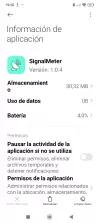
Using the 'Signal Meter' version 1.0.4
Also will help with data transponder alignment (as attached)
Can also take screenshots (captura de la pantalla) including IPTV channels ( 'Fort William' as attached)
All above using E2 Octagon V3 SUPREME Twin with the app.
Have enclosed a zip containing the .apk if needed......naturally install at your own risk.
Best wishes.


lovelyperson
Dreamer
- My Satellite Setup
- 2.0m PF dish
1.8m PF Famaval
1.8m PF Marrafa
1.4m Tecatel offset
1.2m dish + Stab HH120
TBS 5925 USB
Octagon SF8008 4k Twin + SF8008 V3 SUPREME 4K Twin + 4 x Uclan Ustym 4K PRO Twin
GTMedia V8 UHD, 2 x GTMedia GTcombo, Goldmaster SR525 HD
Geant-OTT 750 ALLURE EVO 4K + Sat-illimitè F300 hyper
2 x Viark Sat 4k.........arc = 62.0ºE - 63.0ºW
- My Location
- Alicante, España
Looks like app in zip too big, will upload the file to a site.
lovelyperson
Dreamer
- My Satellite Setup
- 2.0m PF dish
1.8m PF Famaval
1.8m PF Marrafa
1.4m Tecatel offset
1.2m dish + Stab HH120
TBS 5925 USB
Octagon SF8008 4k Twin + SF8008 V3 SUPREME 4K Twin + 4 x Uclan Ustym 4K PRO Twin
GTMedia V8 UHD, 2 x GTMedia GTcombo, Goldmaster SR525 HD
Geant-OTT 750 ALLURE EVO 4K + Sat-illimitè F300 hyper
2 x Viark Sat 4k.........arc = 62.0ºE - 63.0ºW
- My Location
- Alicante, España
Looks like app in zip too big, will upload the file to a site.
Link:- LimeWire: Share Files - Secure File Upload Platform

- My Satellite Setup
- A little less analogue, and a lot more crap.
- My Location
- UK
What do you mean by 'each receiver' ?Hello
Is there any App that shows the signal of each receiver on an Android mobile

n.u.k
Member
- My Satellite Setup
- Octagon Sx88 4k UHD s2.Vu+ zero HD. Dish 8FT SHABBIR A CLASS. Dish 4FT. Dish 2FT. ptcl charji evo 4g. Zong Bolt 4g
- My Location
- pakistan
I mean, whether it's VU Linux or octagon AndroidWhat do you mean by 'each receiver' ?
n.u.k
Member
- My Satellite Setup
- Octagon Sx88 4k UHD s2.Vu+ zero HD. Dish 8FT SHABBIR A CLASS. Dish 4FT. Dish 2FT. ptcl charji evo 4g. Zong Bolt 4g
- My Location
- pakistan
I have downloaded it twice and it is saying Expire. This is difficult for me. Please tell me an easy way.

stel883_
Member
- My Satellite Setup
- "Gibertini OP125L - Multifeed 7E [10E] 13E 16E - Golden Media 201, Goobay 67269, Triax TSI 100 Gold, Fracarro Ux-S LTE, Engel Diseqc 4x1 SW0211" "Gibertini OP100L - Moteck SG-2100A DiSEqC Motor 34.5W-80.0E - GT-SLRC2" "Dreambox DM900 RC20 4K UHD, Edision OS Mini 4K, Zgemma H11S 4K "Toshiba 32L3963DG" "Fujitsu Lifebook S752 - MX-23.2 "Libretto"
- My Location
- Vátika, Greece
Install Aptoide and download it
Code:
https://signalmeter.en.aptoide.com/app- My Satellite Setup
- A little less analogue, and a lot more crap.
- My Location
- UK
You might find the RAMF app is easier, start hereI mean, whether it's VU Linux or octagon Android
HDTV and HEVC DVB-S/S2/S2X+T2/C receiver for TV, smartphones and PC + DVB2ip streamer + sat finder + DVB-T2 finder + s2 spectrum analyzer + remote diagnostics

specifications:
-DVB2IP Bridge op DVB2IP Bridge options:
Open Web API...yes
Watching DVB without TV set...yes
Extension for Android Browser...yes
Application....yes
-R.A.M.F. options:
Sat Finder....yes
Spectrum....yes
DVB-T2 Finder....yes
3G/4G Finder? under development
3D R.A.M.F. LNB support....yes
Reports with signal parameters.....yes
Remote diagnostics (sending the report to the...
specifications:
-DVB2IP Bridge op DVB2IP Bridge options:
Open Web API...yes
Watching DVB without TV set...yes
Extension for Android Browser...yes
Application....yes
-R.A.M.F. options:
Sat Finder....yes
Spectrum....yes
DVB-T2 Finder....yes
3G/4G Finder? under development
3D R.A.M.F. LNB support....yes
Reports with signal parameters.....yes
Remote diagnostics (sending the report to the...
- Mohd Sadoon
- Replies: 196
- Forum: Satellite Meters and Installation Equipment

lovelyperson
Dreamer
- My Satellite Setup
- 2.0m PF dish
1.8m PF Famaval
1.8m PF Marrafa
1.4m Tecatel offset
1.2m dish + Stab HH120
TBS 5925 USB
Octagon SF8008 4k Twin + SF8008 V3 SUPREME 4K Twin + 4 x Uclan Ustym 4K PRO Twin
GTMedia V8 UHD, 2 x GTMedia GTcombo, Goldmaster SR525 HD
Geant-OTT 750 ALLURE EVO 4K + Sat-illimitè F300 hyper
2 x Viark Sat 4k.........arc = 62.0ºE - 63.0ºW
- My Location
- Alicante, España
Uploaded .apk to here..........download link (30 day expiry) :-
https://www.sendspace.com/file/r6qfb4
Follow the pics with Google Play Protect and 'Install of all forms'
have tested and all is good.


https://www.sendspace.com/file/r6qfb4
Follow the pics with Google Play Protect and 'Install of all forms'
have tested and all is good.
stcome
Member
- My Satellite Setup
- 3 paraboles motorisées :
SF8008 twin>Grego.90cm offset motor.cde/inverseur
Humax 5000>CM 90 cm offset > Stab 100 / disecq 1.2
TBS5520SE>PC W8.1>Lenson Alu 1m>SJ 5W-45E/Pace 900/TC
- My Location
- 77 - France
Hello,Uploaded .apk to here..........download link (30 day expiry) :-
https://www.sendspace.com/file/r6qfb4
Follow the pics with Google Play Protect and 'Install of all forms'
have tested and all is good.
View attachment 166179View attachment 166180View attachment 166181View attachment 166182View attachment 166183View attachment 166184
Have anyone here been able to connect to the Octagon SF8008 under Define-OS using Signalmeter?
There are no problems with Open ATV and Open Pli.
With Define 7.0 - after connecting, I get the message: "time out" and after "edit a device," I get the message: "the stream port seems to be closed." Is there a solution, please? Thank you.
Issues · shaxxx/Signalmeter2
Satellite Signal Meter for Enigma based receivers. Contribute to shaxxx/Signalmeter2 development by creating an account on GitHub.
 github.com
n.u.k
Member
- My Satellite Setup
- Octagon Sx88 4k UHD s2.Vu+ zero HD. Dish 8FT SHABBIR A CLASS. Dish 4FT. Dish 2FT. ptcl charji evo 4g. Zong Bolt 4g
- My Location
- pakistan
Hello
I tried a lot but failed. Now I have added the receiver's IP address to the mobile browser, so the remote is shown on the mobile. But the problem is that the info button and menu button are not visible on the remote. Only the volume and channel up, down, and OK buttons are shown. Is there any way to show the info button so that I can see the signal quality and strength?
I tried a lot but failed. Now I have added the receiver's IP address to the mobile browser, so the remote is shown on the mobile. But the problem is that the info button and menu button are not visible on the remote. Only the volume and channel up, down, and OK buttons are shown. Is there any way to show the info button so that I can see the signal quality and strength?
stcome
Member
- My Satellite Setup
- 3 paraboles motorisées :
SF8008 twin>Grego.90cm offset motor.cde/inverseur
Humax 5000>CM 90 cm offset > Stab 100 / disecq 1.2
TBS5520SE>PC W8.1>Lenson Alu 1m>SJ 5W-45E/Pace 900/TC
- My Location
- 77 - France
Hello Flippi,Latest builds are here: Pipelines
Issues · shaxxx/Signalmeter2
Satellite Signal Meter for Enigma based receivers. Contribute to shaxxx/Signalmeter2 development by creating an account on GitHub.
Thank you for the link.
After reading everything, I've concluded that Define 7.0 doesn't include "webif" and doesn't allow adding a web interface plugin, except by the OS developer.
Extrait: Check if you see device on local network
Check your plugins list on your receiver, if you don’t see something like “Webinterface” or with “webif” inside the name you’ll need to install Web interface plugin. Consult the author of your Enigma image to find out more
stcome
Member
- My Satellite Setup
- 3 paraboles motorisées :
SF8008 twin>Grego.90cm offset motor.cde/inverseur
Humax 5000>CM 90 cm offset > Stab 100 / disecq 1.2
TBS5520SE>PC W8.1>Lenson Alu 1m>SJ 5W-45E/Pace 900/TC
- My Location
- 77 - France
Yes, but he was also indirectly answering mine!
Even though no other answer has (yet) been given...
Even though no other answer has (yet) been given...

4wd
Getting the picture
- My Satellite Setup
- 28e, 19e
- My Location
- Bergen, Norway \ Alpes Maritimes, France
Signal meter > Download Enigma Signal Meter-Sat Finder 1.0.4 Android APK File
It's from 2020, probably starting to get old, found a few things not working in android 16 (Google Pixel) but all level functions ok. All well on my older Samsung android 14.
Sometimes using a laptop (see attach.), one should be able to find the program somewhere (google). Old as the pyramides but still works here (win 10),
It's from 2020, probably starting to get old, found a few things not working in android 16 (Google Pixel) but all level functions ok. All well on my older Samsung android 14.
Sometimes using a laptop (see attach.), one should be able to find the program somewhere (google). Old as the pyramides but still works here (win 10),
