TBS 6925 PCi Card with hardware blind scan in DVB-S2 and DVB-S

btw Starman ..
did you hear of any progress with the Skywalker III project ?
still in the market for a 'reasonable priced' DCr card ...
but ..obviously the number of channels available this side of the pond ..would make a very expensive card a non starter..
rgds
VS
 
Vipersan said:
btw Starman ..
did you hear of any progress with the Skywalker III project ?
still in the market for a 'reasonable priced' DCr card ...
but ..obviously the number of channels available this side of the pond ..would make a very expensive card a non starter..
rgds
VS

VP, I haven't heard a thing about the skywalker. Maybe I've missed it, hopefully if I have someone will chime in here and let us know. There seems to be no change on the Genpix site since I checked a few months ago.
 
I now have the TBS6925 card working in Ubuntu (10-04), but find ITV1 HD and C4 HD tend to skip frames occasionally. The BBC HD channels seem OK.

I'd like to know if anybody has tried the card in a Linux distro. If not, there's a driver package on the TBS website, and it's easy to set up, as follows -

Make a directory named TBS in, say your Downloads folder and copy linux-tbs-drivers.tar.bz2 to it.

In your terminal, extract linux-tbs-drivers.tar.bz2 archive:

# tar xjvf linux-tbs-drivers.tar.bz2

Go to driver package directory:

# cd linux-tbs-drivers

Depending on your kernel version and if the kernel is x86 or
x86_64 (check output of 'uname -a') do:

- for x86 kernel 3.x (x86 32 bit installations of kernel 3.x):

# ./v4l/tbs-x86_r3.sh

- for x86 kernel 2.6.x (x86 32 bit installations of kernel 2.6.x):

# ./v4l/tbs-x86.sh

- for any x86_64 kernel (x86 64 bit installations of Linux):

# ./v4l/tbs-x86_64.sh

Build and install the driver:

# cd ..

# make && make install

Reboot in order to load the newly installed driver:

# shutdown -r now

After rebooting, in terminal do lspci -vvvnn to check if driver kernel is loaded. I get:-

03:00.0 Multimedia controller [0480]: Philips Semiconductors Device [1131:7160] (rev 03)
Subsystem: Device [6925:0001]
Control: I/O+ Mem+ BusMaster+ SpecCycle- MemWINV- VGASnoop- ParErr- Stepping- SERR- FastB2B- DisINTx-
Status: Cap+ 66MHz- UDF- FastB2B- ParErr- DEVSEL=fast >TAbort- <TAbort- <MAbort- >SERR- <PERR- INTx-
Latency: 0, Cache Line Size: 32 bytes
Interrupt: pin A routed to IRQ 17
Region 0: Memory at fa100000 (64-bit, non-prefetchable) [size=1M]
Capabilities: <access denied>
Kernel driver in use: SAA716x TBS
Kernel modules: saa716x_tbs-dvb

Job done :)

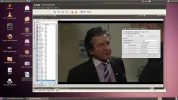
Out of interest, there's a million drivers for just about every DVB-S and S2 cards known to man in Linux TBS Drivers. Mine comes up in Kaffeine as STV090x (see thumbnail). Would a different driver give me a more stable picture for the aforementioned HD channels?

 

Attachments

  • ITV HD.webp
    ITV HD.webp
    104.9 KB · Views: 130
Hi, I just have my new 6925 from yesterday and struggle a lot with installation,after physical instillation i installed driver from cd included to card box but device can't start error code 10 ,after that i found another driver version 1.0.1.13 then install and card start working but not for long 30 mins then PC crash after restarting i can't see card any more when i check device manager.I been trying install card manually from device manager but when job is done i have message that location is unknown and card still doesn't work .I have before tbs 6920 which work pretty well without any hassle but when i try install new 6925 yesterday i didn't delete old drivers from 6920 maybe this cause some errors
 
ralf111 said:
Hi, I just have my new 6925 from yesterday and struggle a lot with installation,after physical instillation i installed driver from cd included to card box but device can't start error code 10 ,after that i found another driver version 1.0.1.13 then install and card start working but not for long 30 mins then PC crash after restarting i can't see card any more when i check device manager.I been trying install card manually from device manager but when job is done i have message that location is unknown and card still doesn't work .I have before tbs 6920 which work pretty well without any hassle but when i try install new 6925 yesterday i didn't delete old drivers from 6920 maybe this cause some errors
Drivers from your 6920 should not interfere with your 6925 drivers, have several cards in my machine with no problems like that. I use the same driver as you, 1.0.1.13 without problem. Can you say what OS you are using and what dvb player you are trying to use? Did you check task manager (Ctrl-Alt-Del)to see if more than one instance of your dvb player is running? If you can't see the card sometimes its because a player is hung...more than one instance running. Sometimes even a re-boot will not cure it, power down the computer for a few minutes then re-start. If all fails, go to device manager and un-install the 6925, re-start the computer and when "new hardware found" appears, install from the location of the 6925 driver 1.0.1.13. If you could give a few more details about your system, dvb player used, etc, might be helpful.
 
Hi,

Can somebody to tell about one program with modulation 16APSK or 32APSK who can see in this moment with TBS6925?

Best regards,
 
starman345 said:
Drivers from your 6920 should not interfere with your 6925 drivers, have several cards in my machine with no problems like that. I use the same driver as you, 1.0.1.13 without problem. Can you say what OS you are using and what dvb player you are trying to use? Did you check task manager (Ctrl-Alt-Del)to see if more than one instance of your dvb player is running? If you can't see the card sometimes its because a player is hung...more than one instance running. Sometimes even a re-boot will not cure it, power down the computer for a few minutes then re-start. If all fails, go to device manager and un-install the 6925, re-start the computer and when "new hardware found" appears, install from the location of the 6925 driver 1.0.1.13. If you could give a few more details about your system, dvb player used, etc, might be helpful.

Thanks for your reply,my system is Windwos 7 x 64bit , I'm using ALT Dvb and Smart DVB,i been try all of this options like restart pc .uninstal then install card back again but problem still exist all programs like Easy blind scan or ALT DVB can't see the card.Sometimes when i restart my system everuthing looks OK I mean alt dvb working and other software as well but not for long about 5 mins, then PC crashed and i can't do nothing just unplug the power off and start again.

Thanks
 
Sorry for your trouble, that must be discouraging not to be able to use your new card. You could try the card in a different pci-e slot if you have one left? Or maybe you could switch it out with another device. You are sure you are using the x64 (not x86) driver appropriate for your Win64 system? Is the card seated securely in the slot? There is always the chance the card may be faulty. I've read on the TBS forum there have been a few that had to be sent back for replacement. You could also post your problem on their website hxxp://www.tbsdtv.com/forum/viewforum.php?f=25 they may have seen your problem before and may be able to assist.
 
Occasionally I have a similar problem with my card in Win7 x64, though not as drastic as shutting the PC down. No sign of life with any of my applications (Crazyscan, DVBViewer/Dream etc). I just disable/enable the driver in Hardware and it comes back to life.

Possibly a random Win7 x64 driver issue for this card?
 
OK I mean alt dvb working and other software as well but not for long about 5 mins, then PC crashed and i can't do nothing just unplug the power off and start again.
You have to be very careful that no other application tries to access the 6925 when the card is locked in direct hardware access mode by a blindscan tool. This will mostly end up in a BSOD ;)
 
Pleased to see the newest builds of VLC include MPEG-4 4:2:2 support I am increasingly seeing it being used for feeds from Nordic broadcasters.
 
Received my TBS6925 today, i was surprised how small the card actually is.
 
ralf111 said:
Hi, I just have my new 6925 from yesterday and struggle a lot with installation,after physical instillation i installed driver from cd included to card box but device can't start error code 10 ,after that i found another driver version 1.0.1.13 then install and card start working but not for long 30 mins then PC crash after restarting i can't see card any more when i check device manager.I been trying install card manually from device manager but when job is done i have message that location is unknown and card still doesn't work .I have before tbs 6920 which work pretty well without any hassle but when i try install new 6925 yesterday i didn't delete old drivers from 6920 maybe this cause some errors

hi
i have same problem with prof 8000...device can't start error code 10
any solution???
please help me
 
Llew said:
Occasionally I have a similar problem with my card in Win7 x64, though not as drastic as shutting the PC down. No sign of life with any of my applications (Crazyscan, DVBViewer/Dream etc). I just disable/enable the driver in Hardware and it comes back to life.

Possibly a random Win7 x64 driver issue for this card?

I have started having this problem as well, running Win7 x64
 
I haven't had the problem for a couple of weeks now since I did a registry clean-up.
 
Windows 7 Ultimate 32 bit is worth for me because task manager killing process like DVB Dream dont work almost never when BSOD happened with using TBS 6925, only reset PC help
 
New Windows driver available now for the TBS6925. Resolves some tuning issues when moving to new satellites using DiSEqC control.

Available from the Tbsdtv site's download section.
 
Thanks Llew I've got to the point where I am not checking regularly since the drivers are fine for my needs, hope it comes in handy.

Still don't think I'll ever be confident to use a PCI card on a DiSEqC motor might try it on a V-BOX one day.
 
Still don't think I'll ever be confident to use a PCI card on a DiSEqC motor might try it on a V-BOX one day.

I've used cards for moving my motors for at least 10 years now, no problems....knock on wood:D
BTW, I've updated my post on the TBS forum regarding the 1.0.1.16 driver, seems it's not golden yet
 
lanab said:
I have started having this problem as well, running Win7 x64

Bugger, I got my new sat setup yesterday and have seen issues with the card. Disappearing from windows, needing a reboot to restart card etc.

I'm sending it back for a replacement but it sounds like others have similar issues?

Any issues with driving your motor because it moves mine once then that's it... :(
 
Back
Top