TBS 6925 PCi Card with hardware blind scan in DVB-S2 and DVB-S

Hi everyone liking the new select a range blindscan in Crazyscan, is there an option for it to blindscan only one polirsation at a time when say there is only something in vertical?

Cheers
 
You mean after a double scan (HL/VR)?
Indeed I would expect that by using the Horizontal/Left or Vertical/Right select buttons, only the visible polarization should be blindscanned.
Just post this on any forum where crazycat walks by, pretty sure it will be done in a next release!
 
Yeah after a double scan. If I select only verticial after a HL/VR scan both still blindscan.
 
it wokring last driver 10.0.0.16
StreamReaderEx-BDA 1.1.0.1046
New function GetSignalExEx(bool *Present, bool *Lock, int *RFLevel, float *SNR, float *BER)
Optimized GetSignal(), GetSignalStrength(), Statistic(), GetSignalEx(), GetSignalExEx().
CrazyScan 1.0.1.56
Using new function GetSignalExEx() for update signal info (only if SignalInfo() not supported). REQUIRE StreamReaderEx-BDA 1.1.0.1045 and newer.
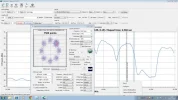
Visual BlindScan performed only for visible polarization curve.
 
And its working well. Brilliant.
 
Interesting carrier on 45W any birds in test around here?

12300 v
 

Attachments

  • 45w.webp
    45w.webp
    78.2 KB · Views: 199
Not that I know of.
Intelsat 14 at 45.0 W should not have frequencies above 12150 MHz.
Echostar 15 wil soon go to 44.9 W, but yesterday was still at 61.65 W. And has circular polarisation.
 
probably home made. I also suffer from a 1700MHz problem ;)

http://www.satellites.co.uk/forums/topic/156363-astra-2f-testing-reception-reports/page__st__810#entry821266
 
Thanks BlindFaith didn't even think to go elsewhere and I am seeing it at other locations too.
 
Hi all

I just received a TBS6925 ... am running Vista but have an upgrade to Windows 8 Pro pending. Has anyone tried this OS version on this card?

Should I perhaps get familiar with it first on Vista before I upgrade.....

Thanks in anticipation
 
Can someone try 5W 12648V with Crazyscan? It's coming up as a CCM mode with a PLS of 121212 in both streams, but when I scanned it earlier, it was ACM only.

When I update the Modulation Info, it still acts as if it's changing FEC rates as with ACM (?)

5W 12648V.webp


<em> </em>
 
I see a steady FEC and 0 BER after you tune in an input stream,
 
Seems they're happy staying with CCM mode now. At one point earlier today I could only resolve it without a Root needed (no PLS).

Supposed to be a Stream 3 according to KofS, but it doesn't show as a stream.
 
today exit new driver of tbs 6925
Driver V1.0.1.17 vershion
it working very weel
 
After rebooting, in terminal do lspci -vvvnn to check if driver kernel is loaded. I get:-

03:00.0 Multimedia controller [0480]: Philips Semiconductors Device [1131:7160] (rev 03)
Subsystem: Device [6925:0001]
Control: I/O+ Mem+ BusMaster+ SpecCycle- MemWINV- VGASnoop- ParErr- Stepping- SERR- FastB2B- DisINTx-
Status: Cap+ 66MHz- UDF- FastB2B- ParErr- DEVSEL=fast >TAbort- <TAbort- <MAbort- >SERR-
Kernel driver in use: SAA716x TBS
Kernel modules: saa716x_tbs-dvb

<p>I check if driver kernel is loaded after I've installed the TBS6925 driver.The result is the same as the one you given{above} except the Interrupt{IRQ-43}and Latency{size-16 byte}.So there are not problems with the installation of the driver for 6925 card,or so it seems to me after this verification.
Now my issue is at the moment when I want to use the Kaffeine.In the player I can not activate anything {Add Filtered, Source and Start Scan};all these are grey-out!Kaffeine do not actually see the source!It seems that the tuner does not get signal.Perhaps even likely that I missed something when I installed the driver?I am not sure about that.
I would ask you to tell me what you think I did wrong or what should I do that the player to see the source?
I use Ubuntu 12.10 run in kernel 3.5.0-23,if it is important.
Any advice is welcome.Thanks.
 
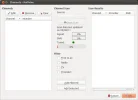
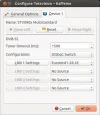
Kaffeine must scan your chosen satellite if you have the correct frontend device showing in Device 1 in the Kaffeine Configuration window. (or Device 2 etc if more than one tuner in your PC). For the TBS 6925 card, it'll show as STV090x Multistandard.

I still have some picture stuttering with HD channels, otherwise all OK.

Xubuntu 12.10 (a 3.x kernel, probably latest).

Kaffeine_1.webp

Kaffeine_2.webp

Kaffeine_3.webp
 
Hi Llew,

Thanks for the response and your relevant comments,but unfortunately that's my sore:tbs card not show me as STV090x Multistandard only TBS6925 as frontend{in red}.As I said last time, I can not scan with Kaffeine for not seeing satellite list and can not configure anything in player!
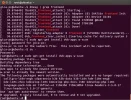
I'm not sure if I'm done with installing drivers once I did check with the command:dmesg | grep frontend.It looks like it's good!?
It seems that I have to do a file simlink,or so, right?Still are not sure what to do next because I'm new in Linux!Maybe with a little help from you I could do one step further for that I thank you even now.
Best regards
 

Attachments

  • Screenshot from 2013-02-15 15:57:22.webp
    Screenshot from 2013-02-15 15:57:22.webp
    18.8 KB · Views: 97
  • Screenshot from 2013-02-15 16:20:25.webp
    Screenshot from 2013-02-15 16:20:25.webp
    133.7 KB · Views: 100
Looks OK to me, frontend found. Maybe a problem with Kaffeine?

Try a DVB tool such as w_scan from the command line.

If you don't have it in Ubuntu, in Terminal,do sudo apt-get install dvb-apps w-scan

At the very least, it'll show if the tuner is recognised. If so, try scanning a satellite using these arguments following w_scan -

w_scan -fs -s S28E2

(S28E2 is for Astra 28.2E. For other satellites, w_scan s? will list other satellite arguments).

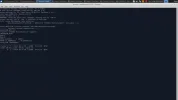
Screenshot shows it beginning my scan of 28E.

w_scan start.webp
 
Hi Llew,

To be able to see STV090 Multistandard in terminal had to make a few extra commands.For this I used s2-liplianin-v37 tree patched with UDL-beta-v37.patch and argument from here .
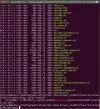
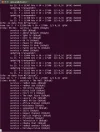
After I've seen STV090x in terminal like in yours I installed the W-scan with command:apt-get install dvb-apps w-scan!From this moment I was able to start scanning in terminal, as you can see in the pictures .Dvb has scanned all transponders and found channels.
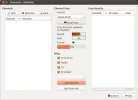
Then I started Kaffeine and found for the first time Device 1 and I selected Astra-28.2 E.I scanned again the satellite with Kaffeine, having the signal on bar,as u can see.Unfortunately the player did not find any channels.
I tried to see why channels do not appear in the player, looking for the file where are the channels found with terminal and than use with Kaffeine.I did not find that file and do not even know if it exists.
Perhaps I set off on a false track,or need to configure player otherwise?
Surely with your help I will able to see the channels in the player.Another small step but important as all linux commands.And being a newbie of course I do not know...
Thanks :)
 

Attachments

  • 1.Frontend.webp
    1.Frontend.webp
    88.7 KB · Views: 55
  • 2.scan satellite.webp
    2.scan satellite.webp
    106.7 KB · Views: 70
  • 3.ch.satellite in Kaffeine.webp
    3.ch.satellite in Kaffeine.webp
    18.7 KB · Views: 73
  • 4.signal .webp
    4.signal .webp
    20.8 KB · Views: 64
Back
Top