TBS 6925 PCi Card with hardware blind scan in DVB-S2 and DVB-S

Hmm - signal but no quality scanning in Kaffeine, but found in w_scan. Which version of Kaffeine are you using? I remember I had a similar problem with an earlier version way back.
 
This is my player version:
Kaffeine
Version 1.2.2
Using KDE Development Platform 4.9.4

My kaffeine installed is already the newest version.
 
OK, same as mine.

First port of call for your files is /usr, so go to /usr/share/kde4/apps/kaffeine to see your scanfile.
 
Sometimes I need to edit (add or remove) channels from that list, but you can't do it there, so you must invoke 'Show Hidden Files' in View and go to home/(your name)/.kde/share/apps/kaffeine/scanfile.dvb instead.

That's 'dot' kde by the way.
 
Indeed I found dvbscan.file in Kaffeine but it contains frequencies for terrestrial and cable and not for satellite.To be sure I get a signal from the satellite and the channels are stored, I scanned the satellite again.Terminal found a lot of channels from Astra 2A.
Somewhere must be a list of scanned channels?But where?
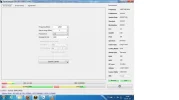
The question is why Kaffeine does not see the list of channels scanned and stored?
 

Attachments

  • Astra 2A.webp
    Astra 2A.webp
    165.9 KB · Views: 64
Thank you for file.I am forced to postpone to use the file due to pc problems.
Thanks a lot :)
 
OK. Will try to help further when your PC's up and running again.
 
Hi Llew,

<span>After I managed to replace the PC source, </span>one that has forced me to lose time,with a bit of help from one of my <span>friend I reinstalled the drivers for tbs6925 card.</span>I have to admit that it is a time consuming operation.<span>But being a newbie in Linux like satisfaction in installing drivers for the card is higher </span><span>than the purpose for which you have installed ;)</span>
Now I have to looking for another player besides Kaffeine to see the channels:<span>do not offer many options for configuration.</span><span>I am not sure but I read somewhere that it is difficult{at least for me} to compile emulators for scrambled channels.</span> I have tried another player,Digital TV, but I get the impression that dvb-s2 players in linux <span>are not able to give you what you want to set as in Windows.</span>
I tried Myth Tv also, but I never managed to install it.<span>In this regard </span><span>what players do you recommend to try?</span>
<span>On the other hand I would like to know if you used the card for blindscan and with what results?</span>
<span>BTW,</span>did you notice the difference in the blind scanning tools between Linux and Windows, and if so, which are they?<span>Actually what application you use in blind scanning?</span>
Thanks :-righton
 

Attachments

  • Kaffeine.webp
    Kaffeine.webp
    119.2 KB · Views: 76
I haven't considered blind scanning in Linux with the TBS6925. Checking out the Linux threads over at the TBS Forum, I think there are some issues that need resolving before I try it. If you come up with a satisfactory way using a DVB scanning tool, let us know. In the meantime, I'll stick to the Windows versions.

Regarding DVB emulator plugins for Kaffeine, the sc plugin used to work in previous versions, but not any since I think 0.8x.and upwards. And they wouldn't work DVB-S2 channels, so I moved on to Kaffeine 1.x upwards.
 
Spectrum and Blindscanning in Linux with the TBS6925

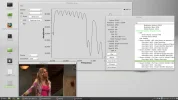
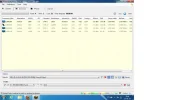
Stv090x-scan is a handy program which will give you a spectrum chart and blindscanning facilities for your Linux distro. Works with Ubuntu-derived distros, maybe others; I'm using it in Linux Mint.

I didn't find it particularly easy to set up, some stuff to fetch and compile. Thanks to updatelee et al over at Rick's site for the info. Pointers to Rick's and files can be found at Linuxtv -

http://linuxtv.org/wiki/index.php/Stv090x-scan

First port of call is to download the QT application and dependencies via Synaptic Manager. QT Creator will pull in the needed dependencies, although I suspect not all are needed. One that I missed was qwt-dev, without it I had an error during compiling.

At Linuxtv, follow the installation instructions there and enjoy.


stv090x-scan in Linux.webp
 
Thanks for the post Llew is it good enough you don't have to boot into windows to make full use of the card yet?
 
No, it's independent of any Windows files or having to use Wine. I haven't tried any ACM
/multistream muxes yet with it - if it's OK with them, I'll probably use it in preference to Crazyscan, although I miss the scanned mux details that are superimposed on the chart when clicking on a transponder with Crazyscan.

BTW, clicking on File/Settings/General, you can easily change your video player with a simple command string. I'm now using VLC, as Playback - Programme there has the full channels on the chosen TP to click on. Don't know if MPlayer has a similar TP channel line-up, don't use that player very often.
 
For the first time, the 16APSK modulation feed has been catched! TBS proves it's power!


Eutelsat 16A (16E) - 12608 Vertical 5660 16APSK 3/4 DVB-S2 MPEG-4
 

Attachments

  • Untitled.webp
    Untitled.webp
    35.5 KB · Views: 158
  • Untitled 1.webp
    Untitled 1.webp
    42.9 KB · Views: 143
  • vlcsnap-2013-05-13-22h16m27s102.webp
    vlcsnap-2013-05-13-22h16m27s102.webp
    105.4 KB · Views: 153
I take it this is your first 16APSK feed then, good catch, now 32APSK ;)
 
That's right, my friend, my first 16APSK feed since I got TBS 6 months ago.
 
Very good mephisto. Excellent resolution, rare as hens' teeth they are.
 
Eutelsat 16A (16E) - 12607 Vertical 4245 16APSK 3/4 DVB-S2 MPEG-4

SRTV feed

Tagged as ROU-42-1

Another one 16APSK hit for me @ 16E
 

Attachments

  • vlcsnap-2013-05-25-15h41m03s42.webp
    vlcsnap-2013-05-25-15h41m03s42.webp
    64.5 KB · Views: 98
  • Untitled.webp
    Untitled.webp
    36.4 KB · Views: 91
New drivers were released yesterday to allow MIS on DVBDream.
 
Tagged as Rou-028

Eutelsat 16A (16E) - 12608 Vertical 5663 16APSK 3/4 DVB-S2 MPEG-4

Another 1 with 16APSK modulation
 

Attachments

  • vlcsnap-2013-07-17-20h51m26s88.webp
    vlcsnap-2013-07-17-20h51m26s88.webp
    95.2 KB · Views: 63
Back
Top