- My Satellite Setup
- A little less analogue, and a lot more crap.
- My Location
- UK
Unplug first and make sure everything is discharged for an hour or so.


GOOD point that I forgotUnplug first and make sure everything is discharged for an hour or so.
 - but if YOU do "forget" to do that, then don't touch any of the internal components very close to the mains input socket. Anything more than a couple of inches away from that socket operate at voltges below around 20V and are relatively safe to touch (at MOST, there may be a slight "tingle") at any time.

sorry, very late seeing/reading this thread but I agree with the poster............happened several times after connecting the 5402 to different dishes and always rectified by cleaning/tidying the coax and f connector connection. Best wishesLNBF error on m3 for me, has always been at the f connector join where a piece of outer wire has touched the middle copper


The receiver sets this to auto and doesn't allow it to be changed.Some universal LNB's require 22 KHz on or off to get to one end of the band or the other, have you tried the 22 KHz settings???
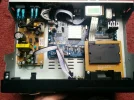
Shining a torch in there it doesn't seem to be and but toothbrush worth a go I guess short of taking apart.It can always be repaired. It could be as simple as a piece of copper braid that has made its way through one of the air vents. A toothbrush might fix the problem
LNBF error on m3 for me, has always been at the f connector join where a piece of outer wire has touched the middle copper
sorry, very late seeing/reading this thread but I agree with the poster............happened several times after connecting the 5402 to different dishes and always rectified by cleaning/tidying the coax and f connector connection. Best wishes
Internal or external photo?Take a - good - picture of the incoming tuner socket on the rear panel