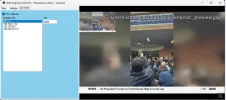
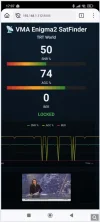
New version:
https://vma-broadcast.com/wp-content/uploads/2025/04/VMA Video Analyser Setup - 2026-02-06.zip
2026-02-06
- VMA Stream Reader Server
- Fixed a bug that prevented TS streaming in most cases
I have tried this version but encounter various problems:
1. tuning is unreliable. Perhaps because diseqc1.1 is not always sent, but the order I do things is: a. connect tuner, b. press the "v" next to sat. This gives me good strength and quality. Then pressing "direct tune" (12597V 450000) results in complete loss of signal (blindscan does not work either). In some cases, the mux locks with a good SNR. Crazyscan works as well
2. I configured a a satellite 15.0W and added "diseqc1.1 uncommitted" value 4. This seems to be accepted and sometimes works. However, when pressing the "v" next to "satellite" I often get the error popup "unknown diseqc step in grid: diseqc 1.1 4". Not sure what a diseqc step would even mean, but in the sat screen, it seems that the number "4" has been moved to the left column instead of the right one (where it is when it works). If I add the diseqc macro again then sometimes it remains correct for a while.
3. I do not really understand why there are 3 different types of diseqc1.1. So what is the difference between "diseqc1.1", "diseqc1.1 uncommitted" and "diseqc1.1 cascaded"? I found that only "diseqc11.1 uncommitted" works. The user guide does not explain it either. There is only 1 diseqc1.1 protocol. Cascading is just a matter of mixing diseqc protocols (in any order that corresponds to how the user connected things)
4. streaming does not seem to work out of the box. It produces an error like "[16:36:59.357] UDP setup failed: The requested address is not valid in its context 127.0.0.1:6969" (This error also occurred with the default port 1234 - firewall is off). After some trial and error I found this is due to some problem in the default configuration: on the settings screen "output NIC" needs to be set to "loopback" (which is not the default) or streaming will not work.
5. spectrum scan works, but clicking on the spectrum never leads to a lock: "] Blind-scan failed to find a carrier in that range window." I tried clicking as close as possible to th frequency 11043V. Direct tuning sometimes works (depending on the above problems)
6. At some point vma stream reader crashes: "unhandled exception has occurred... Arithmetic operation resulted in an overflow"
Code:
See the end of this message for details on invoking
just-in-time (JIT) debugging instead of this dialog box.
************** Exception Text **************
System.OverflowException: Arithmetic operation resulted in an overflow.
at jZv:OkO^BCVffaEyuI%Abw{=.(Double )
at jZv:OkO^BCVffaEyuI%Abw{=.(Object , EventArgs )
at System.Windows.Forms.Timer.OnTick(EventArgs e)
at System.Windows.Forms.Timer.TimerNativeWindow.WndProc(Message& m)
at System.Windows.Forms.NativeWindow.Callback(IntPtr hWnd, Int32 msg, IntPtr wparam, IntPtr lparam)
************** Loaded Assemblies **************
mscorlib
Assembly Version: 4.0.0.0
Win32 Version: 4.7.3062.0 built by: NET472REL1
CodeBase: file:///C:/Windows/Microsoft.NET/Framework/v4.0.30319/mscorlib.dll
----------------------------------------
VMA Stream Reader
Assembly Version: 1.0.0.0
Win32 Version: 1.0.0.0
CodeBase: file:///C:/Program%20Files/VMA%20Video%20Analyser/VMA%20Stream%20Reader.exe
----------------------------------------
Microsoft.VisualBasic
Assembly Version: 10.0.0.0
Win32 Version: 14.7.3062.0 built by: NET472REL1
CodeBase: file:///C:/Windows/Microsoft.Net/assembly/GAC_MSIL/Microsoft.VisualBasic/v4.0_10.0.0.0__b03f5f7f11d50a3a/Microsoft.VisualBasic.dll
----------------------------------------
System
Assembly Version: 4.0.0.0
Win32 Version: 4.7.3062.0 built by: NET472REL1
CodeBase: file:///C:/Windows/Microsoft.Net/assembly/GAC_MSIL/System/v4.0_4.0.0.0__b77a5c561934e089/System.dll
----------------------------------------
System.Core
Assembly Version: 4.0.0.0
Win32 Version: 4.7.3081.0 built by: NET472REL1
CodeBase: file:///C:/Windows/Microsoft.Net/assembly/GAC_MSIL/System.Core/v4.0_4.0.0.0__b77a5c561934e089/System.Core.dll
----------------------------------------
System.Windows.Forms
Assembly Version: 4.0.0.0
Win32 Version: 4.7.3062.0 built by: NET472REL1
CodeBase: file:///C:/Windows/Microsoft.Net/assembly/GAC_MSIL/System.Windows.Forms/v4.0_4.0.0.0__b77a5c561934e089/System.Windows.Forms.dll
----------------------------------------
System.Drawing
Assembly Version: 4.0.0.0
Win32 Version: 4.7.3062.0 built by: NET472REL1
CodeBase: file:///C:/Windows/Microsoft.Net/assembly/GAC_MSIL/System.Drawing/v4.0_4.0.0.0__b03f5f7f11d50a3a/System.Drawing.dll
----------------------------------------
System.Configuration
Assembly Version: 4.0.0.0
Win32 Version: 4.7.3062.0 built by: NET472REL1
CodeBase: file:///C:/Windows/Microsoft.Net/assembly/GAC_MSIL/System.Configuration/v4.0_4.0.0.0__b03f5f7f11d50a3a/System.Configuration.dll
----------------------------------------
System.Xml
Assembly Version: 4.0.0.0
Win32 Version: 4.7.3062.0 built by: NET472REL1
CodeBase: file:///C:/Windows/Microsoft.Net/assembly/GAC_MSIL/System.Xml/v4.0_4.0.0.0__b77a5c561934e089/System.Xml.dll
----------------------------------------
System.Runtime.Remoting
Assembly Version: 4.0.0.0
Win32 Version: 4.7.3062.0 built by: NET472REL1
CodeBase: file:///C:/Windows/Microsoft.Net/assembly/GAC_MSIL/System.Runtime.Remoting/v4.0_4.0.0.0__b77a5c561934e089/System.Runtime.Remoting.dll
----------------------------------------
System.Windows.Forms.DataVisualization
Assembly Version: 4.0.0.0
Win32 Version: 4.7.3062.0
CodeBase: file:///C:/Windows/Microsoft.Net/assembly/GAC_MSIL/System.Windows.Forms.DataVisualization/v4.0_4.0.0.0__31bf3856ad364e35/System.Windows.Forms.DataVisualization.dll
----------------------------------------
MacroEngine
Assembly Version: 1.0.0.0
Win32 Version: 1.0.0.0
CodeBase: file:///C:/Program%20Files/VMA%20Video%20Analyser/MacroEngine.DLL
----------------------------------------
System.Speech
Assembly Version: 4.0.0.0
Win32 Version: 4.7.3062.0 built by: NET472REL1
CodeBase: file:///C:/Windows/Microsoft.Net/assembly/GAC_MSIL/System.Speech/v4.0_4.0.0.0__31bf3856ad364e35/System.Speech.dll
----------------------------------------
VMA.Remote
Assembly Version: 1.0.0.0
Win32 Version: 1.0.0.0
CodeBase: file:///C:/Program%20Files/VMA%20Video%20Analyser/VMA.Remote.DLL
----------------------------------------
Accessibility
Assembly Version: 4.0.0.0
Win32 Version: 4.7.3062.0 built by: NET472REL1
CodeBase: file:///C:/Windows/Microsoft.Net/assembly/GAC_MSIL/Accessibility/v4.0_4.0.0.0__b03f5f7f11d50a3a/Accessibility.dll
----------------------------------------
System.Data
Assembly Version: 4.0.0.0
Win32 Version: 4.7.3081.0 built by: NET472REL1
CodeBase: file:///C:/Windows/Microsoft.Net/assembly/GAC_32/System.Data/v4.0_4.0.0.0__b77a5c561934e089/System.Data.dll
----------------------------------------
************** JIT Debugging **************
To enable just-in-time (JIT) debugging, the .config file for this
application or computer (machine.config) must have the
jitDebugging value set in the system.windows.forms section.
The application must also be compiled with debugging
enabled.
For example:
<configuration>
<system.windows.forms jitDebugging="true" />
</configuration>
When JIT debugging is enabled, any unhandled exception
will be sent to the JIT debugger registered on the computer
rather than be handled by this dialog box.
This is on a 6904se card