
VU+ Duo2 LNB Issues

Lazag

Member
My Satellite Setup
Vu+ Duo2 single dish
My Location
London
Hello,

Looking for some help if anyone is willing.

I have a VU+ Duo2 which has been running since circa 2012.

A couple of days ago I lost ability to receive. The box now hangs at the OpenVix Screen just saying "Please wait". I connected a spare box (Humax Foxsat with flashed firmware) and that also could not receive anything. I therefore deduced that the LNB had failed.

I got a new LNB connected it up to the Humax and got good signal strength and reception and tuned in. All ok.

I then swapped the Humax for the VU+ thinking all would be good but still got nothing. After a bit of faffing I reconnected the Humax and this also could now receive anything.

From this I deduced the LNB had failed, with the cause looking like the VU+ had cooked it.

The VU+ has a single tuner card in it in the slot nearest the edge of the pcb (not the inboard slot). This has two inputs, the top one marked "13/18V Max 400mA 22kHz" and the bottom one with no specific markings. The top input has 13.8V dc measured on it when the box is switched on, the bottom input has no measurable dc voltage.

So, my question is what is going on? I am loathed to get another LNB and connect it to the VU+ and blow that as well.

Is anyone who has knowledge of these units able to offer some advice please. The box is/was running OpenVix.

Laz
 

Attachments

  • 20260525_093733.webp
    20260525_093733.webp
    922.1 KB · Views: 41
Hello,

Looking for some help if anyone is willing.

I have a VU+ Duo2 which has been running since circa 2012.

A couple of days ago I lost ability to receive. The box now hangs at the OpenVix Screen just saying "Please wait". I connected a spare box (Humax Foxsat with flashed firmware) and that also could not receive anything. I therefore deduced that the LNB had failed.

I got a new LNB connected it up to the Humax and got good signal strength and reception and tuned in. All ok.

I then swapped the Humax for the VU+ thinking all would be good but still got nothing. After a bit of faffing I reconnected the Humax and this also could now receive anything.

From this I deduced the LNB had failed, with the cause looking like the VU+ had cooked it.

The VU+ has a single tuner card in it in the slot nearest the edge of the pcb (not the inboard slot). This has two inputs, the top one marked "13/18V Max 400mA 22kHz" and the bottom one with no specific markings. The top input has 13.8V dc measured on it when the box is switched on, the bottom input has no measurable dc voltage.

So, my question is what is going on? I am loathed to get another LNB and connect it to the VU+ and blow that as well.

Is anyone who has knowledge of these units able to offer some advice please. The box is/was running OpenVix.

Laz
Did you check for cable issues? E.g., loose connector at the receiver side? You could also measure the voltage output by the VU+
It seems rather unlikely that a receiver would cause this, but nothing is impossible.
 
Did you check for cable issues? E.g., loose connector at the receiver side? You could also measure the voltage output by the VU+
It seems rather unlikely that a receiver would cause this, but nothing is impossible.
Hello Deeptho,

Thank you for your reply. I have checked the cable, there are no issues, I've even stripped back an inch from the end and re-terminated the F Connector, it is all good.

I have measured the voltage output by the VU+ box, it is giving 13.8V dc from the F Connector socket (top one) marked "13/18V Max 400mA 22kHz" with no cable connected, i.e. unloaded. The other socket (bottom one) has no volts on it (unloaded).

Are you saying measure the voltage with the LNB connected? That would not be easy to do as I would not be able to get to the central conductor of the coax cable.

Any other pointers?

Thanks so far

Laz
 
Hello,

Looking for some help if anyone is willing.

I have a VU+ Duo2 which has been running since circa 2012.

A couple of days ago I lost ability to receive. The box now hangs at the OpenVix Screen just saying "Please wait". I connected a spare box (Humax Foxsat with flashed firmware) and that also could not receive anything. I therefore deduced that the LNB had failed.

I got a new LNB connected it up to the Humax and got good signal strength and reception and tuned in. All ok.

I then swapped the Humax for the VU+ thinking all would be good but still got nothing. After a bit of faffing I reconnected the Humax and this also could now receive anything.

From this I deduced the LNB had failed, with the cause looking like the VU+ had cooked it.

The VU+ has a single tuner card in it in the slot nearest the edge of the pcb (not the inboard slot). This has two inputs, the top one marked "13/18V Max 400mA 22kHz" and the bottom one with no specific markings. The top input has 13.8V dc measured on it when the box is switched on, the bottom input has no measurable dc voltage.

So, my question is what is going on? I am loathed to get another LNB and connect it to the VU+ and blow that as well.

Is anyone who has knowledge of these units able to offer some advice please. The box is/was running OpenVix.

Laz
13 V activates vertical polarisation and 18 V horisontal. Probably you can't get 18 V output unless the recevier is started and tuned to a horisontal channel.

I would say the "Please wait message" suggests something wrong either with the software or the hardware (not much help there).

I run the VuTi software on my VU+DUO2 and the VU+ DUO 4K SE and have never tried the OpenVIX so unfortunately I don't know anything about it.
Seems strange if the recevier would blow the LNB.
 
The please wait means its in a loop and the PSU may be failing. Do you know how to open it and look at 2 capacitors on the PSU.?
 
The please wait means its in a loop and the PSU may be failing. Do you know how to open it and look at 2 capacitors on the PSU.?
Hello bmitie,

Thank you for your reply. That is good information, as my next request was going to be regarding setting up from scratch again/re-flashing, etc, which I don't really want to do without ruling out other issues, as I'm happy with what it does (or did). That said, I'll tread that path if I have too.

Yes, I know how to open it, I surmise I'm looking for electrolytics bulging or leaking. Do you know which circuit reference, position, or capacitance value are the possible offending components? Also, do you know typical voltage levels at various test points on the pcb (if they exist). I'm probably pushing it here, but is there a circuit schematic? I can take a photo of the psu pcb later this evening if it helps.

Laz
 
Hello bmitie,

Thank you for your reply. That is good information, as my next request was going to be regarding setting up from scratch again/re-flashing, etc, which I don't really want to do without ruling out other issues, as I'm happy with what it does (or did). That said, I'll tread that path if I have too.

Yes, I know how to open it, I surmise I'm looking for electrolytics bulging or leaking. Do you know which circuit reference, position, or capacitance value are the possible offending components? Also, do you know typical voltage levels at various test points on the pcb (if they exist). I'm probably pushing it here, but is there a circuit schematic? I can take a photo of the psu pcb later this evening if it helps.

Laz
Hello bmitie,

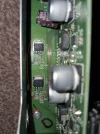
Lid off and photos attached. The unit has a PSU PCB and Main PCB. The ribbon cable/connector from PSU to Main Board has 8 pins, silk-screening details 4 pins carry +12Vdc and 4 pins carry 0V. These all measure out ok with 12.2Vdc. A couple of the electrolytic capacitors look slightly bulged on the top (1500uF 25V and 470uF 25V) but have not taken these out and measured them as the PSU looks to only give out 12vdc and it is doing that.

The Main Board has some regulators, 4 x 00BCOW ringed in red on the photo (variable set by external resistor between 1.5-12Vdc) which are all outputting +5Vdc on Pin 4 , so these seem ok.

So that seems to generally account for power rails (although I have no schematic so am guessing somewhat).

Does anyone know where the 18Vdc is derived from (what component/part of the unit)?

Also, with this info is it more likely to be a hardware issue or software?

Laz
 
Sorry, forgot to attach photos
 

Attachments

  • Main PCB A.webp
    Main PCB A.webp
    1.9 MB · Views: 29
  • Main PCB B.webp
    Main PCB B.webp
    1 MB · Views: 25
  • PSU.webp
    PSU.webp
    1.1 MB · Views: 29
Whole unit showing both PCB's
 

Attachments

  • 20260526_195031.webp
    20260526_195031.webp
    1.4 MB · Views: 35
Hello bmitie,

Lid off and photos attached. The unit has a PSU PCB and Main PCB. The ribbon cable/connector from PSU to Main Board has 8 pins, silk-screening details 4 pins carry +12Vdc and 4 pins carry 0V. These all measure out ok with 12.2Vdc. A couple of the electrolytic capacitors look slightly bulged on the top (1500uF 25V and 470uF 25V) but have not taken these out and measured them as the PSU looks to only give out 12vdc and it is doing that.

The Main Board has some regulators, 4 x 00BCOW ringed in red on the photo (variable set by external resistor between 1.5-12Vdc) which are all outputting +5Vdc on Pin 4 , so these seem ok.

So that seems to generally account for power rails (although I have no schematic so am guessing somewhat).

Does anyone know where the 18Vdc is derived from (what component/part of the unit)?

Also, with this info is it more likely to be a hardware issue or software?

Laz
If the PSU outputs 12V then that is probably ok. But earlier you mentioned that the 2nd receiver also stopped working with that LNB.
At least that is what I read into the the following sentence (I.e. assumed "not" was missing)
After a bit of faffing I reconnected the Humax and this also could now receive anything.

That is still difficult to explain and it is unlikely that your LNB was damaged by switching receivers. So maybe you should retry with the Humax.
See of you get any signal on any frequency (e.g., accidentally changed some settings?). You could also try measuring the DC voltage at the LNB side after disconnecting the LNB.

The fact that two receivers do not work could still be explained by some cabling issue. You ruled out the connector on one side, but there could be some fault in the cable itself. So connecting the receiver using another cable is another test (if it is physically possible)
 
Everything looks good re capacitors but the loss of signal even with a new lnb has me baffled. Did you just buy a single lnb or one with more than one output. Your duo2 has a twin tuner so should have 2 cables.

Do you know what version of Vix you have installed? Or did you set the box up yourself? That fact you changed the LNB and got trouble makes me think its the tuner on the duo2 that's faulty. Even if the lnb went duff after connecting the DUO2 it should come back after a while with the humax connected. I have never blown an LNB but I have had them stop working ie go to sleep in effect and they always came back.

You cold try starting box with hdd disconnected and see how far it loads. I have 2 duo2's and only one needed the capacitors replacing. Never missed a beat.

What lnb were you using, how many outputs and what did you get?
 
Hello bmitie,

Thank you for your reply.

Your point regarding the cable might be valid, although I doubt it - I haven't had chance to check yet. The end that connects to the box is good, I re-terminated that. The end that connects to the LNB looks good but I haven't actually checked continuity or for a s/c. There is only circa 1m of cable exposed to the elements, the rest is inside the house under the upstairs floor so I doubt it's failed, but I will check and report back.

My original LNB is a quad, only ever used 1 output, I will report back on the make. The replacement I bought was a single, a Labgear Universal Single Output which I have returned to the shop it was purchased from.

I don't know the version of Vix, but I'll find out. I set the box up myself but it was circa 14 years ago and with help then and I can't remember a thing about how to do it now, so would therefore require some guidance on re-setting up or re-flashing.

If it's a failed tuner on the VU+, why can I also get no reception on the Humax now, it doesn't make sense?

My plan of attack is to:
1. continuity and s/c test the coax.
2. refit my old quad LNB and see what happens as I have returned the single I bought. Is it really difficult for an LNB to fail, your comment makes it sound like LNB failure is a very few and far between eventuality?
3. Remove hard-drive and attempt boot and see how far it gets.

After that I'm looking for some help regarding re-setting up as I don't really want to start de-soldering components when there is no obvious component that has failed, seeing as supplies are up.

As additional info:-
1. Reception failed whilst recording. The program recording when played was fine for the first 20mins but then pixelated for circa 5 seconds, then just stopped.
2. When the VU+ boots the HDMI is working as the OpenVix screen displays on the TV, then a constant "Please wait".
3. The small LCD screen on the box is displaying a TV Station.

I'll report back on findings, but might not be until the weekend. Would like to get this sorted with the impending World Cup coming up.

Thanks so far.

Laz
 
Hello deeptho,

Thank you for your reply.

My original sentence had a typo (now should be not), it should have read "I then swapped the Humax for the VU+ thinking all would be good but still got nothing. After a bit of faffing I reconnected the Humax and this also could not receive anything."

Yes, I will measure the dc voltage on the LNB side when I carry out the continuity and s/c checks on the coax.

Not easy to connect the receiver with another cable, but the continuity and s/c tests should verify the existing cable status.

I will report back.

Thanks for now

Laz
 
Try another output on that quad lnb and you really should have 2 cables. Disconnect the HDD and do reboot, it may surprise you. Without the HDD the EPG will be saved to internal flash and you dont want that so if it boots you need either a new HDD or a usb.

To flash the box from start is easy but you must follow the correct steps.

1. usb small capacity 4gb, I use cruzer, or integral, formatted to fat 32. download latest vix, unzip to USB. Place in rear USB slot, don't have any other usb's connected. At front of box open flap where cards go look up to left see a small button above usb port. So usb in at rear, hold in that switch at front, then power on at rear, you have to keep holding in switch at front until FLSH appears in display, once it does release switch. Box will now update but you have to configure the lot, so watch screen, choose language, hdmi, resolution, htz for display select multi, network, then configure tuner. Say no to scan, do later. Now if up and running you set up ABM = autobouquets, then epg. Thats the gist of what you do. The next bits are for skin and picons but not important. that's just a rough guide to give you the idea.
 
If it's a failed tuner on the VU+, why can I also get no reception on the Humax now, it doesn't make sense?

Did you reconnect the antenna cable to the Humax with Humax maybe supplying power to the antenna input? In that case there is the possibility that the Humax may have been in a protection made, caused by a (short) short while screwing the cable on.

Greetz,
A33
 
Hello a33, thank you for your reply. "Did you reconnect the antenna cable to the Humax with Humax maybe supplying power to the antenna input? In that case there is the possibility that the Humax may have been in a protection made, caused by a (short) short while screwing the cable on." - Ok, didn't know that.

How long does the Humax stay in protection mode if that was the case?

Does it come out of protection mode itself, or do you have to do something, i.e. power cycle?


On another note, there has been some progress, but I'm gonna wait until the middle of the week to post back, to kind of give the VU+ a soak test.

Laz
 
How long does the Humax stay in protection mode if that was the case?

Does it come out of protection mode itself, or do you have to do something, i.e. power cycle?

Some receivers come out of protection mode after the shortcircuit has ended, other receivers need a hard restart, so need to be completely power-less for a minute or so. I don't know the Humax, in that respect.

I've seen this problem a few times, so I always mention it as a possibility.

Greetz,
A33
 
Firstly, thank you a33 for the protection mode info above, I'll bear that in mind in future.

Update.

I have waited to post this because on Saturday I decided to connect the Humax up after it had been disconnected for 2 days. I used my original quad LNB and used the original output (No.1). Everything worked!! I left it for an hour with no issues.

I then decided to connect up the VU+ Duo 2 with the harddrive disconnected. This was also connected as it always had been with the original quad LNB (output No.1). That worked as well!!!! I left this for an hour with no issues. I then powered it down, connected the harddrive, powered back up and it still worked. I watched programs that evening and Sunday, recording as well, and watched that - no issue.

Turned it on on Monday evening, it was fine. Sat down to watch something and the picture started to pixelate (was not recording but harddrive still connected). Picture completely broke up, tune failed and did not recover. I soft powered off via remote control then hard powered off via switch on the back.

Switched back on and rebooted.

OpenVix screen with please wait appeared with Vix spinning logo in top left corner, spinning Vix logo disappeared, screen blanked for a second (part of normal start-up) , came back and returned to OpenVix screen with please wait.

Then tune failed error message banner appeared. Pressing exit on remote cleared this error banner.

Pressed Guide on remote for program selection EPG screen, no program information displayed. The channels were there as per previous tune but no program information, completely blank.

Everything looks normal, all menu functionality is present and can be navigated. Both LCD screens are operating. 13.8vdc on the feed to teh LNB but with the LNB connected no tune is available.

Can an LNB be intermittent? The box was receiving for circa 2 days!!

So, the reason for delaying the post was to make sure it was working via a soak test, but actually I am back to square one.

Any ideas, help appreciated.

Laz

Retested the 12V supply pins, all ok. Retested the output feed to the LNB and 13.8V dc was present
 
Your next step is to use a different HDD but there is a strong likelihood its the psu. And you should flash with a later image but not the very latest I would go 6.8.007. You never did say the version you are using!!
 
Hello bmitie,

Thank you for your reply. I kept the box off for a couple of days, powered it back up on yesterday and it tuned in fine. Ran it for circa 1hr and all ok. Switched it off and powered it up again this afternoon and it was fine. Left it on for circa 3 hours and the tuning failed, same pixelation and then loss of reception. This was all without the hard-drive connected. Therefore I'm kind of reluctant to focus on the hard-drive as, to me, it doesn't seem to be influential in the issue, especially if it's been disconnected.

You are correct and my apologies I didn't feed back on the version. My OpenVix is 5.2.044 installed 2019-05-01. Where would I find the latest images please and is the flashing via usb on the front usb port - are there any instructions anywhere, as you can see by the date of my image I am way out of touch with this? Would an old version cause this issue? I would have thought corrupt software would render the box flaky 100% of the time, and yet leaving it off for a while and then using it seems to have it running ok to start with and then breaking down over an amount of time.

What makes you think it's a psu issue, considering I have solid +12Vdc? I must admit I have concerns about the electrolytic with the bulging top.

Is there any way this could be a tuner module issue?

Laz
 
Back
Top