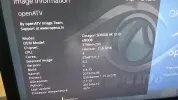
OCTAGON SF8008 E2 4K UHD

I totally forgot to ask earlier when I picked up the receiver from Germany. This 8008 has the S2 and T/C 2 tuner within. What is the full frequency coverage of the second unit and is it similarly locked by the firmware to stay within the mechanical / circuit limitations ?
 
what do you want to do ?

Understand the frequency limitations (if any) of the DVB C /T2 tuner section. The settings allow for European/UK and other coverage before scanning, it would be good to know the full capabiility of the tuner/demodulator installed, just in case Octagon engineers could tweak it a bit further outside the manufacturer's official limitations.

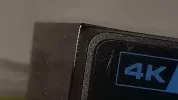
One last point, why is the metal case square section and yet the front panel is rounded ?20190506_193546.webp20190506_193511.webp
 
There are still multiple issues that have not been considered at all:
1. DVB-T2 tuner still reports SNR only with percentages, there should be a driver change to support SNR in db
2. The DVB-S2X tuner does not support real time tuning values. The tuner reports every parameter you can feed it to tune even if it's erroreous. That should also be fixed.
3. The transparency flag for pngs is still faulty, it blends overlapped screens ignoring the zposition value.
 
Since you don't understand the point number 2 let me give you an example.
I'll compare SF8008's real time values to OSmio's real time values.

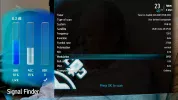
First make sure that the tuner is set to display live tuned values in the GUI setting source as "Tuner"
124327

Then let's manually tune a transponder using the wrong tuning values from the Satfinder
For instance let's tune 28.2E 12012V DVB-S2 8PSK 2/3 but use QPSK 9/10. The tuner can still tune the TP with wrong values:
124328

The result is that the SF8008 will display now the frequency info with the wrong given values, instead of reverting to the real ones. Note the system is set to read source from Tuner!
124329


Now, let's compare a receiver that reports correct values, despite given wrong ones. That's the OSmio in this example.
Let's do the same, we give the same wrong values, the tuner still tunes....
124330

But after scanning you get the correct values again
124331

So, this is what should be corrected. When the GUI is set to read from Tuner, the tuner MUST return the correct values regardless of the given ones. Silabs is absolutely capable of that, it works on PC cards, it works on Dreamboxes, it should work on SF8008 as well. You can reproduce the issue yourself on your SF8008 (I have one for testing these days) if you still have your doubts.

Now regarding the transparency problem, if you believe it's not important and never report it, it will never be fixed. Just because no one has noticed it yet, it does not mean it's not an issue.
 
Since you don't understand the point number 2 let me give you an example.
I'll compare SF8008's real time values to OSmio's real time values.

First make sure that the tuner is set to display live tuned values in the GUI setting source as "Tuner"
View attachment 124327

Then let's manually tune a transponder using the wrong tuning values from the Satfinder
For instance let's tune 28.2E 12012V DVB-S2 8PSK 2/3 but use QPSK 9/10. The tuner can still tune the TP with wrong values:
View attachment 124328

The result is that the SF8008 will display now the frequency info with the wrong given values, instead of reverting to the real ones. Note the system is set to read source from Tuner!
View attachment 124329


Now, let's compare a receiver that reports correct values, despite given wrong ones. That's the OSmio in this example.
Let's do the same, we give the same wrong values, the tuner still tunes....
View attachment 124330

But after scanning you get the correct values again
View attachment 124331

So, this is what should be corrected. When the GUI is set to read from Tuner, the tuner MUST return the correct values regardless of the given ones. Silabs is absolutely capable of that, it works on PC cards, it works on Dreamboxes, it should work on SF8008 as well. You can reproduce the issue yourself on your SF8008 (I have one for testing these days) if you still have your doubts.

Now regarding the transparency problem, if you believe it's not important and never report it, it will never be fixed. Just because no one has noticed it yet, it does not mean it's not an issue.
You are right the octagon will give the wrong Info values instead of reverting back to the original ones.
 
OCTAGON SF8008 4K UHD E2 Treiber (Driver) Update 08.05.2019


- Fixed AGC % percent value
- Fixed a assert error during boot and remove some debug infos
- Remove the debug info for kernel print


Treiber Datei per FTP installieren:

Datei hi-dvb.ko + hisi-ir.ko nach /lib/modules/4.4.35/extra kopieren und Box neustarten.

FTP install:
hi-dvb.ko + hisi-ir.ko copy to --> /lib/modules/4.4.35/extra

Telnet & Putty:
a) killall -9 libreader
b) libreader --> /usr/bin (ftp)
c) Box neustarten (restart Box)


Ab morgen in den Images!
From tomorrow in images!
Yarinki imajlardan itibaren!


OCTAGON GERMANY SUPPORT
 

Attachments

I cannot recall if I mentioned this before, but under the automatic service searching, there is a continuous default 'yes' to both the second tuner port and the 96.5E satellite each time I start a scan.

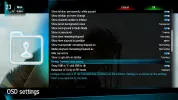
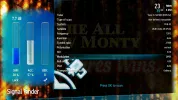
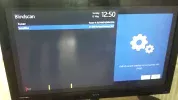
Additionally, under blind scan, even though the LNB has been set for all satellites (and functions correctly under auto scan), I get the message 'LNB of current satellite not compatible with plugin'.20190512_125010.webp20190512_125308.webp
 
I cannot recall if I mentioned this before, but under the automatic service searching, there is a continuous default 'yes' to both the second tuner port and the 96.5E satellite each time I start a scan.

Additionally, under blind scan, even though the LNB has been set for all satellites (and functions correctly under auto scan), I get the message 'LNB of current satellite not compatible with plugin'.View attachment 124408View attachment 124409
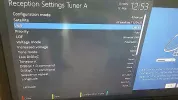
Why have you set up your config as "Advanced" if you want to use USALS for all satellites? Why didn't you choose "Simple"?
 
Why have you set up your config as "Advanced" if you want to use USALS for all satellites? Why didn't you choose "Simple"?

I had been checking on the various settings in advance mode since the last update, since there are many LNB options which had an impact on how the receiver views the dishes I have to hand. I can disable USALS on a per satellite basis which I cannot do in simple mode.

I had additionally been checking both modes to see if the various scans were different (in terms of speed on weaker satellites) , or if I could expand the lower symbol rate below 2Mb/s in blind mode.

Anyhow the legend in blue to the right is incorrect if shown in advanced mode
 
I had been checking on the various settings in advance mode since the last update, since there are many LNB options which had an impact on how the receiver views the dishes I have to hand. I can disable USALS on a per satellite basis which I cannot do in simple mode.
[...]
Anyhow the legend in blue to the right is incorrect if shown in advanced mode
Should be fixed with this:

I had additionally been checking both modes to see if the various scans were different (in terms of speed on weaker satellites) , or if I could expand the lower symbol rate below 2Mb/s in blind mode.
If you set the symbol rate in the Blindscan plugin to 1 mega symbol it will allow any SR down to 800 kilo symbols. That is the only restriction in the plugin. If you already have SR set to 1 mega symbol and transponders with SRs greater than 800 kilo symbols are missed that will be caused by either hardware, binary executable or because the signal is either weak or so close to another transponder it is impossible to blindscan. If you want SRs below 800 kilo symbols use "Manual Scan" and it will scan known transport streams listed in satellites.xml. Or use "Manual Scan" and enter the transport stream parameters manually.
 
OCTAGON SF8008 4K UHD E2 TEST Treiber (Driver) Update 13.05.2019


- DVB-C/T2 Tuner Fixed SNR % & AGC % percent value

--> DVB-C/T2 dB value not yet!

- DVB-C/T2 Tuner SNR % & AGC % Anzeige verbessert

--> DVB-C/T2 dB noch nicht!


Treiber Datei per FTP installieren:

Datei hi-dvb.ko nach /lib/modules/4.4.35/extra kopieren und Box neustarten.

FTP install:
hi-dvb.ko copy to --> /lib/modules/4.4.35/extra and restart box.
 

Attachments

Has anyone experienced crashing on this box when recording to a USB drive? Me and a friend both have this receiver and tried recording the Eurovision feed on 7E last night. Both of us experienced a box hang and had to flick the power switch to get it back, obviously ruining the recording. The feed was high bitrate and 4:2:2 but never had this issue in the past with other receivers. This was using the latest OpenVix image.
 
Back
Top