GTMedia GTCombo 4:2:2 receiver

Guys, if you remember my AliExpress order was cancelled by them. So I ordered it direct from GT media. Well, I've had this email today from GT media:-
"I'm sorry to inform you that our products can not be produced in time due to the recent power restriction ordered by the government. At present, there is no stock of GTcmobo products. We will postpone the delivery on December 10th. We are sorry again. If you are unwilling to wait, please inform us in time and we will give you a refund immediately."

I've left my order with them at the moment. AliExpress have not refunded me yet.
SimonE
have u clicked CANCEL under the order progress \ you have to do that.
 
did u try playing back ON the receiver by any chance, ok, well at least that answers the FPS question at least.

i guess thats no different to a normal STB - as you can record a 4.2.2 stream on any receiver in .TS format, and play it back ok on PC using VLC without issue

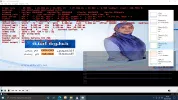
This grab off the Combo player itself
It's a process of elimination at the minute to try and pin-point and help the GTMedia Team as to where the playback bottleneck is

1638795024365.webp
 
do we know if the FPS is normal if we could view it by official means? what if its one of those channels which are a load of crap re quality

i will try via KODI method later on my Octagon


The Al Forat channel used to be high quality picture when it 4:2:0 and non 4K before they changed it.
They now seem to have gone for an ultra wide screen format and 4K.

The updated format was playing perfectly smoothly "live" in VLC from a TBS card when I last checked on a decent spec PC the other day.
 
The Al Forat channel used to be high quality picture when it 4:2:0 and non 4K before they changed it.
They now seem to have gone for an ultra wide screen format and 4K.
HEVC wasn't intended to be used with interlaced formats, when 32:9 1920x540p50 HEVC is used it will be converted to 16:9 1080i50 somewhere down the line. In VLC you can force it into 16:9 to correct the aspect ratio :)
 
HEVC wasn't intended to be used with interlaced formats, when 32:9 1920x540p50 HEVC is used it will be converted to 16:9 1080i50 somewhere down the line. In VLC you can force it into 16:9 to correct the aspect ratio :)


For the picture I uploaded in reply 117 of this topic I used the original ultra wide format in VLC without converting the aspect ratio.
There seemed to be no converion to 16:9, or none that I was aware of.
 
For the picture I uploaded in reply 117 of this topic I used the original ultra wide format in VLC without converting the aspect ratio.
There seemed to be no converion to 16:9, or none that I was aware of.
Tools > Preferences -> Video -> Force Aspect Ratio
 
Related to the point about playing a 4:2:2 channel on a TV, would any of the TV gurus know from personal experience if any of the Samsung QLED range of TV's have a suitable tuner for 4:2:2?
I have to admit to not yet upgrading to a 4K TV and had been looking at some of the Samsung QLED range in order to fill an A/V void.

Same question but for the LG range of OLED 4K TV's, any with tuners that are confirmed by personal experience as suitable for 4:2:2?
 
Also, some 4:2:2 feeds use 10bit colour, which will need even more processing power, the Al forat on 10e is 10bit colour as well it seems.
 
Related to the point about playing a 4:2:2 channel on a TV, would any of the TV gurus know from personal experience if any of the Samsung QLED range of TV's have a suitable tuner for 4:2:2?
I have to admit to not yet upgrading to a 4K TV and had been looking at some of the Samsung QLED range in order to fill an A/V void.

Same question but for the LG range of OLED 4K TV's, any with tuners that are confirmed by personal experience as suitable for 4:2:2?

Is it just a case of scanning that channel and seeing if it works? I can try when I''m back home if I can get access to the remote.
 
Is it just a case of scanning that channel and seeing if it works? I can try when I''m back home if I can get access to the remote.


I am not sure if you may need to scan the channel using an internal satellite tuner in the TV?
Or, if the TV can automatically clear a 4:2:2 signal sent via an external satellite receiver?

One of the two options should work?
 
Or, if the TV can automatically clear a 4:2:2 signal sent via an external satellite receiver?
That's gone over my head. Do you mean to use an app on the tv to connect to a receiver?
 
Is it just a case of scanning that channel and seeing if it works? I can try when I''m back home if I can get access to the remote.
.. So , who wears the trousers in your house
 
That's gone over my head. Do you mean to use an app on the tv to connect to a receiver?

I suppoose you could try miracast from an Android receiver as an alternative option to an HDMI cable for 4:2:2
Some Android receivers have a miracast app but I am not sure how it would be routed through the TV hardware?

Forum member "satfaca" got a TV to display a clear 4:2:2 picture so we know it is possible, just not sure of the process and which TV's are capable.
 
A0560CAF-CC4C-4E5C-A6E0-659EB3DEFC9B.jpegSo I tried the following today

Octagon SF 8008 to Qled Q8 2018 TV: Just sound no pic

Octagon to NVidia Shield 2019 Pro via Kodi: Nothing, no pic no sound

Octagon to NVidia Shield via VLC: Blocky picture, pic above

Direct satellite cable to TV - my cable is too short and doesn’t reach. I’ll try and extend the wire and retry
 
View attachment 139740So I tried the following today

Octagon SF 8008 to Qled Q8 2018 TV: Just sound no pic

Octagon to NVidia Shield 2019 Pro via Kodi: Nothing, no pic no sound

Octagon to NVidia Shield via VLC: Blocky picture, pic above

Direct satellite cable to TV - my cable is too short and doesn’t reach. I’ll try and extend the wire and retry
Does the TV have a web browser, if so you could try the receiver's WebIF. Or put a recording from the box onto an SD card or USB stick (or DNLA) and try it on the TV's media player. If that doesn't work I think the HEVC file can be extracted from a recorded .ts file (I've done it with H264 but not sure about HEVC).
 
Back
Top