neumoDVB

Satesco,
I rarely have the "it just works" experience under windows. More common is "it does not work, and there is no way
to fix it". Spending time on needless calls with microsoft support to fix five year old bugs only to hear them (!) complain about the microsoft teams software is as bad as it gets. And - as a heavy user - I have seen much useful functionality disappear
in microsoft office over the years, to the point that it has become largely useless.

Under linux also sometimes things don't work, but at least usually there is a way to fix the problems and some people to help (instead of the usual "try reinstalling" type of advice).

Why us windows when doors are easier. :->
One could say that the difference between Windows and Linux from a user's perspective would be the difference, roughly put, between "Next" and "Text". Most have embraced "Next" from the start for obvious reasons (you don't have to bother), whereas working with "Text/scripts" is an individual job, which requires a mental effort to make connections between these texts to complete a project.
I made this theoretical detour to point out that as a user I come from a Windows environment. Once I got into Linux, everything changed. From user,i.e. the next-ist,I am forced to "translate" some scripts/texts that have a message that I have to understand. Your explanation of how to make your driver compatible with other developers (TBS) forces me to pass the first condition and accept the other.
Now I'm in a period where I have to think about how to solve the driver problem so that I can use your application.
So I'm waiting...Evrika/εὕρηκα. I hope I'll come up with a saving idea But I wouldn't refuse if it came from you :)
 
Well satesco,
one of the ideas is what I wrote above: copying working driver modules from another ubuntu installation.
 
I can provide the requisite modules to satesco or anyone who has difficulty with the project. The only question is, I am using Linux Mint 20.2. . Will they work on other earlier or later Ubuntu versions?
 
I can provide the requisite modules to satesco or anyone who has difficulty with the project. The only question is, I am using Linux Mint 20.2. . Will they work on other earlier or later Ubuntu versions?
Shouldn’t be an issue. Both Debian based. In fact Mint is far more suitable for Windows migrants.
 
Shouldn’t be an issue. Both Debian based. In fact Mint is far more suitable for Windows migrants.
Indeed not an issue. The main thing is that the modules are from another ubuntu-like distribution, so that all modules that ubuntu expects are included. With the proper grub.cfg you can also create a multi-boot environment. Then if something goes
wrong you cans still boot another kernel.

There is a learning curve, but it is mostly a matter of doing some reading.
 
Indeed not an issue. The main thing is that the modules are from another ubuntu-like distribution, so that all modules that ubuntu expects are included. With the proper grub.cfg you can also create a multi-boot environment. Then if something goes
wrong you cans still boot another kernel.

There is a learning curve, but it is mostly a matter of doing some reading.
And of course you can quickly roll back a kernel update if that update breaks your configuration. I do recommend any newcomers to Linux try a number of different distros before settling on any particular one. Mint is certainly one I’d recommend along with Ubuntu and Fedora for a different experience. All can be installed on the same hard drive in separate partitions and can be booted individually at will from the Grub 2 menu.
 
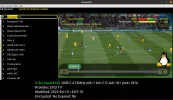
Thanks to @deeptho I managed to install the drivers. Now I have to study Neumodvb. I hope to find in the application everything the developer offers so I can exploit it to the fullest. So I have to get familiar with the application.
I scanned Astra 19.2E with the 6983 card. Only a few I could scan and obtain programs. Instead, I was able to manually scan the cable frequencies with the 6504 card.
So far I find that manual scanning is slow, and the blindscan I haven't managed to use yet. I sometimes get a message, "no
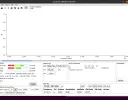
neumodvb util". Probably because of this I could not use blindscan and spectrum?
 

Attachments

  • NeumoDVB-All Adapters.webp
    NeumoDVB-All Adapters.webp
    159.1 KB · Views: 18
  • Satellite and Cable.webp
    Satellite and Cable.webp
    243.4 KB · Views: 17
  • Cable-Eurosport HD.webp
    Cable-Eurosport HD.webp
    106.4 KB · Views: 19
  • spectrum.webp
    spectrum.webp
    57.6 KB · Views: 18
satesco, to spectrum scan the Horizontals, you need to have the H Polarisation box darkened.
 
Thanks to @deeptho I managed to install the drivers. Now I have to study Neumodvb. I hope to find in the application everything the developer offers so I can exploit it to the fullest. So I have to get familiar with the application.
I scanned Astra 19.2E with the 6983 card. Only a few I could scan and obtain programs. Instead, I was able to manually scan the cable frequencies with the 6504 card.
So far I find that manual scanning is slow, and the blindscan I haven't managed to use yet. I sometimes get a message, "no
neumodvb util". Probably because of this I could not use blindscan and spectrum?
Why don't you try with the 6903X card? This is the one which should work fastest and best.
 
I also tested the 6903X card but could only see the transponders found by 6983. I have tried several times to scan & spectra with 6903x but so far not much success.
So far I've enjoyed manually scanning the cable frequencies with 6504.
As I said above, I still haven't been able to use your blindscan app.
I'm not sure if my neumoDVB has all functions installed? I mean I want to be sure that nothing is missing from the application.
It's true that I'm just starting out and need to read up on your how-to.
 
I also tested the 6903X card but could only see the transponders found by 6983. I have tried several times to scan & spectra with 6903x but so far not much success.
So far I've enjoyed manually scanning the cable frequencies with 6504.
As I said above, I still haven't been able to use your blindscan app.
I'm not sure if my neumoDVB has all functions installed? I mean I want to be sure that nothing is missing from the application.
It's true that I'm just starting out and need to read up on your how-to.
The software was designed for tbs6903x and tbs6909x and all fuctionality is there. Best is to read the documentation first.
 
That's why I also installed your application. Even if I had installed Neumodvb, all attempts to get blindscan or spectra to work with 6903X proved futile even after reading your documentation several times, so I tried to reinstall NeumoDVB this time with errors in the frontend/adapters.
As an aside, I have no problems with the instructions for using NeumoDVB as a regular Linux user, but your explanations and references to each document on Github are beneficial for a versed user. Still, for a novice, it forces you to scratch your head. It will be a long time before I become a developer... :)
But better take a look at the installation file I attached. Any advice is welcome if I fix the NeumodVB installation U32 errors.
Thanks.
 

Attachments

I think your installation problems are of the same type as you had before: you compile on a system which has
incorrect and/or non standard software installed and some software is missing.

Instead or recompiling, I would suggest that you use the version that is working. It is almost surely a configuration error
at your side, probaby lnb not/incorrectly defined. Or perhaps your adapters are now numbered differently than before.

There are log files for everything that goes wrong, so why not look inside them? /tmp/neumo.log
 
The neumoDVB version I've been working with so far, I deleted it because I thought what you said was correct that because the adapters are numbered differently, I couldn't use blindscan and spectra for the 6903x card.
The unknown error types "u32" and "u8" appeared when I installed neumoDVB again. I did not have these errors when I first installed the application. So I need to find a solution so that these errors are not generated when installing neumoDVB.
So the version you recommend me to use I don't have anymore. So I started installing the application from scratch with the reported errors. I also added that I don't have the neumo folder anymore, but I kept the neumo.log. I have attached it so you can see where the errors came from. So what to do?
I apologize for the inconvenience caused by my problem.
 

Attachments

The neumoDVB version I've been working with so far, I deleted it because I thought what you said was correct that because the adapters are numbered differently, I couldn't use blindscan and spectra for the 6903x card.
The unknown error types "u32" and "u8" appeared when I installed neumoDVB again. I did not have these errors when I first installed the application. So I need to find a solution so that these errors are not generated when installing neumoDVB.
So the version you recommend me to use I don't have anymore. So I started installing the application from scratch with the reported errors. I also added that I don't have the neumo folder anymore, but I kept the neumo.log. I have attached it so you can see where the errors came from. So what to do?
I apologize for the inconvenience caused by my problem.
What procedure did you use to delete it. Was the deletion done manually.
 
What procedure did you use to delete it. Was the deletion done manually.
Yes, does it matter? Is it about getting it back?
 
Thanks for wanting to help me. I tried to do what it says on the link you gave me. It didn't work. I also tried the Recover Deleted Files app, but without success. I'm not sure if it's still possible to recover the working app.
To cleanly install the app, I also tried to delete any files left in neumoDVB from the previous installation. Unfortunately, the same errors are still occurring as before(u32 and u8).
I hope I'm not wrong, but the structure you're talking about has to do with how the frontends are registered in the previous installation. These adapters cannot be ordered otherwise by a new building. Although it shouldn't be a problem, I think I did the driver installation after neumoDVB(?). Because of this, the application didn't know how to choose the correct adapter. Plus, only some of my tuners had the driver that Deeptho designed.
There must be another method of installation despite the persistence of these errors. I hope Deeptho will step in with a solution.
I hope I don't start all over again, with installing blindscan drivers and then neumodvb :confused
 
The neumoDVB version I've been working with so far, I deleted it because I thought what you said was correct that because the adapters are numbered differently, I couldn't use blindscan and spectra for the 6903x card.
The unknown error types "u32" and "u8" appeared when I installed neumoDVB again. I did not have these errors when I first installed the application. So I need to find a solution so that these errors are not generated when installing neumoDVB.
So the version you recommend me to use I don't have anymore. So I started installing the application from scratch with the reported errors. I also added that I don't have the neumo folder anymore, but I kept the neumo.log. I have attached it so you can see where the errors came from. So what to do?
I apologize for the inconvenience caused by my problem.
The log file shows that you started a spectrum scan, and then notthing happened at all. No errors. Perhaps the program was stopped?

Before starting a spectrum scan, make sure that no muxes or services are tuned (or being scanned), because when
the adapter is in use it cannot also be used for spectrum scan. In this case normally an error message would appear,
but perhaps this does not happen. It is easy to check: just stop the program and restart it and then go immediately to
the spectrum scan. Press the get spectrum button. Within less than 30 seconds something should appear on screen for
tbs6903x. A full H/V spectrum acquisiton takes less than a minute.

About the compilation
-erase all non-official packages (e.g., in /usr/local/)
-install the folllowing list of dependencies. This is a new list, compared to what is in the documentation (LLews's version,
perhaps for some other version of ununtu or debian)

The following is what I used during testing on a fresh ubuntu 20.04.4 LTS
sudo apt install -y libboost-all-dev libgtk-3-0 libgtk-3-dev curl libcurl4-openssl-dev libwxgtk-media3.0-gtk3-dev gettext libexif-dev libavcodec-dev libavformat-dev libavutil-dev libswscale-dev python3-jinja2 python3-pip clang-format python3-sip-dev libconfig-dev libconfig++-dev libdvbcsa-dev mpv-libs-dev libmpv-dev freeglut3-dev python-wxgtk3.0 python3-wxgtk-media4.0 python3-wxgtk-webview4.0 python3-wxgtk4.0 python3-scipy clang
sudo pip3 install regex setproctitle mpl_scatter_density

Follow the usual compilation instructions afterwards.
 
Thanks for wanting to help me. I tried to do what it says on the link you gave me. It didn't work. I also tried the Recover Deleted Files app, but without success. I'm not sure if it's still possible to recover the working app.
To cleanly install the app, I also tried to delete any files left in neumoDVB from the previous installation. Unfortunately, the same errors are still occurring as before(u32 and u8).
I hope I'm not wrong, but the structure you're talking about has to do with how the frontends are registered in the previous installation. These adapters cannot be ordered otherwise by a new building. Although it shouldn't be a problem, I think I did the driver installation after neumoDVB(?). Because of this, the application didn't know how to choose the correct adapter. Plus, only some of my tuners had the driver that Deeptho designed.
There must be another method of installation despite the persistence of these errors. I hope Deeptho will step in with a solution.
I hope I don't start all over again, with installing blindscan drivers and then neumodvb :confused
The adapters could be renumbered strangely when USB devices are present. There are solutions for that, and it may
not be a problem at all, but the easiest is to start with simple testing: do not connect usb devices. That means: solving one
problem at a time.
 
Back
Top