Blindscan on linux with tbs cards

I got nothing with those commands because I didn't use the command correctly enough to extract the streams.

What is the correct syntax to activate the stream with neumo-tune and neumo-dmx?
 

Attachments

  • command not found_2025-02-04_22-32.webp
    command not found_2025-02-04_22-32.webp
    37.1 KB · Views: 53
@satesco
...

---
I didn't see the second question so i have edited the post.

Did you try using

on a 6909x card? assuming you are passing the correct adapter numbers in the program?
After running it successfully it will create some files in /tmp. By using

from inside blindscanner's source code directory you will be able to see the graphs.
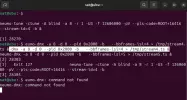
I use 6909x and tried your command for stid135-blindscan, but, as you see, the command is not found.
Something's wrong, but I don't know what.
 

Attachments

  • stid135-command not found_2025-02-04_22-48.webp
    stid135-command not found_2025-02-04_22-48.webp
    9.6 KB · Views: 44
As you have mentioned earlier , post #350 describes exactly the steps.
eumo-dmx is not the name of the app. The name is neumo-dmx .
Just copy paste correctly the commands from post #350.
 
I don't know where you have installed the applications.
Try
find ~ -name stid135-blindscan -executable -type f
in my case it is
/home/tasoss/bin/stid135-blindscan
then run
/home/tasoss/bin/stid135-blindscan -cblindscan -a 0 1 2 3 4 5 6 7 -U8 --rf-in=2 -pV
I have already told you about this procedure when you couldn't find neumo-tune . Do you remember ? :)
 
You're right to hang on to my words, but in this quick exchange of communication, I only made a mistake in the text. On the terminal, I'm very careful not to get the command wrong, which is neumo-dmx.

I carefully read the respective commands to #350, but I'm definitely missing something.
 
I got nothing with those commands because I didn't use the command correctly enough to extract the streams.

What is the correct syntax to activate the stream with neumo-tune and neumo-dmx?
Well yeah, they are built in a different directory.
It would pay off to learn some basics about the linux command line...
 
I know the conditions now: it uses section filters which few other programs do and it only opens the demux
after detecting a lock. Your mux does not lock for me (unknown satellitem different diseqc settings etc) so
it also does not crash.

There is also another bug which causes a crash in some cases depending on the order in which programs are run.
That one is simple to fix. The section filter needs some more work.

I will fix them when I have the time.
Should be fixed now.
 
I don't know where you have installed the applications.
Try

in my case it is

then run

I have already told you about this procedure when you couldn't find neumo-tune . Do you remember ? :)
I searched everywhere in the system to find stid135-blindscan-executable. Everything related to this chip is displayed in the blanscan_kernel/.../stid135 folder (see screenshot).
I couldn't find anything else, let alone the executable.

From @deeptho's six GitHub sections, you probably used "blindscan" (User space code for DVB blind scanning) for the software installation.

I installed my drivers after "linux_media " (Forked from tbsdtv/linux_media).

Maybe the (minor(?)) differences between the two sections also make the difference when installing the stid135 executable you have and my stid135 files after installing the drivers.

If what I say now is true, then no wonder I can't find the executable.

How did you install @deeptho's drivers?
 

Attachments

  • stid135_2025-02-06_18-54.webp
    stid135_2025-02-06_18-54.webp
    108.9 KB · Views: 49
@satesco

Did you copy/paste the command that i have written ?
The executable is not supposed to be stid135-blindscan-executable but stid135-blindscan
find ~ -name stid135-blindscan -executable -type f
There is a space between stid135-blindscan and -executable
 
The command you gave me to run did not find anything related to stid135-blindscan, with or without the executable line.
In my previous screenshot, you can see exactly what you are asking me to do now. In addition, you can see all installed stid135 files.
I couldn't find anything else about stid135.
On this occasion, I would like to ask you which of the sections I mentioned previously did you use to install the Stid135 driver.
Thanks.
 
You're right, I didn't compile stid135-blindscan from the "blindscan" section. That's why I searched in vain for that executable.

For those coming from Windows environment, like me, it's good to know the differences (small or big) between the six sections when installing software from GitHub, even if their purpose is mentioned in the right of each one.

Thanks for making the necessary clarification, which should be taken into account when installing @deeptho's drivers.
 
@tasoss,

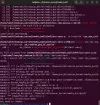
Attempting to install the drivers from the "blindscan" section for stid135-blindscan failed after it seemed that the process had started well. Unfortunately, it ended with a "fatal error"( 2).
Could you find out where the problem is coming from and if and how to fix it?
Thanks.
 

Attachments

  • error 2_2025-02-07_09-57.webp
    error 2_2025-02-07_09-57.webp
    132.6 KB · Views: 62
@deeptho
neumo/neumodvb/src/viewer/neumompv_private.h:29:10: fatal error: 'mpv/client.h' file not found
 
@deeptho
neumo/neumodvb/src/viewer/neumompv_private.h:29:10: fatal error: 'mpv/client.h' file not found
This is a typical problem: users do not install prerequisite software.The solution is to read the documentation and follow the instructions
 
I have forgotten that i had installed the OS from the beginning. And because the last time i had such an error it was because you have forgotten to add a file at github i thought it was from your side. My mistake , i haven't installed necessary libs/apps. Sorry.
BTW mpv FTW.
 
For the next version of the drivers, I am planning to include t2mi extraction in the drivers itself.
Currently neumoDVB handles t2mi by running an external process, but including it in the drivers
will make it easier for other programs (e.g., tvheadend) to support t2mi.

For instance, the not yet released next version of neumo-dmx willl save the Bosnia Herzegovina mux on 16:0E
to a file
Code:
#16.0E: Bosnia-Herzegovina
neumo-tune -ctune -A blind -a 8 -r 0 -dU -U8 -f 11401000 -pV
neumo-dmx -a 8 -d 0 --pid 0x2000 --t2mi-pid=4095 --t2mi-plp=0 > /tmp/stream.ts

Currently I have tested some t2mi streams on 5.0W, 16.0E and 23.5E and that seems to work.
On 5.0W this is the most complicated as the T2MI stream is embedded in a multistream which also
is normally processed badly by stid135 cards, but it works anyway.

The same principle could be used to extract some GSE streams as well. So I am looking for a few examples of some streams
with useful content (tv or radio programs), i.e., anything that is USEFUL to convert to a transport stream.

Does anybody know of some examples? I prefer NON_ENCRYPTED data that is available all day. No DAB please.
Perhaps what I am asking does not exist.

The drivers can already (for a very long time) output any GSE stream by embedding it in a transport stream. Other programs
can then process that further, but again the goal would be to not have to use external programs.
 
...

The same principle could be used to extract some GSE streams as well. So I am looking for a few examples of some streams
with useful content (tv or radio programs), i.e., anything that is USEFUL to convert to a transport stream.

Does anybody know of some examples? I prefer NON_ENCRYPTED data that is available all day. No DAB please.
Perhaps what I am asking does not exist.

The drivers can already (for a very long time) output any GSE stream by embedding it in a transport stream. Other programs
can then process that further, but again the goal would be to not have to use external programs.
That's good news for all of us, @deeptho :), long awaited by many users. There have been attempts to decode such GSE streams but with still inconclusive results, in my view.

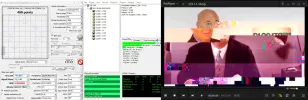
There are plenty of streams of different formats at several positions, but for now the most accessible is DVB-IP/MPE (not generic) at 13.0E on 12360 H,27500,3/4,8PSK not only it has good signal, but the streams, although encapsulated, they can be decoded because they are not encoded.

I don't know to what extent you have access to these streams at this position, but I'm thinking of sending you some recorded files from each IP address that has media content.

I'll attach an image of such media content that could hopefully be decoded more easily.
If you want more such streams, let me know.

Also, here is what this mux looks like with neumoDVB and the name: dvb-nip-w :Y


Attachments

  • 12360 H-MPE stream_2025-02-21_13-16-15.webp
    12360 H-MPE stream_2025-02-21_13-16-15.webp
    94.4 KB · Views: 43
  • dvb-nip-w_2025-02-14_10-17.webp
    dvb-nip-w_2025-02-14_10-17.webp
    18.2 KB · Views: 37
That's good news for all of us, @deeptho :), long awaited by many users. There have been attempts to decode such GSE streams but with still inconclusive results, in my view.

There are plenty of streams of different formats at several positions, but for now the most accessible is DVB-IP/MPE (not generic) at 13.0E on 12360 H,27500,3/4,8PSK not only it has good signal, but the streams, although encapsulated, they can be decoded because they are not encoded.

I don't know to what extent you have access to these streams at this position, but I'm thinking of sending you some recorded files from each IP address that has media content.

I'll attach an image of such media content that could hopefully be decoded more easily.
If you want more such streams, let me know.

Also, here is what this mux looks like with neumoDVB and the name: dvb-nip-w :Y


Thanks. This is useful information. What tools are available to convert this format to something viewable?
eti-tools does not seem to produce anything useful. Only empty files.
For example:

~/eti-tools/dvb-ip-mpe2ts -i 224.1.1.103.ip -p 85 -a 45.191.162.152 -n 2709 -o -
=> no result
 
Back
Top