
- Forums
- Satellite TV receivers & systems support forums
- Satellite PC Card Receivers, Internet by Satellite
You are using an out of date browser. It may not display this or other websites correctly.
You should upgrade or use an alternative browser.
You should upgrade or use an alternative browser.
neumoDVB
- Thread starter deeptho
- Start date

Adam792
Specialist Contributor
- My Satellite Setup
- 90cm Corab dish, TM-2300 motor, TBS6903X, TBS5930 Lite, Octagon SF8008 mini
- My Location
- Cheltenham
After a bit of wrestling, I got this set up on a machine newly running Xubuntu 25.10. The blindscan functionality is very handy.
For some reason I seem to be having a problem with the streaming feature though, I'm following the guide and going to the services or muxes screens, and selecting command > add stream. The stream adds without error, but no data seems to be output. The mux is tuned and I can view the channel in the live TV tab.
If I use the default 127.0.0.1:9999 and then run -
sudo tcpdump -ni lo udp port 9999
I see no packets. I ran a test using ffmpeg to see that things are routing correctly, and that did seem to work, so I'm puzzled as to what's happening here.
I'm tempted to move back to a slightly older distro if I can't get things ironed out.
For some reason I seem to be having a problem with the streaming feature though, I'm following the guide and going to the services or muxes screens, and selecting command > add stream. The stream adds without error, but no data seems to be output. The mux is tuned and I can view the channel in the live TV tab.
If I use the default 127.0.0.1:9999 and then run -
sudo tcpdump -ni lo udp port 9999
I see no packets. I ran a test using ffmpeg to see that things are routing correctly, and that did seem to work, so I'm puzzled as to what's happening here.
I'm tempted to move back to a slightly older distro if I can't get things ironed out.
deeptho
Specialist Contributor
- My Satellite Setup
- Wavefrontier T90, Laminas 120cm, 2 other dishes; tbs 5927, tbs6904, tbs6909x, tbs6903x, tbs5990, tbs6981,tbs5927
- My Location
- Europe
This is what I get::
It also plays with
mpv udp://@:9999
Please do not try random things like going back to old distributions. This is not windows.
Code:
sudo tcpdump -ni lo udp port 9999
dropped privs to tcpdump
tcpdump: verbose output suppressed, use -v[v]... for full protocol decode
listening on lo, link-type EN10MB (Ethernet), snapshot length 262144 bytes
21:26:34.681246 IP 127.0.0.1.43803 > 127.0.0.1.distinct: UDP, length 24064
21:26:34.707801 IP 127.0.0.1.43803 > 127.0.0.1.distinct: UDP, length 24064
21:26:34.734300 IP 127.0.0.1.43803 > 127.0.0.1.distinct: UDP, length 24064
It also plays with
mpv udp://@:9999
Please do not try random things like going back to old distributions. This is not windows.
deeptho
Specialist Contributor
- My Satellite Setup
- Wavefrontier T90, Laminas 120cm, 2 other dishes; tbs 5927, tbs6904, tbs6909x, tbs6903x, tbs5990, tbs6981,tbs5927
- My Location
- Europe
The following version of neumodvb will also show the list of modcods in ACM/VCM streams, but only for stid135 based cards.
This will require driver updates as well. Below you can see what it means for the navy tv mux on 15.0W, which combines 8 different modulation types. If your signal is too weak, the drivers may not receive some of the more difficult modulations. Also the whole idea of ACM/VCM is that that modulations can be picked as needed.
The percentages indicate how many frames of each type have been received, relative to the total. Currently only at most the 16th most prominent values are reported. For VCM muxes, there will only be one modulation type reported.

This will require driver updates as well. Below you can see what it means for the navy tv mux on 15.0W, which combines 8 different modulation types. If your signal is too weak, the drivers may not receive some of the more difficult modulations. Also the whole idea of ACM/VCM is that that modulations can be picked as needed.
The percentages indicate how many frames of each type have been received, relative to the total. Currently only at most the 16th most prominent values are reported. For VCM muxes, there will only be one modulation type reported.
deeptho
Specialist Contributor
- My Satellite Setup
- Wavefrontier T90, Laminas 120cm, 2 other dishes; tbs 5927, tbs6904, tbs6909x, tbs6903x, tbs5990, tbs6981,tbs5927
- My Location
- Europe
I have just updated neumodvb. Various bug fixes, support for listing modcodes, and for receiving two additional t2mi muxes on 39.0E
Hi
With the latest update I get the following error:
OS: Debian 13
With the latest update I get the following error:
[ 16%] Building CXX object src/neumodb/schema/CMakeFiles/schema.dir/schema.cc.o
In file included from /home/manzaba/neumodvb/build/src/neumodb/schema/schema.cc:28:
/home/manzaba/neumodvb/src/neumodb/screen_impl.h:691:37: error: use of undeclared identifier 'count'; did you mean 'round'?
691 | dterrorf("count={} row_number={}", count, row_number);
| ^~~~~
| round
OS: Debian 13
Attachments
Hi
With the latest update I get the following error:
Thanks!
With the latest update I get the following error:
[ 95%] Building CXX object src/receiver/CMakeFiles/pyreceiver.dir/receiver_pybind.cc.o
[ 95%] Building CXX object src/viewer/CMakeFiles/pyneumompv.dir/neumompv.cc.o
In file included from /home/manzaba/neumodvb/src/viewer/neumompv.cc:23:
/home/manzaba/neumodvb/src/viewer/neumompv_private.h:30:10: fatal error: 'mpv/client.h' file not found
30 | #include <mpv/client.h>
| ^~~~~~~~~~~~~~
1 error generated.
make[2]: *** [src/viewer/CMakeFiles/pyneumompv.dir/build.make:79: src/viewer/CMakeFiles/pyneumompv.dir/neumompv.cc.o] Error 1
make[1]: *** [CMakeFiles/Makefile2:2113: src/viewer/CMakeFiles/pyneumompv.dir/all] Error 2
Thanks!
nighthawk77
Member
- My Satellite Setup
- T90 - 28.2E-5W;
Gibertini150+ActuatorSuperJack(30E-45W)
TBS5927
- My Location
- Croatia
deeptho
Specialist Contributor
- My Satellite Setup
- Wavefrontier T90, Laminas 120cm, 2 other dishes; tbs 5927, tbs6904, tbs6909x, tbs6903x, tbs5990, tbs6981,tbs5927
- My Location
- Europe
TryTried to build new neumo drivers for stv091x tuner type (tbs5927), but error with "modcod_entries" appear:
Code:
git pull
git reset --hard
frankviana
Member
- My Satellite Setup
- Satellites/tv
- My Location
- Brazil
Hello.
Trying to compile with new Ubuntu 26 (kernel 7), but some errro (clang++ and more). Best version is 24?
Thx
Trying to compile with new Ubuntu 26 (kernel 7), but some errro (clang++ and more). Best version is 24?
Thx

satesco
Specialist Contributor
- My Satellite Setup
- seven antennas,one toroidal with 16 lnbs,
6 satellite receivers,2 Meters,9 PC cards(tbs6983,6903,6590,6504,6522,6209,2603,6909X,6903X,6902se,skystar hd2),2 tuners usb-tbs5927, TBS5927SE USB & tbs5925,Skystar HD.
Satellite reception between 100.5E-50.0W
- My Location
- Romania
deeptho
Specialist Contributor
- My Satellite Setup
- Wavefrontier T90, Laminas 120cm, 2 other dishes; tbs 5927, tbs6904, tbs6909x, tbs6903x, tbs5990, tbs6981,tbs5927
- My Location
- Europe
Satesco,
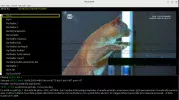
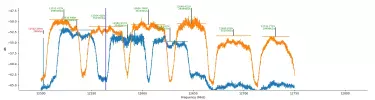
It seems more like an error in the input (at the broadcaster) or do you see any bit errors reported (driver logs, or positioner_dialog). Could also be some weird problem with a graphics card driver.
It seems more like an error in the input (at the broadcaster) or do you see any bit errors reported (driver logs, or positioner_dialog). Could also be some weird problem with a graphics card driver.
satesco
Specialist Contributor
- My Satellite Setup
- seven antennas,one toroidal with 16 lnbs,
6 satellite receivers,2 Meters,9 PC cards(tbs6983,6903,6590,6504,6522,6209,2603,6909X,6903X,6902se,skystar hd2),2 tuners usb-tbs5927, TBS5927SE USB & tbs5925,Skystar HD.
Satellite reception between 100.5E-50.0W
- My Location
- Romania

- My Satellite Setup
- Triple Dragon, Dreambox 8000, Echostar AD3000ip, TBS6522,6925,6983 PCie cards.
Gibertini 1.25m motorised dish driven by the AD3000, with either Inverto BU Quad or Norsat / XMW Ka LNBs . SMW 1.05m + 3 other dishes. Speccy: Promax HD Ranger+
- My Location
- The Flatlands of East Anglia
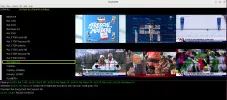
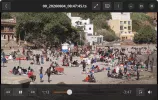
I get interference using Ubuntu, but it's OK with Fedora, so unlikely to be tuner or the graphics card on the PC I'm on ATM.
Having said that, there's no interference on any channel on ubuntu (or Fedoras) on my other PC.
Streaming the same channel gives no interference.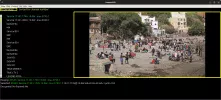
Having said that, there's no interference on any channel on ubuntu (or Fedoras) on my other PC.
Streaming the same channel gives no interference.
deeptho
Specialist Contributor
- My Satellite Setup
- Wavefrontier T90, Laminas 120cm, 2 other dishes; tbs 5927, tbs6904, tbs6909x, tbs6903x, tbs5990, tbs6981,tbs5927
- My Location
- Europe
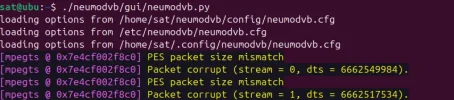
The log file you showed says that a packet is corrupt, but those messages are not from neumodvb. Possibly you are using very old code.
Or maybe you are running different drivers, or different software (outdated or newer media libraries?) on the affected computer?
Or maybe you are running different drivers, or different software (outdated or newer media libraries?) on the affected computer?
satesco
Specialist Contributor
- My Satellite Setup
- seven antennas,one toroidal with 16 lnbs,
6 satellite receivers,2 Meters,9 PC cards(tbs6983,6903,6590,6504,6522,6209,2603,6909X,6903X,6902se,skystar hd2),2 tuners usb-tbs5927, TBS5927SE USB & tbs5925,Skystar HD.
Satellite reception between 100.5E-50.0W
- My Location
- Romania
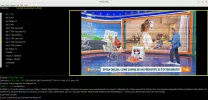
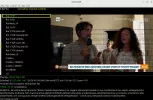
I’ve analysed the tearing line again to see if the problem occurs on the NVIDIA GPU. The problem occurs in both windowed and full-screen modes.
I thought about turning off thumbnails, but I couldn’t find a way to do so in the config file.
I’m not sure to what extent `WX_GL=0" increases the risk of tearing, such that desynchronisation might occur, if that were the cause?
I’ve also noticed that this tearing doesn’t occur in Kaffeine/VLC, only in neumoDVB.
In older versions of NeumoDVB, does the viewer always use multiple OpenGL surfaces (including thumbnails), making screen tearing unavoidable on NVIDIA/X11?
Where do you think I should make the change?
Thanks
I thought about turning off thumbnails, but I couldn’t find a way to do so in the config file.
I’m not sure to what extent `WX_GL=0" increases the risk of tearing, such that desynchronisation might occur, if that were the cause?
I’ve also noticed that this tearing doesn’t occur in Kaffeine/VLC, only in neumoDVB.
In older versions of NeumoDVB, does the viewer always use multiple OpenGL surfaces (including thumbnails), making screen tearing unavoidable on NVIDIA/X11?
Where do you think I should make the change?
Thanks
Attachments

deeptho
Specialist Contributor
- My Satellite Setup
- Wavefrontier T90, Laminas 120cm, 2 other dishes; tbs 5927, tbs6904, tbs6909x, tbs6903x, tbs5990, tbs6981,tbs5927
- My Location
- Europe
Windowed or non-windowed should make no difference.I’ve analysed the tearing line again to see if the problem occurs on the NVIDIA GPU. The problem occurs in both windowed and full-screen modes.
I thought about turning off thumbnails, but I couldn’t find a way to do so in the config file.
Why did you set that option? It sounds like a bad idea as it sounds like "Please avoid using effcient code".I’m not sure to what extent `WX_GL=0" increases the risk of tearing, such that desynchronisation might occur, if that were the cause?
I’ve also noticed that this tearing doesn’t occur in Kaffeine/VLC, only in neumoDVB.
You can try running neumodvb under vglrun.
vglrun neumodvb.py
I do not know, but a graphics card should be able to handle multiple textures. Games use thousands of themIn older versions of NeumoDVB, does the viewer always use multiple OpenGL surfaces (including thumbnails), making screen tearing unavoidable on NVIDIA/X11?
I would start by upgrading to the newest software, especilly for t2mi (latest drivers and latest neumodvb): like I wrote: some error messages are probably not even from neumodvb.Where do you think I should make the change?
Thanks
- My Satellite Setup
- Triple Dragon, Dreambox 8000, Echostar AD3000ip, TBS6522,6925,6983 PCie cards.
Gibertini 1.25m motorised dish driven by the AD3000, with either Inverto BU Quad or Norsat / XMW Ka LNBs . SMW 1.05m + 3 other dishes. Speccy: Promax HD Ranger+
- My Location
- The Flatlands of East Anglia
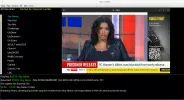
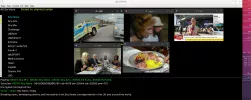
As it seems unlikely for me to ever find a way to allow video to show in the live window of neumodvb with an Arch Linux distro, I'm ditching libmpv in mpv.config and using vo=x11.
The View/Live Channels section works as expected so I can choose or add channels for single or mosaic views.
I lose the window frame, so I add the mpv channels to a space in a similar area that the GUI normally places the channels in the window (in truth, the mpv videos can be placed anyware on my desktop). Without the window, unfortunately, I can't use Toggle Overlay ( I couldn't in any case even with the window available before in Arch Linux OS's.)
Using CachyOS LTS kernel 6.12.69-02.
The View/Live Channels section works as expected so I can choose or add channels for single or mosaic views.
I lose the window frame, so I add the mpv channels to a space in a similar area that the GUI normally places the channels in the window (in truth, the mpv videos can be placed anyware on my desktop). Without the window, unfortunately, I can't use Toggle Overlay ( I couldn't in any case even with the window available before in Arch Linux OS's.)
Using CachyOS LTS kernel 6.12.69-02.
deeptho
Specialist Contributor
- My Satellite Setup
- Wavefrontier T90, Laminas 120cm, 2 other dishes; tbs 5927, tbs6904, tbs6909x, tbs6903x, tbs5990, tbs6981,tbs5927
- My Location
- Europe
Llew, out of curiosity? What is the reason that archlinux refuses to play this? And what video card do you have? And if you play normally (and then have problems) is any useful error message in /tmp/mpv.log or /tmp/neumo.log?
Another thing you can try is install vlgrun and then run neumodvb as vglrun neumodvb.py. This should never be needed, but it could perhaps help understand what goes wrong. On fedora, vglrun itself has problems: I have to run it as VGL_GLLIB=/lib64/libGL.so.1 exec vglrun neumodvb.py
Why I mention this: I also have graphics problems when using some programs (not only neumodvb) on a remote computer using xpra. The underlying problem is bugs in some opengl implementations. vglrun forces the use of the graphics card on the remote computer, which uses other code, and then magically works.
Logic would dictate that it should make no difference for you, but who knows.
Also important: do not use wayland...
Another thing you can try is install vlgrun and then run neumodvb as vglrun neumodvb.py. This should never be needed, but it could perhaps help understand what goes wrong. On fedora, vglrun itself has problems: I have to run it as VGL_GLLIB=/lib64/libGL.so.1 exec vglrun neumodvb.py
Why I mention this: I also have graphics problems when using some programs (not only neumodvb) on a remote computer using xpra. The underlying problem is bugs in some opengl implementations. vglrun forces the use of the graphics card on the remote computer, which uses other code, and then magically works.
Logic would dictate that it should make no difference for you, but who knows.
Also important: do not use wayland...