The Aero Thread..

Yes, that screen looks right for 15W. I had to download VB cable as no sound card was showing up in Jaero.
LHCP or RHCP makes not difference for me either.
Similar issues ..perhaps a little worse at 25E ..
Basically the noise floor is too great I think ..
The signals are there but dont rise above the background static ..
Perhaps there is a more suitable splitter as I cannot use the TBS loop through..
any ideas ?

Just a thought ..
If RHCP or LHCP gives the same results ...and the signals _are_ circularly polarised ...then insufficient conversion is taking place imo ...and valuable signal is being lost ..
2 halves if fully converted would make a whole ..
 
Yes, that screen looks right for 15W. I had to download VB cable as no sound card was showing up in Jaero.
LHCP or RHCP makes not difference for me either.
Take note ..VBcable once activated will re-direct your audio ...and your speakers will go silent ...
I dropped VBcable for that reason ..and went with Virtual Audio Cable 4.10 ...as this uses multiple cables and 'repeaters' which means you can chain the audio on again to your speakers..as well as through the virtual cable pipe.
 
Similar issues ..perhaps a little worse at 25E ..
Basically the noise floor is too great I think ..
The signals are there but dont rise above the background static ..
Perhaps there is a more suitable splitter as I cannot use the TBS loop through..
any ideas ?

Just a thought ..
If RHCP or LHCP gives the same results ...and the signals _are_ circularly polarised ...then insufficient conversion is taking place imo ...and valuable signal is being lost ..
2 halves if fully converted would make a whole ..

Have you turned up the gain in SDR VS? I was getting bugger all until I did this.
Yes, the audio is muted with VB cable on the speakers.
 
It's easier to set up two VACs then create aux VFOs in Sharp and set each one to one of the VACs. Main tuning routes to speakers so you can hear what's happening, set up the channel then set the VFO. 15W uses two T channels so two aux VFOs, one set to left and one set to right will grab both channels with the latest version of Jaero.
 
Have you turned up the gain in SDR VS? I was getting bugger all until I did this.
Yes, the audio is muted with VB cable on the speakers.
I was just about to say gain/volume issues.

I know it's not the same but close enough for a reply, when I decode Wefax/Pager Data/Autocab Taxi MDT Data/Digital Voice comms or any other data/digital mode and I can hear the digi/data noise out of the radio speaker I always fiddle with the soundcard volume and the volume/gain on the receiver
Setting the PC input volume to 50/60/75 and fine tuning the receivers gain/volume always gives me good results

I'm not sure how you have VAC setup (not used it in years) but make sure all enhancements are turned off on the windows soundcard settings and change the samplerate to 24bit, 192000 Hz (studio quality)
 
Have you turned up the gain in SDR VS? I was getting bugger all until I did this.
Yes, the audio is muted with VB cable on the speakers.
Bringing up the gain just amplifies the background noise as well ...
Either more signal is needed or it needs to be suitably filtered.
I have yet to see the volume indicator go green on Jaero ...
does yours ?
 
Set up Sharp so it looks like this with a pair of auxiliary VFOs each one feeding one audio channel into Jaero using VAC. You don't need to monitor either on the speakers but you can independently select each frequency on the main VFO if you do want to listen.
config2.webp

VAC and Jaero both look like this, make sure you've got the correct mode in Jaero.
config1.webp

And this is the difference I have between the correct LHCP at the top and RHCP at the bottom.
LvR.webp
 
Set up Sharp so it looks like this with a pair of auxiliary VFOs each one feeding one audio channel into Jaero using VAC. You don't need to monitor either on the speakers but you can independently select each frequency on the main VFO if you do want to listen.
View attachment 92008

VAC and Jaero both look like this, make sure you've got the correct mode in Jaero.
View attachment 92007

And this is the difference I have between the correct LHCP at the top and RHCP at the bottom.
View attachment 92009
ACEB,

Where do you set the two VFO's in SDR please, I cannot see the option, I read a plugin might be needed. I'm running the same version of SDR.
 
Bringing up the gain just amplifies the background noise as well ...
Either more signal is needed or it needs to be suitably filtered.
I have yet to see the volume indicator go green on Jaero ...
does yours ?

VS, these are my gain settings in SDR along with a snip of Jaero, the volume is always green on mine. Watch you don't have the volume set to high in SDR. All this is new to me too, but learning as fast as the ageing grey matter will allow..lolCapture.webp Capture.PNG 1.webp
 
The plugin is on Vasilli's website here http://rtl-sdr.ru/uploads/download/auxvfo.zip

The DLL goes into the SDRsharp directory then edit plugins.xml by adding these two lines.

<add key="AuxVFO-1" value="SDRSharp.AuxVFO.AuxVFOPlugin,SDRSharp.AuxVFO" />
<add key="AuxVFO-2" value="SDRSharp.AuxVFO.AuxVFOPlugin,SDRSharp.AuxVFO" />

Two Aux VFOs should now appear when you start Sharp, set the parameters in the main tuning window then click on 'set' in the aux VFO panel. Check line 1 VAC in the aux VFO output, select L, check mix, set volume around mid way then enable the aux VFO so it all looks like my screen grab. Same for aux 2 except you want to select R on the output. Jaero listens to each audio channel separately to decode two T channels.
 
The plugin is on Vasilli's website here http://rtl-sdr.ru/uploads/download/auxvfo.zip

The DLL goes into the SDRsharp directory then edit plugins.xml by adding these two lines.

<add key="AuxVFO-1" value="SDRSharp.AuxVFO.AuxVFOPlugin,SDRSharp.AuxVFO" />
<add key="AuxVFO-2" value="SDRSharp.AuxVFO.AuxVFOPlugin,SDRSharp.AuxVFO" />

Two Aux VFOs should now appear when you start Sharp, set the parameters in the main tuning window then click on 'set' in the aux VFO panel. Check line 1 VAC in the aux VFO output, select L, check mix, set volume around mid way then enable the aux VFO so it all looks like my screen grab. Same for aux 2 except you want to select R on the output. Jaero listens to each audio channel separately to decode two T channels.
Thanks Aceb
 
Not had much time to play today ..but no success so far ..
Got to go to the hospital soon for my 2 monthly revue at the MS clinic..
So far ..
I'm convinced I'm looking at Inmar 12W ..
I can also see Inmar 25E if needed ..
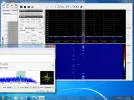
I dont get a signal lock ..but then again ..my blips in the waterfall dont look as convincing as yours guys..
I assume the the little display in the bottom right corner of Jaero needs a good 4 cluster constellation ...which I cannot achieve..
So no point in trying to prgress to decoding the signals as I dont think I can grab enough to make this work atm..
If only there was something constant to peak up on but the signals are very sporadic.
and my dish my simply not be be large enough at my location.
I havent given up but am certainly feeling a bit deflated atm ..
rgds
VSaero1.webp
 
So there are LNAs specific to this frequency range ...
and wouldn't I like to have one ..but at £350 ...I'm afraid no Vorsprung durch Technik for me
LNA INMARSAT super low noise amplifier 1500 to 1600 MHz L-BAND 22CM

So what about this wideband alternative from Canada ?

Ultra Low Noise Amplifier 10 MHz to 4000 MHz Gain 20dB NF=0.65 dB LNA

more like my price range ...but would it be effective ??

There are a variety of vhf uhf wideband amplifiers from China in the £10 price range ...but very basic indeed..
here is an example :-
50MHz-6GHz UHF 2.4G Broadband Low Noise Amplifier RF LNA Amp Module 20DB VHF HF

but again ...just how suitable or indeed effective would these be ?

Experts feel free to jump in and help here ..
rgds
VS
 
Last edited:
VS, can you not try this on Christina first to make sure you haven't missed anything out?
 
The plugin is on Vasilli's website here http://rtl-sdr.ru/uploads/download/auxvfo.zip

The DLL goes into the SDRsharp directory then edit plugins.xml by adding these two lines.

<add key="AuxVFO-1" value="SDRSharp.AuxVFO.AuxVFOPlugin,SDRSharp.AuxVFO" />
<add key="AuxVFO-2" value="SDRSharp.AuxVFO.AuxVFOPlugin,SDRSharp.AuxVFO" />

Two Aux VFOs should now appear when you start Sharp, set the parameters in the main tuning window then click on 'set' in the aux VFO panel. Check line 1 VAC in the aux VFO output, select L, check mix, set volume around mid way then enable the aux VFO so it all looks like my screen grab. Same for aux 2 except you want to select R on the output. Jaero listens to each audio channel separately to decode two T channels.
OK dll file is in directory, added the two lines to the Plugin XML. When I open SDR I keep getting an exception report. Does this XML file look right?

<?xml version="1.0" encoding="utf-8" ?>
<sharpPlugins>
<add key="AF DNR" value="SDRSharp.DNR.AFNoiseReductionPlugin,SDRSharp.DNR" />
<add key="IF DNR" value="SDRSharp.DNR.IFNoiseReductionPlugin,SDRSharp.DNR" />
<add key="Noise Blanker" value="SDRSharp.NoiseBlanker.NoiseBlankerPlugin,SDRSharp.NoiseBlanker" />
<add key="Wave Recorder" value="SDRSharp.WavRecorder.WavRecorderPlugin,SDRSharp.WavRecorder" />
<add key="Zoom FFT" value="SDRSharp.ZoomFFT.ZoomFFTPlugin,SDRSharp.ZoomFFT" />
<add key="Frequency Manager" value="SDRSharp.FrequencyManager.FrequencyManagerPlugin,SDRSharp.FrequencyManager" />
</sharpPlugins>
<add key="AuxVFO-1" value="SDRSharp.AuxVFO.AuxVFOPlugin,SDRSharp.AuxVFO" />
<add key="AuxVFO-2" value="SDRSharp.AuxVFO.AuxVFOPlugin,SDRSharp.AuxVFO" />
 
VS, can you not try this on Christina first to make sure you haven't missed anything out?
Not Easily ...
It would require removing the dual feed at the focus of Christina ...and replacing the whole assembly with the original single feed mount ...or at least replacing one of the ESX lnbs on the dual mount ..
So Yes it could be done ..but it would throw out the delicate dual feed arangement with 2x ESX which would likely take a considerable time to tweak again..
I am considering it though..
 
Hang on - what lnb is used for these plane frequencies? I thought it was just a c band transmission?
 
Hang on - what lnb is used for these plane frequencies? I thought it was just a c band transmission?
..From what I read ...the ESX wont be suitable which is why I'm currently swapping out the Titanium for the circular polarised ESX ..
Apparently the ESX isn't suitable because it aint PLL ..
I hope I'm not going to all this trouble for nothing ..
DOH!
..at least it aint raining ..so should be safe enough up short ladders..
fingers crossed
 
Back
Top