
You are using an out of date browser. It may not display this or other websites correctly.
You should upgrade or use an alternative browser.
You should upgrade or use an alternative browser.
The Aero Thread..
- Thread starter Vipersan
- Start date

Vipersan
Emmett Browns Ghost
- My Satellite Setup
- IP9000HD +
TD110 Dish and TD88 Dish in Tandem
66°East to 60°West.
AZbox PrmHD + OpnbxS9HD + Skybox + DrHD F15
2x VboxII AZ-EL
2 m+ Alcoa PF + BSC421 C-Band lnbf...
+SS2/TwHnS2-3200 pci/TBS6925 pci
1.5 Fortec Star -Gbox - HtoH Ku/Ka/C
- My Location
- UK
Thanks guys ...
will be trying this out tonight on the 25E dongle first.
will be trying this out tonight on the 25E dongle first.

Confucian
Regular Member
- My Satellite Setup
- 1.4m Offset, 1.8m Prime Focus for C Band Aero
- My Location
- Dalystown, Ireland
mine is in the "plugins.xml" file which looks likeHere we go , they call it the magic line...
One plugin:
<add key="AuxVFO" value="SDRSharp.AuxVFO.AuxVFOPlugin,SDRSharp.AuxVFO" />
<?xml version="1.0" encoding="utf-8" ?>
- <sharpPlugins>
<add key="AuxVFO-1" value="SDRSharp.AuxVFO.AuxVFOPlugin,SDRSharp.AuxVFO" />
<add key="AuxVFO-2" value="SDRSharp.AuxVFO.AuxVFOPlugin,SDRSharp.AuxVFO" />
<add key="AF DNR" value="SDRSharp.DNR.AFNoiseReductionPlugin,SDRSharp.DNR" />
<add key="IF DNR" value="SDRSharp.DNR.IFNoiseReductionPlugin,SDRSharp.DNR" />
<add key="Noise Blanker" value="SDRSharp.NoiseBlanker.NoiseBlankerPlugin,SDRSharp.NoiseBlanker" />
<add key="Wave Recorder" value="SDRSharp.WavRecorder.WavRecorderPlugin,SDRSharp.WavRecorder" />
<add key="Zoom FFT" value="SDRSharp.ZoomFFT.ZoomFFTPlugin,SDRSharp.ZoomFFT" />
<add key="Frequency Manager" value="SDRSharp.FrequencyManager.FrequencyManagerPlugin,SDRSharp.FrequencyManager" />
</sharpPlugins>

- My Satellite Setup
- TM 5402HD
Sky+ UK.
- My Location
- Scottish Borders
Do you want me to fix the crossed out stuff in that earlier post it then tidy the thread up sd (removing your subsequent post & this one)?
Vipersan
Emmett Browns Ghost
- My Satellite Setup
- IP9000HD +
TD110 Dish and TD88 Dish in Tandem
66°East to 60°West.
AZbox PrmHD + OpnbxS9HD + Skybox + DrHD F15
2x VboxII AZ-EL
2 m+ Alcoa PF + BSC421 C-Band lnbf...
+SS2/TwHnS2-3200 pci/TBS6925 pci
1.5 Fortec Star -Gbox - HtoH Ku/Ka/C
- My Location
- UK
So ...looks like this will be a bit more involved than I thought ..
Mainly because I am using an older version of SDR# that is still compatible with SDRplay ..
..and the version of # Im currently using was built with an earlier runtime library ..thus the plugin fails to run.
Could one of you kind gents please tell me what version of SDR# is needed ...and either a link to it or upload it to a drop box or somesuch..
Mainly because I am using an older version of SDR# that is still compatible with SDRplay ..
..and the version of # Im currently using was built with an earlier runtime library ..thus the plugin fails to run.
Could one of you kind gents please tell me what version of SDR# is needed ...and either a link to it or upload it to a drop box or somesuch..
s-band
Member
- My Satellite Setup
- 1.5m IRTE PF, Invacom SNF-031, TBS6983,
Various L, S, C, X & Ka bits. 1.2m S/X/Ku/Ka Prodelin on Az-El (being refurbished), 1.8m Precision PF with Bullseye Ku LNB or various C & X bits
- My Location
- Essex
Vipersan
Emmett Browns Ghost
- My Satellite Setup
- IP9000HD +
TD110 Dish and TD88 Dish in Tandem
66°East to 60°West.
AZbox PrmHD + OpnbxS9HD + Skybox + DrHD F15
2x VboxII AZ-EL
2 m+ Alcoa PF + BSC421 C-Band lnbf...
+SS2/TwHnS2-3200 pci/TBS6925 pci
1.5 Fortec Star -Gbox - HtoH Ku/Ka/C
- My Location
- UK
Cheers Graham ..I used the one that came from Airspy Download I'm not sure which version as I can't get to the PC. However, I have not tried it with JAERO and an RTL stick. Everything else is ok with the RTL though. I have multiple versions of SDR# on the same PC in separate directories.
I'll give the latest a go ..
As you say ..I can run multiple different versions ..
rgds
Vipersan
Emmett Browns Ghost
- My Satellite Setup
- IP9000HD +
TD110 Dish and TD88 Dish in Tandem
66°East to 60°West.
AZbox PrmHD + OpnbxS9HD + Skybox + DrHD F15
2x VboxII AZ-EL
2 m+ Alcoa PF + BSC421 C-Band lnbf...
+SS2/TwHnS2-3200 pci/TBS6925 pci
1.5 Fortec Star -Gbox - HtoH Ku/Ka/C
- My Location
- UK
So downloaded the latest 1.0.0.1457 ...and it doesnt appear to run with RTL-USB ?
Have they dropped support for anything other than Airspy I wonder?
What version are you using Confucian ?
Have they dropped support for anything other than Airspy I wonder?
What version are you using Confucian ?
Vipersan
Emmett Browns Ghost
- My Satellite Setup
- IP9000HD +
TD110 Dish and TD88 Dish in Tandem
66°East to 60°West.
AZbox PrmHD + OpnbxS9HD + Skybox + DrHD F15
2x VboxII AZ-EL
2 m+ Alcoa PF + BSC421 C-Band lnbf...
+SS2/TwHnS2-3200 pci/TBS6925 pci
1.5 Fortec Star -Gbox - HtoH Ku/Ka/C
- My Location
- UK
Got some work to do to make this all work together now ..but at least your version is running G ..
Recognising the RTL-SDR dongle
Many thanks..
Recognising the RTL-SDR dongle
Many thanks..
Vipersan
Emmett Browns Ghost
- My Satellite Setup
- IP9000HD +
TD110 Dish and TD88 Dish in Tandem
66°East to 60°West.
AZbox PrmHD + OpnbxS9HD + Skybox + DrHD F15
2x VboxII AZ-EL
2 m+ Alcoa PF + BSC421 C-Band lnbf...
+SS2/TwHnS2-3200 pci/TBS6925 pci
1.5 Fortec Star -Gbox - HtoH Ku/Ka/C
- My Location
- UK
Well I _think_ I have got the hang of it ..
see attached screen grab ..
Does this look ok guys ?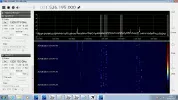
see attached screen grab ..
Does this look ok guys ?
s-band
Member
- My Satellite Setup
- 1.5m IRTE PF, Invacom SNF-031, TBS6983,
Various L, S, C, X & Ka bits. 1.2m S/X/Ku/Ka Prodelin on Az-El (being refurbished), 1.8m Precision PF with Bullseye Ku LNB or various C & X bits
- My Location
- Essex
Looks OK. I'm not sure about the audio outputs as I use VB-Audio virtual cables but if it gets to JAERO then it must be OKWell I _think_ I have got the hang of it ..
see attached screen grab ..
Does this look ok guys ?View attachment 96940
Vipersan
Emmett Browns Ghost
- My Satellite Setup
- IP9000HD +
TD110 Dish and TD88 Dish in Tandem
66°East to 60°West.
AZbox PrmHD + OpnbxS9HD + Skybox + DrHD F15
2x VboxII AZ-EL
2 m+ Alcoa PF + BSC421 C-Band lnbf...
+SS2/TwHnS2-3200 pci/TBS6925 pci
1.5 Fortec Star -Gbox - HtoH Ku/Ka/C
- My Location
- UK
It is using VB cables G ..Looks OK. I'm not sure about the audio outputs as I use VB-Audio virtual cables but if it gets to JAERO then it must be OK
Virtual cable 4 to be exact ..but Left and right channels merged on VB4 I'm hoping ...for the two vfos ..
..and 10500 bps burst x2 at Jaero..
I'll untick L for a while ..and see if any data is transferred ...
Then test R in the same manner..
54W uses VB2 ..
15W uses VB3
25E uses VB4 Left and Right ...
VB1 is reserved for 15W Lband ...from the Homebrew Helical..
Vipersan
Emmett Browns Ghost
- My Satellite Setup
- IP9000HD +
TD110 Dish and TD88 Dish in Tandem
66°East to 60°West.
AZbox PrmHD + OpnbxS9HD + Skybox + DrHD F15
2x VboxII AZ-EL
2 m+ Alcoa PF + BSC421 C-Band lnbf...
+SS2/TwHnS2-3200 pci/TBS6925 pci
1.5 Fortec Star -Gbox - HtoH Ku/Ka/C
- My Location
- UK
Not the best time of day to set up multi channels ...
Targets are a good way off optimum relative to the equator ..
15W is more or less active with 2 channels left and right ..
Multiplexing GES43 and GES 44 T channels ..so I'm pleased so far ...maybe later tonight I'll try 54W ..
rgds
VS
Targets are a good way off optimum relative to the equator ..
15W is more or less active with 2 channels left and right ..
Multiplexing GES43 and GES 44 T channels ..so I'm pleased so far ...maybe later tonight I'll try 54W ..
rgds
VS
Confucian
Regular Member
- My Satellite Setup
- 1.4m Offset, 1.8m Prime Focus for C Band Aero
- My Location
- Dalystown, Ireland
So downloaded the latest 1.0.0.1457 ...and it doesnt appear to run with RTL-USB ?
Have they dropped support for anything other than Airspy I wonder?
What version are you using Confucian ?
1443 but I think you can add the SDRSharp.RTLSDR.dll from older version and <add key="RTL-SDR (US
 " value="SDRSharp.RTLSDR.RtlSdrIO,SDRSharp.RTLSDR" /> to FrontEnds.xml and the new version should work
So downloaded the latest 1.0.0.1457 ...and it doesnt appear to run with RTL-USB ?
Have they dropped support for anything other than Airspy I wonder?
What version are you using Confucian ?
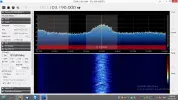
Download latest version (1464 as i type) then download and install Modified front end from List of SDRSharp Plugins - rtl-sdr.com and all works ok.
s-band
Member
- My Satellite Setup
- 1.5m IRTE PF, Invacom SNF-031, TBS6983,
Various L, S, C, X & Ka bits. 1.2m S/X/Ku/Ka Prodelin on Az-El (being refurbished), 1.8m Precision PF with Bullseye Ku LNB or various C & X bits
- My Location
- Essex
Confucian, Thanks for the info but the code was corrupted by the board software. Try the "Insert > code" button
Confucian
Regular Member
- My Satellite Setup
- 1.4m Offset, 1.8m Prime Focus for C Band Aero
- My Location
- Dalystown, Ireland
Confucian, Thanks for the info but the code was corrupted by the board software. Try the "Insert > code" buttonView attachment 96952
OOPs Sorry didnt spot that, here is my FrontEnds.xml file as a txt file :-
Attachments
Vipersan
Emmett Browns Ghost
- My Satellite Setup
- IP9000HD +
TD110 Dish and TD88 Dish in Tandem
66°East to 60°West.
AZbox PrmHD + OpnbxS9HD + Skybox + DrHD F15
2x VboxII AZ-EL
2 m+ Alcoa PF + BSC421 C-Band lnbf...
+SS2/TwHnS2-3200 pci/TBS6925 pci
1.5 Fortec Star -Gbox - HtoH Ku/Ka/C
- My Location
- UK
Well ...after much messing about trying to use both the Left and Right audio channels of a VB cable to transport 2 sets of data ..to one version of Jaero ...I have drawn the conclusion that Jaero only accepts data on the Left channel ..
The right channel being totally unused ..which is a waste ..
I've monitored the Right Channel and the data is present and ..with headphones on you can hear the data moving Left and right from the two channels ...but Jaero turns a deaf ear to the right channel.
I guess the only option now is to set up even more VB cable lines and use even more instances of Jaero ...each assigned its own cable and each only using the Left audio channel ?
I'll contact Jonti at some point and ask him to confirm my findings..
rgds
VS
The right channel being totally unused ..which is a waste ..
I've monitored the Right Channel and the data is present and ..with headphones on you can hear the data moving Left and right from the two channels ...but Jaero turns a deaf ear to the right channel.
I guess the only option now is to set up even more VB cable lines and use even more instances of Jaero ...each assigned its own cable and each only using the Left audio channel ?
I'll contact Jonti at some point and ask him to confirm my findings..
rgds
VS
Last edited: