Advice Needed TM5420HD C1 + Super + message "Not compatible with this STB".

Spiff

Regular Member
My Satellite Setup
Technomate TM-5402HD M3 C1+ Super+
Primesat VBox
2 x Actuators
Precision 1.3m Prime Focus Dish & mount.
InvertoTwin Black Pro C120

Amiko Viper4K
Primesat VBox
2 Actuators
Precision 1.5m Prime Focus Dish & mount
Titanium C1W-PLL C Band

Seven Computers : )
Two Davis Vantage Pro Weather stations
One Waldbeck Weather Station
My Location
Mullion Cove Cornwall
Good evening now that I have a stable mechanical system, I am progressing to installing some patches from the download centre to hopefully decode.

This may not be the right patch as it is new to me and as of yet I do not know exactly what I am doing.

But it and others will not install, so it is difficult to progress : )

I get a message "Not compatible with this STB".

Is this to do with the model or the operating system I have installed ?

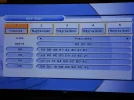
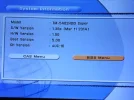
Please see images.

Thank you for your time

God Bless Spiff
 

Attachments

  • P01.webp
    P01.webp
    80.3 KB · Views: 15
  • P02.webp
    P02.webp
    72.8 KB · Views: 15
Connect your box to your router than navigate

Entertainment
TMOnline
Internet Update......
SW - average.......
PH
TM5402 -M3

then put patch 146 on it.
 
Connect your box to your router than navigate

Entertainment
TMOnline
Internet Update......
SW - average.......
PH
TM5402 -M3

then put patch 146 on it.
Thank you kindly for the information.

It downloaded so I am assuming it installed as well at the same time.

In system information nothing has changed, is that correct ?

I did reboot.

Can you say what patch 146 should do ?

A carrier has just delivered A 4K box my Christmas present, so I cannot play with that yet : )

Thank Spiff
 
Its the Phantom patch - got a few goodies built into it. Try the Swiss HD channels on 13E - they are currently opening on it. You may need to turn the patch on which is done using a particular key combo. Which I cant remember atm! 8282 maybe?

Let me go and have a look to see if I can find it
 
Spiff, you have model 5402 M1 or 5402 M2. You can find the update here.
 
Last edited:
^^ 18 months old - wont open much nowadays!

M1 & M2 patches are also available on the download method - just pick the applicable bit of s/w
 
Spiff, you have model 5402 M1 or 5402 M2. You can find the update here.
Good evening Thank you for that.

Are you saying that : -

TM-5402HD C1+ Super +

Is a M1 or M2 not a M3 ?

Spiff
 
Exactly. You can easily check the front side of your stb to see the model you have.
 
Exactly. You can easily check the front side of your stb to see the model you have.

The model number on the front panel is TM-5402HD C1+ Super +

No Mk number but you are saying it is either a MK1 or Mk2 with the above model number

Spiff
 
Its the Phantom patch - got a few goodies built into it. Try the Swiss HD channels on 13E - they are currently opening on it. You may need to turn the patch on which is done using a particular key combo. Which I cant remember atm! 8282 maybe?

Let me go and have a look to see if I can find it
11.525H 29.697 is as far as I can tell a Swiss HD info channel.

It said online that it was free to air, but it showed as $ and was blank.

I set CAS Viacess in the CAS menu

I set number 82 82 00 into the Ident box nothing apeared.

Changed it back to default 83 00 00.

The Info channel is now showing a picture without an $.

I do not know if what I did was correct, or if it caused the ifo channel to apear : ) ?

Images attached : )

Spiff
 

Attachments

  • P03.webp
    P03.webp
    137.8 KB · Views: 12
  • P04.webp
    P04.webp
    135.5 KB · Views: 12
So you have M1 model.
Thank you for that : )
The later models I asume say MK2 or Mk3 perhaps.

We supply radio service data, the fIrst model is never called a MK1, it is only the updates that are Mk2 and so on.

It apears to be decoding a channel as I have posted above, but not convinced yet : )

All very interesting.

God Bless Spiff
 
Thank you there is nothing like a picture : )

The decoded channel is now encoded again, oh well time for bed : )

I shall play another night.

Thank you for all your help Spiff
 
... This is the front logo of one of my recent 5402 HD M3 Spiff
 

Attachments

  • TM-5402 HD M3.webp
    TM-5402 HD M3.webp
    91.9 KB · Views: 17
... This is the front logo of one of my recent 5402 HD M3 Spiff
Thank you.

With all the Super + and so on I had always thought that I had the latest model.

Is there a lot to be gained in up grading to the MK3 ?

Better perhaps to wait for a 4k version now ?

God Bless Spiff
 
^^ 18 months old - wont open much nowadays!

M1 & M2 patches are also available on the download method - just pick the applicable bit of s/w

^^ 18 months old - wont open much nowadays!

M1 & M2 patches are also available on the download method - just pick the applicable bit of s/w
Thank you The MK1 patch did the job.

I had thought I had a M3 but this was incorrect.

God Bless Spiff
 
Back
Top