Octagon SF8008 & 4:2:2

Usually works fine for me streaming 4:2:2 feeds from SF8008 box to VLC. However, I always tend to have problems watching the Eurovision Song Contest feed in this way. Both this year and in 2019, across all jury shows, I'd find that the receiver just couldn't cope with it and would crash after about 15 minutes. Tried two E2 images, OpenATV and Vix and it did the same on both.
 
Here we go, quite acceptable quality of a feed. Streamed from SF8008. Not much movement though...
 
Does anyone have an Apple TV 4K? Have seen a report that claimed 80Mbs 2160p50 4:2:2 10-bit HEVC played perfectly with little CPU usuage (under 20%) - indicating hardware acceleration. Same report said anything interlaced is software decoded but still possible.
 
the 4.2.2. is visible by all Enigma2 receivers with the help of OpenWebif and VLC, and also other receivers that are not E2 like the V8 GT Media Turbo but with WinGTshareTool and with the video player you want.
Here with PotPlayer
 

Attachments

  • vlcsnap-2021-12-08-16h28m06s351.webp
    vlcsnap-2021-12-08-16h28m06s351.webp
    93.9 KB · Views: 27
Does anyone have an Apple TV 4K? Have seen a report that claimed 80Mbs 2160p50 4:2:2 10-bit HEVC played perfectly with little CPU usuage (under 20%) - indicating hardware acceleration. Same report said anything interlaced is software decoded but still possible.

Do you know if that’s the 2017 or 2021 model?
 
I tried the TV browser this morning, no luck whatsoever. However the browser didn't work for other channels too. I'll give the usb recording a go later.

I tried a recording on the usb stick, but the TV cannot playback .ts files
 
Try speeding up the frame rate and adjust the audio sampling. Sample of video and audio streamed via ProgDVB and routed through its built in media server to VLC on the same machine. The DVBS Card is an old Hauppauge HVR 4000. The machine in question is an old Core 2 Duo 4mb XP machine off line of course. Hardly the latest and greatest on offer.
 

Attachments

  • FF8C7DB9-6B8E-44BF-AD8F-B1E357DE91BE.webp
    FF8C7DB9-6B8E-44BF-AD8F-B1E357DE91BE.webp
    697.3 KB · Views: 21
Does anyone have an Apple TV 4K? Have seen a report that claimed 80Mbs 2160p50 4:2:2 10-bit HEVC played perfectly with little CPU usuage (under 20%) - indicating hardware acceleration. Same report said anything interlaced is software decoded but still possible.
Just tried this. Interesting experiment. My box, Vu+ DUO 4K SE, couldn't play the stream. Just showed a grey screen with audio.

Then I tried on my iPhone, which took a few seconds to resolve the picture, but it was OK (except for the aspect ratio which I didn't change).
IMG_3301.webp

Finally on the Apple TV 4K, it played without any problems (I fixed the aspect ratio). The only thing that seemed a bit off was that the ticker on the bottom was a bit "jumpy".


IMG_3303.webp

I wonder why they're using such a niche format and still broadcasting in 4:3.
 
I have a new AppleTV 4K 2021 model with VLC installed. Could you please post any guide how to get network stream from my Vu+ Duo4K OpenVIX image?
Unfortunately I have no motorised dish yet, but as soon as I will install my new one next Spring I would like to try to get 422 feeds using AppleTV. Thank you.
 
If there's Safari on the Apple TV try using the receiver's WebIf.
 
Just tried this. Interesting experiment. My box, Vu+ DUO 4K SE, couldn't play the stream. Just showed a grey screen with audio.

Then I tried on my iPhone, which took a few seconds to resolve the picture, but it was OK (except for the aspect ratio which I didn't change).
View attachment 139760

Finally on the Apple TV 4K, it played without any problems (I fixed the aspect ratio). The only thing that seemed a bit off was that the ticker on the bottom was a bit "jumpy".


View attachment 139761

I wonder why they're using such a niche format and still broadcasting in 4:3.
what app did you use to stream it from over apple tv 4k ?
 
There’s an app called vuplusTV which is pretty good.
 
This is a very good information! No web browser on the AppleTV, so some specific app is needed, and I did not know about vuplusTV. I will try as soon as possible and I will let you know my result. Thank you.
 
I grabbed the 2021 version off a friend the other day to do some testing.

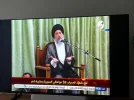
Al Forat played perfectly on there. I tried one of the 422 football streams. The picture played, still images were crisp, but it was jitter. There was a fair bit of motion blur, and it appeared that it wasn't outputting at 50fps.

@astra19 Did you need to make any adjustments to use Vuplus app? That works perfectly on my phone, but kept crashing my receiver when trying it via the Apple TV. Also, have you had any luck with other apps such as infuse or by messing around with the settings?

I've been searching for a way to see if there is the option to increase cpu usage for hardware decoding, but I don't think that exists.
 
Al Forat played perfectly on there. I tried one of the 422 football streams. The picture played, still images were crisp, but it was jitter. There was a fair bit of motion blur, and it appeared that it wasn't outputting at 50fps.
Can you force the Apple TV to 50hz in the settings?

If it's correct anything interlaced is software decoded that may be the difference as Al Forat is progressive 1920x540.
 
@astra19 Did you need to make any adjustments to use Vuplus app? That works perfectly on my phone, but kept crashing my receiver when trying it via the Apple TV. Also, have you had any luck with other apps such as infuse or by messing around with the settings?

I've been searching for a way to see if there is the option to increase cpu usage for hardware decoding, but I don't think that exists.
The app seems very finicky at times. You can try to play around with the zapping settings on the app but it seems fairly inconsistent about when it works. I have gone through spates of it crashing the receiver but other times for weeks on end it'll be fine. I tend to have my receiver on a VPN which also complicates things a bit.
 
Can you force the Apple TV to 50hz in the settings?
Yeah, I can set it to 4k50hz. I will try some more feeds tonight.


If it's correct anything interlaced is software decoded that may be the difference as Al Forat is progressive 1920x540.

Just to check my understanding is correct - that means Al Forat doesn't require deinterlacing?
 
Yeah, I can set it to 4k50hz. I will try some more feeds tonight.

Just to check my understanding is correct - that means Al Forat doesn't require deinterlacing?
It doesn't need deinterlacing as it's broadcast as 32:9 1920x540p50. It's a way of sending 1080i using HEVC, with the intention that each frame will be converted to an interlaced field further down the line in order to convert it back to 1080i. Metadata can be included in the video describing how the re-interlacing should be handled. So yes, the Apple TV is not deinterlacing Al Forat.
 
Back
Top