Advice Needed Low Symbol Rate Dutch Radio feeds on 16°E

dvbsnoop -s pidscan

---------------------------------------------------------
Transponder PID-Scan...
---------------------------------------------------------
PID found: 0 (0x0000) [SECTION: Program Association Table (PAT)]
PID found: 1 (0x0001) [SECTION: Conditional Access Table (CAT)]
PID found: 2 (0x0002) [SECTION: Transport Stream Description Table (TSDT)]
PID found: 16 (0x0010) [SECTION: Network Information Table (NIT) - actual ne
work]
PID found: 17 (0x0011) [SECTION: Service Description Table (SDT) - actual tr
nsport stream]
PID found: 18 (0x0012) [SECTION: Event Information Table (EIT) - actual tran
port stream, present/following]
PID found: 20 (0x0014) [SECTION: Time Date Table (TDT)]
 
Last edited:
Section_length: 21 (0x0015)
Transport_Stream_ID: 21411 (0x53a3)
reserved_2: 3 (0x03)
Version_number: 2 (0x02)
current_next_indicator: 1 (0x01) [= valid
Section_number: 0 (0x00)
Last_Section_number: 0 (0x00)

Program_number: 0 (0x0000)
reserved: 7 (0x07)
Network_PID: 16 (0x0010)

Program_number: 21411 (0x53a3)
reserved: 7 (0x07)
Program_map_PID: 1015 (0x03f7)

Program_number: 1010 (0x03f2)
reserved: 7 (0x07)
Program_map_PID: 2015 (0x07df)

CRC: 2693452201 (0xa08ad1a9)
==========================================
 
dvbsnoop -s pidscan

---------------------------------------------------------
Transponder PID-Scan...
---------------------------------------------------------
PID found: 0 (0x0000) [SECTION: Program Association Table (PAT)]
PID found: 1 (0x0001) [SECTION: Conditional Access Table (CAT)]
PID found: 2 (0x0002) [SECTION: Transport Stream Description Table (TSDT)]
PID found: 16 (0x0010) [SECTION: Network Information Table (NIT) - actual ne
work]
PID found: 17 (0x0011) [SECTION: Service Description Table (SDT) - actual tr
nsport stream]
PID found: 18 (0x0012) [SECTION: Event Information Table (EIT) - actual tran
port stream, present/following]
PID found: 20 (0x0014) [SECTION: Time Date Table (TDT)]
If it is all the pids found, the audio is not broadcast, although the information about it is present in PMT
 
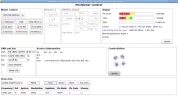
Dreambox DM900, Open ATV 7.6Alpha,16E radio.webp Channel Master 1.8 , Inverto Home Pro quad PLL LNB
 
I'm using a little Python script I wrote, which can run on the Enigma2 receiver itself via command line (as long as you install python3 with 'opkg install python3')

It will only work for radio stations that use a separate RDS PID, not where the RDS is encapsulated inside the audio stream. Those Polish radio stations (RMF Maxxx etc) on 23.5°E and the Germans on 19.2°E encapsulate it within the AAC audio packets themselves, which is difficult to decode - you have to decode the entire audio stream to get the RDS UECP packets. It's easier with MP2 stations like a couple of the RMF ones, but again you have to decode the audio ES to get at the data.

This Belgian station uses a separate PID though which is easier to decode in this way. PID 103 on 16°E 12577H -

You'll need to remove .txt from the end of the attached file so it's just uecp.py and then you can use it to view the RDS on the Enigma2 box while tuned to the channel by running -

Code:
dvbsnoop -s ts -b 103 | python3 uecp.py 103

To get similar output to above -

Code:
17:30:18 | ADDR: 00000 | DSN: 0x0 | PSN: 0x0 | 0x03 [TA] | OFF
17:30:21 | ADDR: 00000 | DSN: 0x0 | PSN: 0x0 | 0x0A [RT] | Q Sounds Better With You
17:30:22 | ADDR: 00000 | DSN: 0x0 | PSN: 0x0 | 0x02 [PS] |  Qmusic
17:30:27 | ADDR: 00000 | DSN: 0x0 | PSN: 0x0 | 0x01 [PI] | 6306

This also works for others, as the French stations on 5°W for example also use a separate RDS PID -

5°W 11480H PIDs 140, 240, 340 (these have data for all of the Radio France stations), 1140, 1240, 1340, 3140, 4140
5°W 11461H PIDs 161 (NRJ/Nostalgie/R&C/Chérie FM), 471 (Europe 1/Virgin/RFM), 481 (Radio France).

Some of the German stations on 19.2°E also use the system, usually it's APID+1 for the correct PID if they do. (e.g. Hamony.fm)

hi i sent the attached file over to home/root but i get the following error
root@vuduo4kse:~# dvbsnoop -s ts -b 103 | python3 uecp.py 103
-bash: dvbsnoop: command not found
 
hi i sent the attached file over to home/root but i get the following error
root@vuduo4kse:~# dvbsnoop -s ts -b 103 | python3 uecp.py 103
-bash: dvbsnoop: command not found

Looks like you need to install dvbsnoop first, should work after running this first -

Bash:
opkg update
opkg install dvbsnoop
 
Last edited:
Looks like you need to install dvbsnoop first, should work after running this first -

Bash:
opkg update
opkg install dvbsnoop

thanks have now done that, now i get the following errors

root@vuduo4kse:~# dvbsnoop -s ts -b 103 | python3 uecp.py 103
Error(16): /dev/dvb/adapter0/dvr0: Device or resource busy

root@vuduo4kse:~# root@vuduo4kse:~# dvbsnoop -s ts -b 103 | python3 uecp.py 103
root@vuduo4kse:~# Error(16): /dev/dvb/adapter0/dvr0: Device or resource busy
-bash: syntax error near unexpected token `16'
root@vuduo4kse:~# root@vuduo4kse:~#
 
thanks have now done that, now i get the following errors

root@vuduo4kse:~# dvbsnoop -s ts -b 103 | python3 uecp.py 103
Error(16): /dev/dvb/adapter0/dvr0: Device or resource busy

root@vuduo4kse:~# root@vuduo4kse:~# dvbsnoop -s ts -b 103 | python3 uecp.py 103
root@vuduo4kse:~# Error(16): /dev/dvb/adapter0/dvr0: Device or resource busy
-bash: syntax error near unexpected token `16'
root@vuduo4kse:~# root@vuduo4kse:~#
Hmm I've not seen that one before! I will check it again on my Octagon when I get chance, not sure why it's reporting the frontend as busy - you're just tuned to the channel in question on 16°E at the time?
 
Hmm I've not seen that one before! I will check it again on my Octagon when I get chance, not sure why it's reporting the frontend as busy - you're just tuned to the channel in question on 16°E at the time?
hi yes i tried on 16°E & also on 5°W & i get exactly the same result & error messages
 
Hello,

They have stopped broadcasting Joe FM Radio or Radio 538 on 16 east ? No signal. My STB is an Octagon SF 8008 and the image is openatv 7.6 beta. Dish size 1.5 m.
Thank you for the info.
 
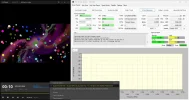
It's not easy, but it works anyway, with TBS 6983 + 1.80 antenna and VMA Streeam Reader,
and also with a V9 Prime satellite receiver.
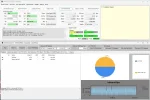
11053 H Radios.webpScreenshot 2025-09-24 09-17-14.webpScreenshot 2025-09-24 09-17-44.webp
 
works for me using Octagon SF8008 Twin V1 just scan it in, nothing special is required
 
At the mo and as said above 'It's not easy'..............took quite some time to lock. :rolleyes:

Alicante, 1.8m Marrafa PF

Octagon SF8008 V3 SUPREME Twin

a.webp
 
With signal here too, on the frequency (11054 H) of radio [JOE TNZ] and [Radio 538 TNZ] on {Eutelsat 16º E}. Using the VMA Stream Reader Software :Y.

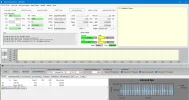
Although I can't hear anything, the Bitrate (bps) constantly appears and disappears. The BER is somewhat high. Perhaps adjusting the antenna further would improve the signal levels.

Captura de pantalla 2025-09-24 235247.webp
 
Yep, no problem with SF8008, just need to wait some 30 sec to lock...

Joe_FM.webp Radio538.webp
 
I can confirm the @satesco find

12567.3 H 405 -> JOE
12567.8 H 405 -> Q Music
12568.3 H 495 -> QNL AMS
This morning i can't receive any of the above stations.

I found QNL AMS new frequency : 12.541,1 H 405 3/5 (pid 101)

the others stations should be near this frequency but at the moment i can't lock'em.
 
Back
Top